The Golden Rules for a Smart TV App Development Recipe

Table of contents
- So, what are the real Smart TV app development best practices?
- Why Smart TV app design guidelines matter when you’re just trying to watch TV
- Where Smart TV app development challenges really begin
- Develop apps for Smart TV with Oxagile: How to solve key challenges
- Dealing with Smart TV platform fragmentation
- What to consider for great usability and UX
- How to deal with digital rights management
- How to avoid rejections when submitting Smart TV apps to app stores
- How to develop a Smart TV app with a solid performance
- Smart TV app: Solving QA problems
- Wrapping up the Smart TV app recipe
We often hear the complaint, “I’m likely to become an addict.” The good thing is it may be not about food or cigarettes. The bad one is that people are talking about TVs. With a bunch of channels under one belt, Smart TV is perceived as a ‘safe haven’ where viewers escape from irritating chores, getting absorbed into favorite content.
The global Smart TV market is forecast to reach about 495 billion USD by 20321, reflecting strong demand for connected entertainment and advanced displays. With this ongoing evolution of Smart TV hardware and software, audience expectations keep multiplying across regions and platforms.
The industry can’t fully get rid of the viewers’ skeptical remarks such as “Smart TV apps can be smarter”, thus being more and more concerned about the question, “How do you serve a perfect dish to the audience whose tastes are becoming more exquisite?”

Polishing the recipe seems to be a never-ending process but at least let’s try to discover some Smart TV app’s secret ingredients together with Alexey Zaberezhniy. He’s a video solution system analyst at Oxagile, with profound expertise in online video and Smart TV app development, who’s willing to share the best “app cooking” practices and help you anticipate the challenges along the way.
Key takeaways:
- The Smart TV ecosystem is highly fragmented, with no single OS dominating. Android TV leads the market, while Roku is growing fast. Apps must work across set-top boxes, Apple TV, Amazon Fire TV, and other platforms.
- UX should stay simple. Minimal navigation steps, intuitive controls, and a clear screen hierarchy matter most. Users want to open the app, click a few times, and start watching.
- Different devices come with various SDKs, APIs, and DRM, and systems vary in performance and compatibility. Backward compatibility with older TVs, memory optimization, and CDN setup help avoid performance issues and app store rejections.
- Personalization is becoming a priority. Generic recommendations are no longer enough. Machine learning and individual viewing behavior data help streaming services deliver more relevant content to each user.
- Testing requires a clear strategy, as device fragmentation makes testing complex. A defined matrix of platforms, a mix of real devices and emulators, and automated parallel testing keep QA manageable.
- New features must have a balance with core standards. Voice search and interactive viewing are useful additions, but adaptive streaming, EPG, and HD/Ultra HD support are still the foundation.
So, what are the real Smart TV app development best practices?
Do we need to constantly add brand new ingredients to a proven Smart TV app formula or opt for traditional recipes?
Modern technologies and their development speed do not allow us to believe in one and the same tools for years. We see many capabilities emerging such as catch-up TV or voice search. Still, it doesn’t mean you should rely solely on innovation. EPG or TV archives for Smart TV streaming are a necessity rather than luxury. The same is about HD, Ultra HD, and adaptive streaming.
But you’ll hardly amaze users with good old industry standards as they thirst for a breathtaking experience flavored with innovative features. So a winning formula here is a blend of well-established core parameters and innovations.
Which component would you mention first to make a Smart TV app dish taste delicious even for capricious degustators?
Interactive viewing experience is definitely on my short list. The ability to directly interact with viewers and get feedback is a unique characteristic of Smart TV apps, so why not capitalize on it?
Talking to viewers is the best way to get unbiased feedback to further predict consumers’ demands. A media streaming service can ask viewers directly about their likes and dislikes via a dialog box on a TV screen or analyze their activity within the app. That’s how you’re exploring what content, when, and how a user consumes.
As for many the mere watching is no longer attractive, a remote control allows streaming a TV show, turning viewers into participants, or providing interactive betting during a live sports stream.
Why Smart TV app design guidelines matter when you’re just trying to watch TV
“… Finally Bob is back home after an exhausting working day. The only thing he wants is to crash on the couch and delve into the TV show that makes his personal Top 10. But then he has to force the way through complex navigation, and the excitement disappears in a snap.” What’s wrong with the Smart TV app recipe in this particular case?
“The simpler, the better” rule has never been so true as now, when we’re talking about Smart TV navigation. Most video content providers today stick to the 5-screens paradigm when the same content can be accessed simultaneously from multiple devices.
So a good solution here would be to provide the convergence of screens, “extending” UI to mobile, laptops, or other devices.
Advanced profile settings? Welcome to build them on mobile devices! Easy-to-use search functionality? One button on a TV remote control to help you trigger a screen for text input on your mobile device is enough. All for the sake of convenience: a user types their search query, relying on all filters available, and sends the result back to a TV screen to enjoy what they have been looking for.
Let’s go back to our hero Bob coming home and longing for smart entertainment. What are the other essential Smart TV app UX ingredients to bring real value to him and other viewers?
UX is tricky. If you bring too many elements, you’ll “oversalt” it. Despite new Smart TV opportunities constantly arriving, the number of buttons on a remote control is rapidly decreasing, as a well-thought-out approach to Smart TV design implies utmost simplicity and a native look and feel.
For each screen, one clear focus and 2-3 simple actions made by users are enough. The ideal scenario for Bob is to start an app, make a few clicks, and begin watching.
To implement this workflow, you need to introduce smart content recommendations and a well-arranged hierarchy of screens.
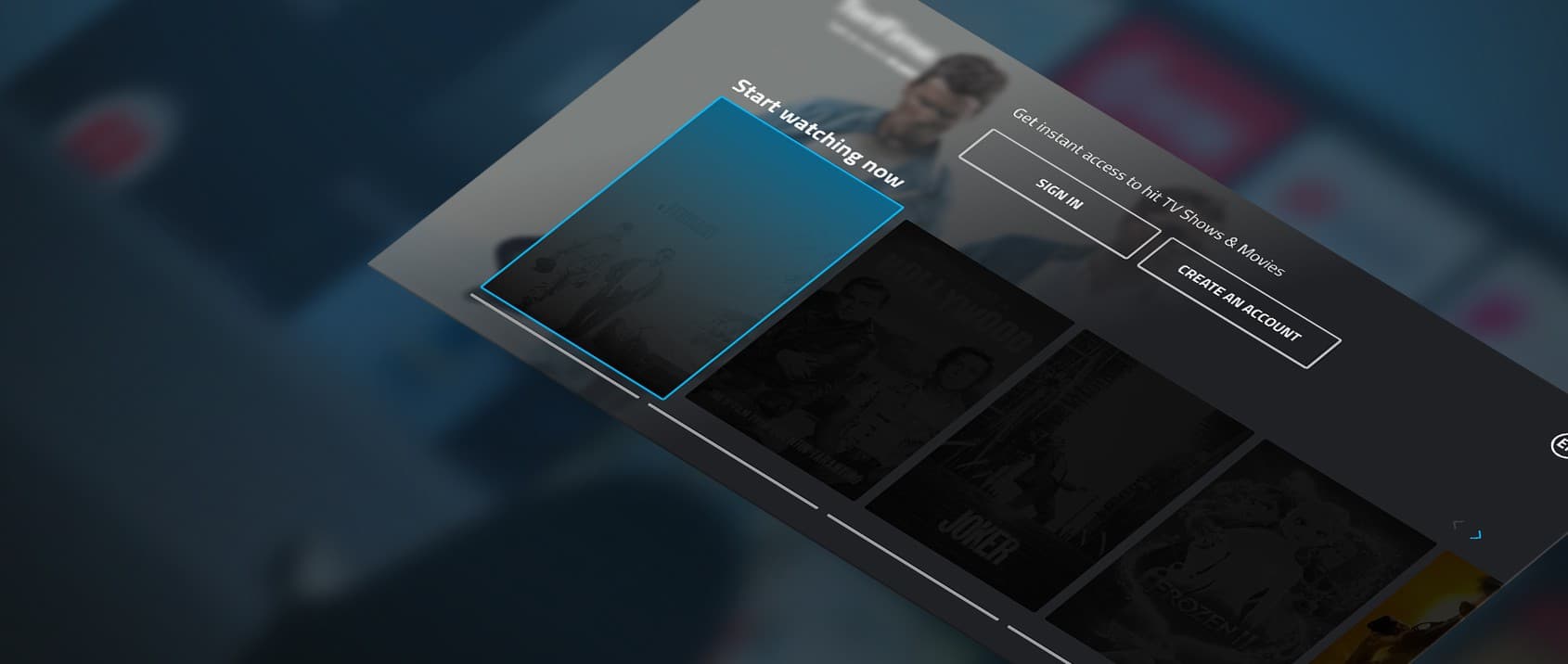
Are there any Smart TV app culinary masterpieces with the convergence at its core your team contributed to?
Being pushed forward by the necessity to respond fast to the market demands, one of our clients reached out to Oxagile’s team to accelerate the development for Smart TVs and other platforms.
To foster the delivery, we started working on a front-end framework. It let our client go live quickly with new apps for multiple platforms using a low-code option. While we were centered around finding the convergence of the app functionality, the right balance between an easy-to-follow UI and platform-specific components was found as well.
Could you unveil any extra ingredients for Smart TV app development to help the market attract, engage, and retain viewers?
There are a bunch of powerful ad selection solutions to support individual content recommendation scenarios on the Smart TV market.
Based on a granular analysis of user watching behavior (when the playback is started, what is played, when and what is skipped, etc.) complemented by an interest-based matrix built around data from third-party sources such as social media, search engines, and ecommerce platforms, video content providers create customized content offerings for each viewer. They are also strengthening their influence on user engagement and successfully experimenting with different monetization options, including enhanced AVOD and FAST.

Looking to bring your streaming ideas to life?
Partner with a team experienced in creating seamless, engaging experiences for every screen. Explore our Smart TV app development services and start building apps that captivate your audience from the first click.
Where Smart TV app development challenges really begin
Let’s try to look into the future and foresee some promising trends for the Smart TV market.
Today, OTT providers and MVPDs lean towards aggregating as much content as they can within a single service. Chasing popularity, one video service may offer hundreds of channels and millions of shows, movies, and series. Do you imagine the users’ reaction when they’re drowning in ample content offerings?
On the one hand, switching on TV, browsing through channels, and the passive consumption of what is streamed sounds not as terrible. But on the other hand, what about the viewers who are dreaming of their favorite shows from the early morning?
I believe that a promising direction on the Smart TV market is guiding users through the thick woods of content with smart and powerful recommendations. And now I’m talking about the next step, not the one mentioned above. The key is to shift to an individual user, with their unobvious expectations and hidden desires.
Do you mean that personalization is no longer about housewives, football fans, businessmen, plumbers, or another cohort?
Exactly. Media streaming providers should look deeper and touch the heart strings of Bill, Mary, or our fellow Bob, as this approach is about care on top of the customer focus. And it looks like the most wanted by users and the most efficient for online video businesses.
How to put it into practice? Data intelligence and machine learning skills enter the arena and help to find the solutions to hyper-personalization challenges.
It seems we’ve just found the topic for the next conversation…
And I’d be delighted to expand on it.
Develop apps for Smart TV with Oxagile: How to solve key challenges
As Smart TVs become more sophisticated, the demand for specialized app development grows. However, creating seamless and engaging Smart TV applications presents unique challenges for developers.
Dealing with Smart TV platform fragmentation
Unlike the mobile app market, where iOS and Android dominate nearly 100% of the global share, the Smart TV ecosystem remains highly fragmented, with multiple operating systems competing for market presence.
Android TV continues to lead due to its open ecosystem, seamless compatibility with a wide range of applications, and integration with the Google Play Store, giving users access to an extensive library of apps, games, and streaming services2. Its familiar interface makes it a natural choice for those already using Android devices, and availability across various price segments reinforces its market dominance.
Roku, meanwhile, is experiencing rapid growth driven by its user-friendly interface and strong compatibility with major streaming services. Its straightforward design and simplified remote control make it particularly appealing to non-tech-savvy consumers. Affordability, accessibility, and strategic partnerships with manufacturers have further solidified its role in the Smart TV industry.
However, Smart TV viewers are rarely tied to a single device, often switching between multiple platforms throughout the day. To provide seamless experiences, content distributors must develop apps that function efficiently across various devices, including set-top boxes, Apple TV, Amazon Fire TV, and Google Chromecast.
Pro tip:
To better target resources and increase ROI, thoroughly analyze the market and define a matrix of preferable platforms before building your app.
Different devices also mean different SDKs and APIs that are frequently updated by vendors.
Pro tip:
To avoid compatibility problems, scrutinize the documentation for every platform, strictly follow deployment guidelines, and provide comprehensive API update support.
As new operating systems are constantly entering the market, and new versions are not always compatible with older TV hardware, which may prevent apps from supporting new features.
Pro tip:
To solve this, define a matrix of the necessary OSes, test the feasibility of supporting older televisions, and add custom code for backward compatibility with legacy hardware.
What to consider for great usability and UX
TV differs a lot from smaller screens, so smart TV app development has its design peculiarities.

Intuitive in-app navigation
Design for viewing from several meters away. Use readable typography, balanced contrast (avoid pure black and white), and layouts that scale cleanly across HD, Full HD, 4K, and 8K screens.
Remote-friendly navigation
Smart TV apps live or die by navigation. Keep user flows short, avoid complex menus, use clear focus indicators, and make directional navigation predictable with a consistent Back action.
Content discovery
Help viewers find something to watch quickly with personalized recommendations, effective search, and voice search where the platform supports it.
Clear focus states
Every interactive element should have a visible focus state. It must remain consistent throughout the app and be easy to distinguish without distracting from the content.
Cross-device continuity
Allow users to resume playback across TVs and mobile devices by keeping watchlists, preferences, and parental controls synchronized.
How to deal with digital rights management
When a business develops a Smart TV app for webOS and Tizen, properly handling compatibility with streaming techniques and DRM systems is crucial. While modern Samsung and LG TVs support MPEG-DASH, HLS, PlayReady, and Widevine DRM, older models may have limitations.
For example, webOS TV 5.0 and higher support HTTP/2, but not HTTP/3, while Widevine Classic has been deprecated starting from webOS TV 23. Similarly, Tizen OS continues to support PlayReady and Widevine, making it essential to configure streaming settings properly.
If your app encounters playback issues due to DRM incompatibility, consider these two solutions:
- Modify the streaming configuration
Make sure that your DRM system is supported on the target devices. If using Widevine Classic, switch to Widevine Modular for webOS TV 23 and later. - Implement a multi-DRM strategy
Use a flexible DRM approach that supports both PlayReady and Widevine for a broader reach across Smart TVs.
By applying these strategies, you can provide a seamless streaming experience for users while maintaining compliance with DRM requirements.
How to avoid rejections when submitting Smart TV apps to app stores
Smart TV solution approval in an app store can take a long time (about 2-3 months, depending on the version). If you don’t go into details about the solution approval process and its tricky cases, you may get your Smart TV app rejected.
For submission, Smart TV app developers need to provide an app store with a complete application map describing its functional capabilities, navigation scenarios, and other UX components. The next stage includes a substantial test checklist and test execution as per it for an app to go through an approval process. Frequently, some of the must-have points are missed, which leads to rejections. To eliminate the “rejected” status and not get into a vicious circle, it’s vital to strictly follow the checklist to get your Smart TV app submitted and approved by the app store.
How to develop a Smart TV app with a solid performance
One of the reasons for app store rejection might be a poor video streaming speed. If you want to avoid re-submitting the app and postponing the market release, enhance the solution performance.
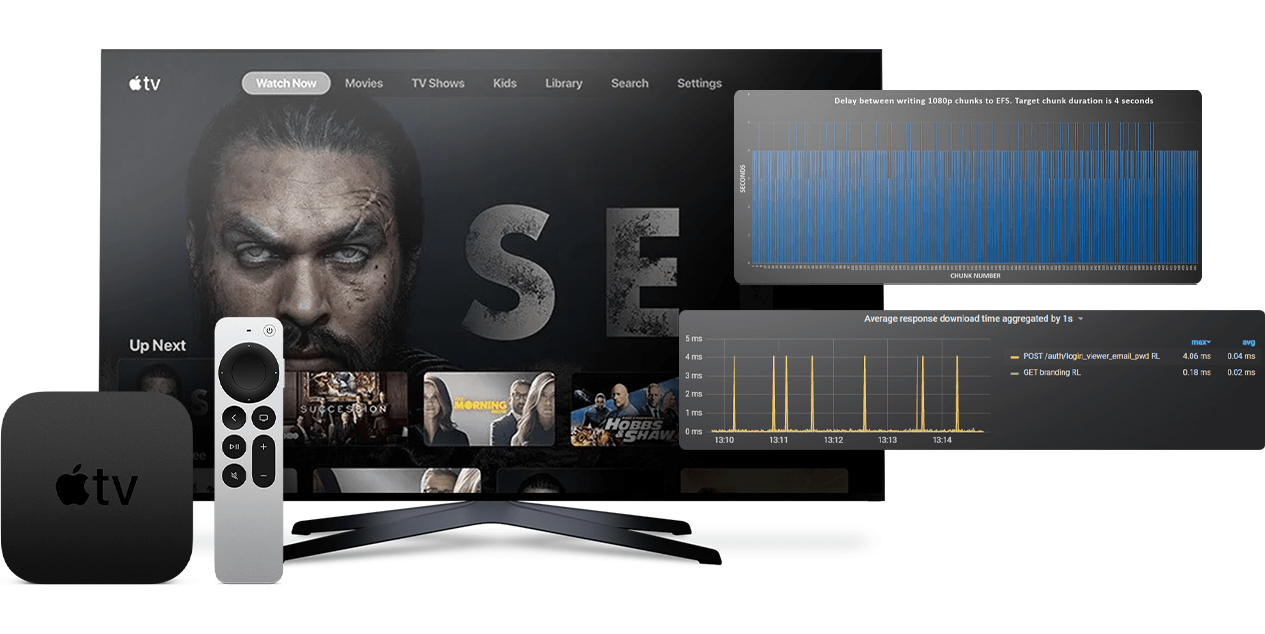
Smart TV performance
When handling multiple platform versions, it’s key to timely switch off the functionality that isn’t supported on older versions. Simplifying UI is another way to significantly improve frontend performance. This can be done by using React renderers with canvas instead of HTML DOM elements and by omitting complicated CSS styles like shadows or 3D. However, canvas isn’t applicable for older TVs, as it will reduce the Smart TV app’s performance and rendering.
Considering the fact that TV is a low-memory device, and its characteristics differ from that of PCs, pay particular attention to performance profiling. This will help detect TV’s memory errors, CPU limitation, uninitialized memory, as well as the improper allocation or deallocation of memory.
We also recommend writing custom code for Smart TV apps with backend performance in mind, implementing CDN set-ups, and conducting highly-performant automated Smart TV testing. To deal with hardware performance challenges, you should optimize the app for older TVs when needed and implement graceful degradation. Sharing one codebase logic for scaling to multiple platforms may be viable for Smart TV development projects with several devices in mind. This allows using a single code architecture as the core, saving on the project costs and customizing specific needs for each platform.
Case in point: Modular OTT app with a single codebase for 13 platforms and 25 devices
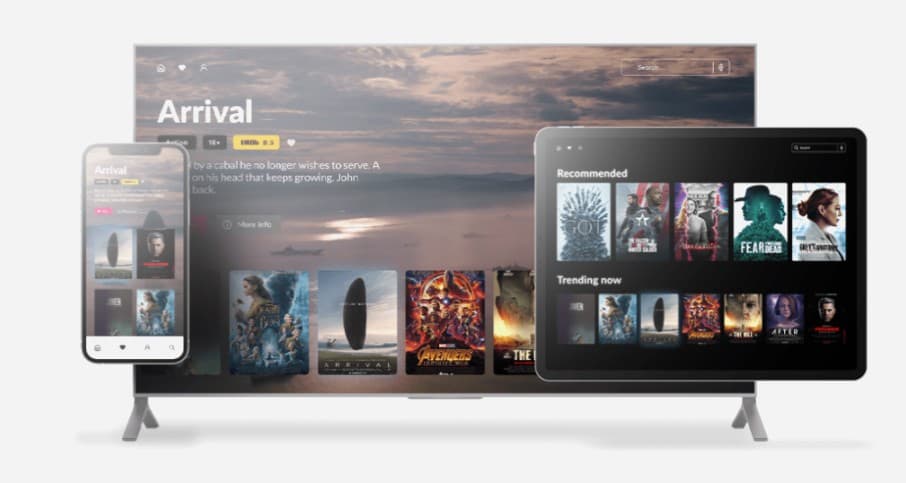
Find out how Oxagile created an easily configurable frontend OTT solution with further adaptations for various telcos in mind. The team designed the solution architecture allowing for a massive code reuse.
Smart TV app: Solving QA problems
Smart TV testing is a complex process that presupposes a great volume of work due to TV device fragmentation.
To deal with this efficiently, define a matrix of platforms for testing as well as test the feasibility of using real-life devices. As practice shows, real-life devices are key to testing particular features like video streams or custom navigation. For the rest of the scenarios, emulators come in handy. Moreover, TVs are not apt to screenshot testing, and with emulators you can get screenshots through a host OS.
Among other methods you can use to speed up the QA processes are:
- Automated parallel testing across various emulators
- Avoiding sending large messages (over 1,000 symbols) via WebSockets
- Dividing large messages into several smaller ones
When testing on TV devices, debug connections might be lost due to high loads. With this in mind, capitalize on real-life devices only to test the functionality that can’t be tested on emulators and timely restart the debugging process.
Smart TV development projects typically combine both manual and automated testing. Though the latter is considered to be more expensive due to the technologies involved, it will pay off in the future. Compared to native TV app development, it saves the project time and makes it faster and easier to debug even “invisible” bugs.
Wrapping up the Smart TV app recipe
So, if we get back to our cooking metaphor, Smart TV app development is hardly about following a fixed recipe step by step. It is more about tasting along the way and understanding when to rely on proven approaches and when to carefully introduce something new.
The most effective TV app development best practices today come down to balance. Interactive features, simple navigation, thorough testing to deliver flawless performance, and thoughtful recommendations work best when they support the viewing experience instead of drawing attention to themselves.
At the same time, the industry is entering a phase where technology alone isn’t enough. As content libraries grow and viewers become more selective, Smart TV apps must learn to recognize individual expectations and respond to them naturally.
This shift requires data, experience, and a genuine focus on real people sitting on their couches after a long day. The recipe is changing, and that ongoing refinement is what keeps Smart TV app development both challenging and exciting.
Need expert guidance?
We develop Smart TV apps and are ready to become your reliable tech ally, guiding you toward your next successful project.
Sources
- — Polaris Market Research
Smart TV Market Size — Share, Trends, Industry Analysis Report
- — Grand View Research
Smart TV Market Size, Share & Trends Analysis Report
FAQ
What are the most important Smart TV app development best practices today?
At the core, it’s about balance. A Smart TV app should rely on stable, familiar features users expect, and carefully introduce new functionality that genuinely improves the experience. Interactivity, personalization, and performance matter, but only when they stay in the background and help users get to content faster, not distract them from it.
Why are Smart TV app design guidelines so different from mobile or web apps?
Because people interact with TVs differently. A viewer usually sits back, uses a remote with limited buttons, and expects the app to do most of the thinking for them. That’s why simplicity, clear focus on each screen, and a minimal number of actions are critical. If navigation feels like work, the experience quickly falls apart.
What Smart TV app development challenges do content providers face as libraries grow?
The biggest challenge is choice overload. When users are presented with thousands of titles, finding the right content becomes harder than accessing it. Without strong recommendation logic and personalization, even the richest content library can feel overwhelming and frustrating.
How can Smart TV app UX improve viewer engagement?
Good UX makes it effortless for viewers to find, play, and interact with content. Thoughtful screen hierarchy, minimal clicks, and smooth recommendations reduce frustration, increase satisfaction, and turn casual viewers into regular users.
What are the main things to consider when you develop Smart TV apps for multiple platforms?
Convergence and consistency are key. Apps should feel familiar across TVs, mobiles, and laptops while taking advantage of platform-specific features. Planning for cross-device navigation, performance, and personalization early.
Why is platform fragmentation a major issue in Smart TV app development?
Smart TV platform fragmentation is a challenge because multiple operating systems (Android TV, Roku, webOS, Tizen, Apple TV, Amazon Fire TV, Chromecast) coexist, each with its own SDKs, APIs, and hardware limitations.
New OS versions may be incompatible with older TVs, and features may behave differently across devices. This makes it difficult to keep consistent UX, maintain compatibility, and optimize performance across the ecosystem.
How can you overcome performance and compatibility issues in Smart TV app development?
A clear Smart TV app development tutorial would guide you through proven methods such as:
- Creating a matrix of supported TV platforms and OS versions, including legacy hardware
- Using modular architecture and a single codebase for multiple platforms to streamline development
- Optimizing UI for low-memory devices: simplify layouts, avoid heavy CSS, use canvas rendering where appropriate
- Conducting both manual and automated testing on real devices and emulators
- Implementing graceful degradation for unsupported features on older TVs
- Optimizing backend performance, CDN integration, and streaming configuration for low latency
What best practices help with Smart TV app store approval and launch?
Here are a few worth noting:
- Follow platform-specific guidelines and update APIs consistently
- Provide a detailed app map covering navigation, functionality, and UX elements
- Test extensively against a checklist covering functional and visual requirements
- Deliver smooth streaming performance, intuitive navigation, and compliance with DRM systems
- Plan for phased submissions and consider OS version limitations to avoid rejections
What are the top cross-platform Smart TV app development companies?
Cross-platform Smart TV development covers Android TV, Roku, Tizen, webOS, Apple TV, and set-top boxes, and requires experience in scalable, modular architectures. Companies like Oxagile have delivered projects across these platforms, focusing on efficient code reuse, optimized performance, and thorough testing for consistent, high-quality experiences on every device.
What does it take to develop Smart TV app solutions that work across multiple platforms?
To develop an app for Smart TV usage, you need reusable core components, light UI assets, and thorough testing on real devices for consistent behavior across all major platforms. Your tech stack and design approach should be able to handle different TV operating systems, UI rules, and performance limits.
How do you handle Smart TV platform fragmentation (Tizen, webOS, Android TV, Roku) without building separate apps from scratch?
The foundation is a shared codebase for core logic, with platform-specific adjustments added on top. Before development starts, it helps to map out target platforms, study their documentation, and plan for older devices early so graceful degradation is built in rather than patched later. Testing combines emulators for general scenarios with real devices for things like video streams and custom navigation.