Updated on:
New Roku Features for 2026: What’s Actually Possible?

Table of contents
“Can we build something like Netflix on Roku?” It's a question streaming providers often bring to our engineers. They want personalized content rows, custom navigation, interactive features, and a viewing experience that feels consistent with their other platforms.
Roku's native components support many common streaming scenarios, but more demanding interfaces still call for custom development. Recent platform updates have expanded what's possible, with Roku OS 16 introducing new SceneGraph capabilities and the RSG 2.0 SDK bringing TypeScript into the picture.
So which features are available out of the box, and where does custom engineering still matter? Let's unpack the new Roku features 2026 is seeing.

Guiding us through the technical details of Roku updates, platform’s subtleties, and shedding light on the vast potential of Roku’s capabilities is expert Ivan Popovic, Senior Roku Developer at Oxagile, whose day-to-day work lives at the intersection of platform limitations and creative solutions.
Key takeaways:
- Roku OS 16 expands SceneGraph customization with GPU-accelerated visual effects, configurable grid focus indicators, and new BrightScript APIs.
- Mentioning Roku OS updates features, the content discovery features include personalized sports highlights, curated categories, and subscription-based recommendations.
- Recent Roku OS AI update features focus on smarter content discovery and personalized recommendations, with platform capabilities varying by device and region.
- Native SceneGraph components still have limitations when apps require complex navigation, custom animations, or backend-specific UI logic.
- RSG 2.0 introduces TypeScript and new development tools, but the SDK remains in public beta, with Roku Streaming Store publishing expected in 2027.
Where does Roku stand today?
If your app strategy includes the big screen in American homes, Roku is hard to ignore and here’s why.
Roku leads the connected TV (CTV) device market in North America. Pixalate reports its Share of Voice (SOV) in programmatic CTV impressions at about 37% as of Q2 2026, unchanged from a year earlier1. That means Roku devices carry more open CTV ad traffic than any single competitor in the region, driven by wide adoption and durable user loyalty.
In Latin America, Roku still leads but with a narrower margin: 34% SOV in Q2 2026, down from 45% in Q2 2025, as TCL, Samsung, and Aiwa pick up share.
As we explored recently, one of the reasons for Roku's North America dominance is positioning. Apple TV courts high-end design, Android TV chases open-ended flexibility, and Roku stays planted in the middle, which suits both users and developers.
For a product roadmap, the math is simple. Skip Roku in the US market, and you skip close to a third of your reachable CTV audience.
New Roku features shaping the viewing experience in 2026
Roku ships updates on a steady cadence. It has expanded its content discovery, personalization, and viewing features through successive OS updates. Many capabilities introduced in earlier releases remain central to the platform's experience in 2026, particularly for sports fans, subscription viewers, and households using multiple devices.
What to Watch: How do category and genre browsing work?
What’s different this time?
Roku OS introduced category-based browsing inside the What to Watch section. Viewers pick predefined categories such as Movies, TV Shows, or New & Popular, then filter by genre, such as action, comedy, crime, and others. Roku also launched curated experiences built around themes or interests, like food or home, featuring selections of related entertainment.
What’s better now?
Viewers scroll less and land on relevant titles faster, which lifts session starts and cuts abandoned browsing. For content distributors, correct category placement decides whether your catalog appears at all. Better discovery keeps viewers inside the app longer, and genre collections give a place to push a specific title to a defined audience.
How does Roku personalize the sports experience?
What’s different this time?
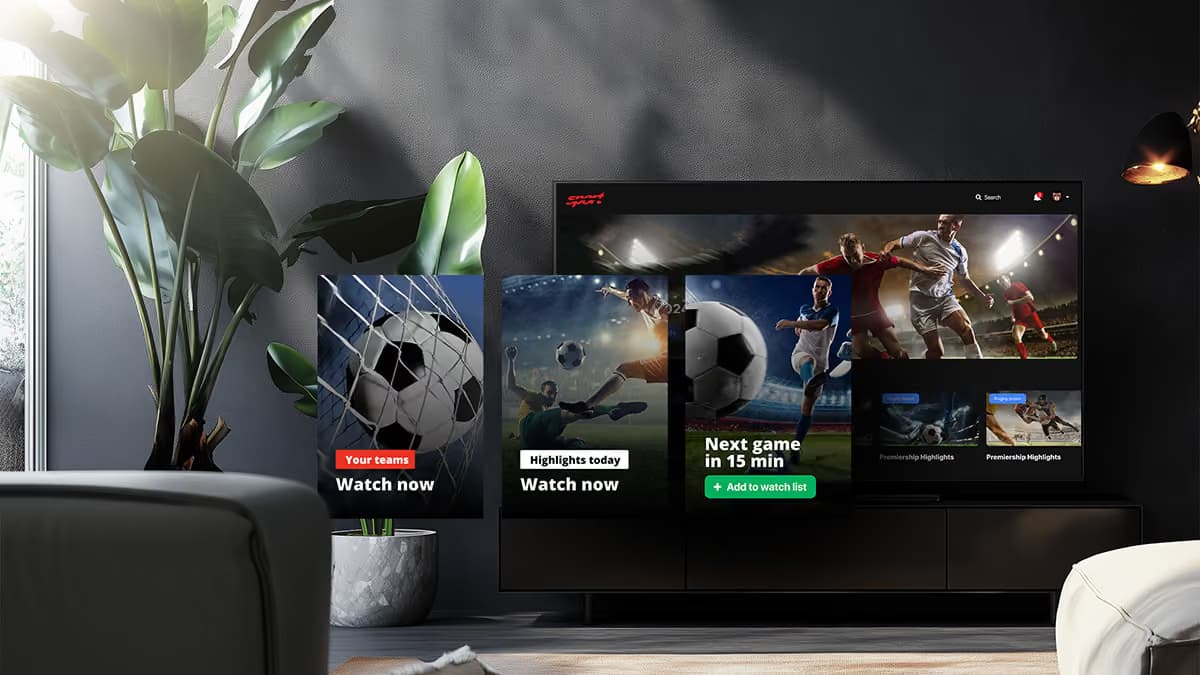
Roku OS added team favoriting and surfaces sports highlights from select leagues, meaning short clips and analysis. Viewers follow teams and receive personalized updates in Sports Zone and through Roku Search. Sports Zone was extended with a personalized highlight row for users to follow their favorite teams and players.
What’s better now?
Fans get relevant highlights without manual search, which matters most for the casual viewer who checks in between games instead of watching full matches. For product teams, the feature is a behavioral targeting surface. Stored preferences let you feed sponsor-backed highlights, live data modules, or stats overlays into a row viewers already open. That supports monetization without new navigation.
Ivan explains:
On Roku, native components are essentially "black boxes". You can only interact with their interfaces, not their internal logic. They might include a lot of unnecessary configuration options, which makes them heavier than needed.
If you're building a lean, real-time interface for favorites or highlights, the kind where the backend data might come in varying formats or need custom processing, then writing a custom component is often more efficient. This also helps avoid memory issues typical on Roku-class devices like HDMI sticks or smart TVs, which don’t offer the capacity of mobile or desktop environments.
Real-life case: The Achilles' heel of Roku’s native frameworks

A common architectural trap on Roku is depending on simplified frameworks such as SceneGraph Developer Extensions (SGDex), which was originally built by Roku to support basic apps.
Previously, Roku Direct Publisher offered a simplified way for content providers to launch channels without writing code, using a feed-based system. However, in 2024, Roku announced its deprecation, which made SGDex the natural bridge into the fuller SceneGraph environment.
SGDEX helped accelerate initial development, but its standard components became increasingly difficult to adapt as the app's requirements grew. Custom home navigation, client-specific UI logic, and unstable grid behavior complicated debugging and maintenance. Supporting dozens of white-label affiliates, each with distinct UI requirements, added further complexity to an already heavily customized architecture.
The lesson: reusable frameworks can accelerate Roku development, but extensive customization may call for purpose-built components that better support the app's architecture, UX requirements, and long-term maintenance.
Can users favorite specific teams on Roku?
What’s different this time?
Yes, viewers can favorite teams directly from search results or content detail pages. Favorited teams then generate a dedicated row in the Sports Zone with upcoming and live games.
What’s better now?
The model shifts from reactive discovery to proactive delivery. Fans no longer track schedules or repeat the same search, since relevant matchups appear as soon as the device wakes up.
From a product standpoint, that row is a retention anchor inside one content vertical. It also enriches profiles with declared preferences, which you can feed into recommendation logic or match against third-party sports data APIs.
Ivan notes:
Native Roku components often come with excessive overhead, like dozens of configurable fields, even if the use case only needs a handful. Since their inner workings aren’t exposed, optimizing them for specific design or data scenarios isn’t always possible. That’s why in practice, if you need full control over how user preferences are applied, and how personalized rows are rendered, particularly with backend-specific requirements, building a custom UI component is the safer and more performant choice.
What's new in Roku's sports highlights?
What’s different this time?
Select leagues now deliver highlight clips and game analysis inside Sports Zone and through standard search. These short-form content segments are context-aware and dynamically updated as games progress.
What’s better now?
Short sports content lowers the commitment threshold. A viewer with six minutes can still engage with your app, which protects daily active usage on nights when nothing live is on.
For developers and sports media partners, highlight support provides a content layer that sits between live events and full replays. That layer monetizes through pre-rolls or sponsorships, and it pushes users toward longer-form viewing.
Ivan comments:
Roku’s native components for things like lists or grids are often too robust. They support a wide range of scenarios, many of which may be irrelevant to your specific case. This makes the component heavier than necessary, both in terms of memory usage and loading time.
For something like a highlights row, which should be extremely fast and minimal, it’s often better to create a custom renderable component that only does exactly what’s needed and nothing more. That way, you avoid overhead and keep performance optimal.
Expanded sports coverage: Motorsports and Max integration
What’s different this time?
Roku's Sports Zone expanded with motorsports coverage and new sports content from Max, joining existing channel partners on the platform.
What’s better now?
The genre spectrum widens, and niche audiences get a real entry point. Motorsports fans, often underserved on mainstream CTV platforms, now gain a tailored entry point.
For developers, more content variety allows finer audience targeting and the opportunity to build out specialized companion features, such as real-time stats, live standings, interactive leaderboards, or series-specific UI modules. It also opens co-branded work with premium partners like Max.
According to Ivan:
The challenge here may lie in backend variability. One content provider might use GraphQL, another REST. One might return all necessary data in a single request, another might require multiple steps. Roku’s native components require a strict data format and they don’t care how your backend works.
That’s why building custom components allows developers to tightly align with the actual data flow and avoid reformatting or creating unnecessary complexity. You define exactly what the component expects and how it performs, depending on how the backend responds.
How does the Roku Mobile App extend the viewing experience?
What’s different this time?
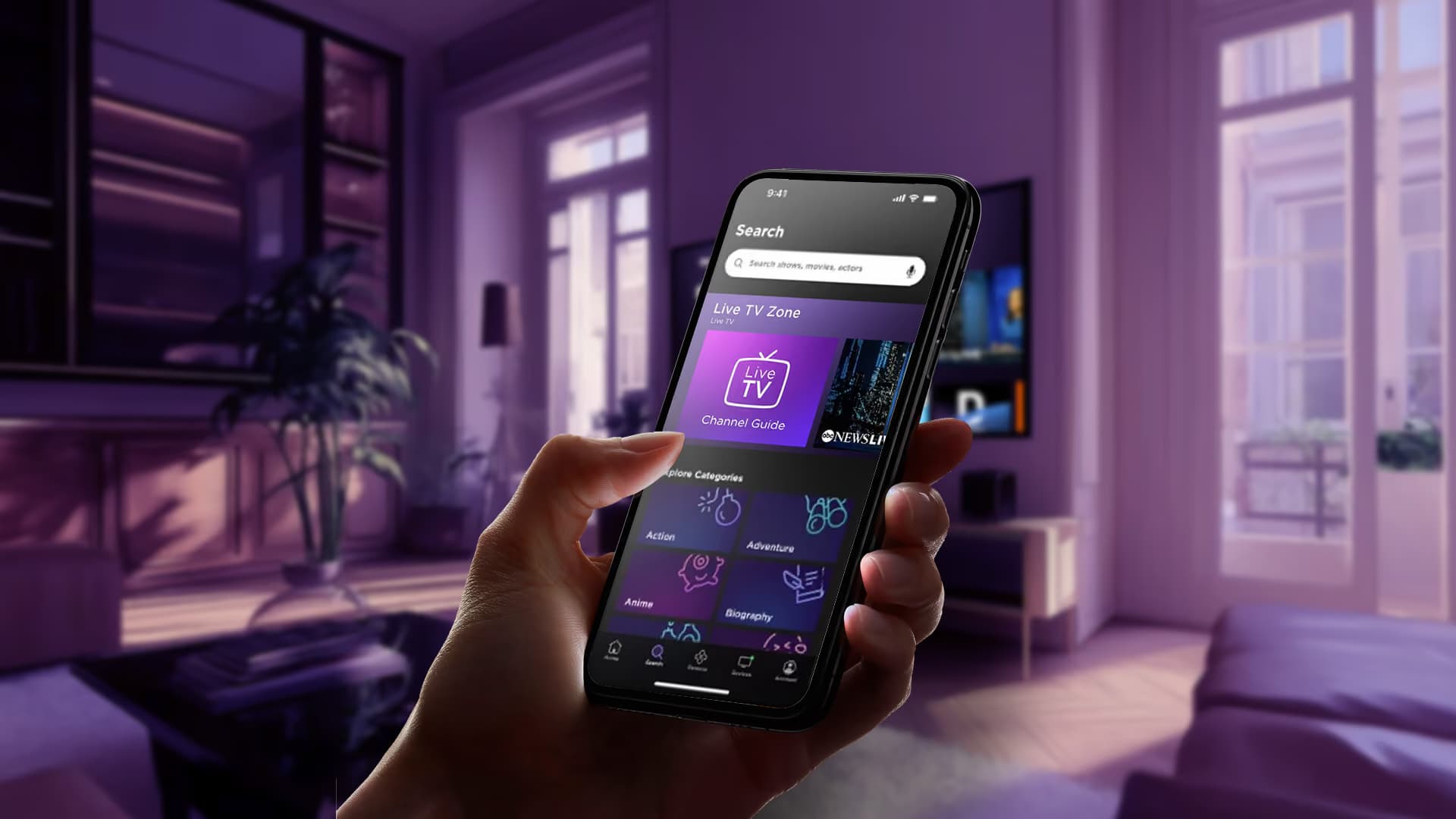
The Roku Mobile App became more visual and interactive. Updates include rich artwork in search results and genre-based Roku Zones. The Remote tab gained a redesigned “Continue Watching” section and the Home tab now shows subscription-based content.
What’s better now?
The app stops being a spare remote and starts acting as a companion to the TV session. Visual search reduces cognitive friction, while “Continue Watching” within the remote keeps continuity between mobile and TV screens.
For product teams and app developers, the mobile app is a second-screen surface worth planning for. Drawing from Oxagile’s experience with real-time stats overlays and live fan chat integrations, developers could extend the app to deliver synchronized data visualizations, companion polls, or community-driven experiences during live events to effectively turn passive viewers into active participants.
As Ivan puts it:
Roku mobile development has its own limits: there are no emulators, and debugging is mostly manual. Native components provide limited flexibility in styling or behavior, especially when adapting features like visual search across devices. Building lightweight visual elements as custom components allows more precise control, visual consistency, and faster rendering, especially important on lower-tier mobile hardware or cross-device setups.
Case in point
Custom Roku app for a leading music streamer
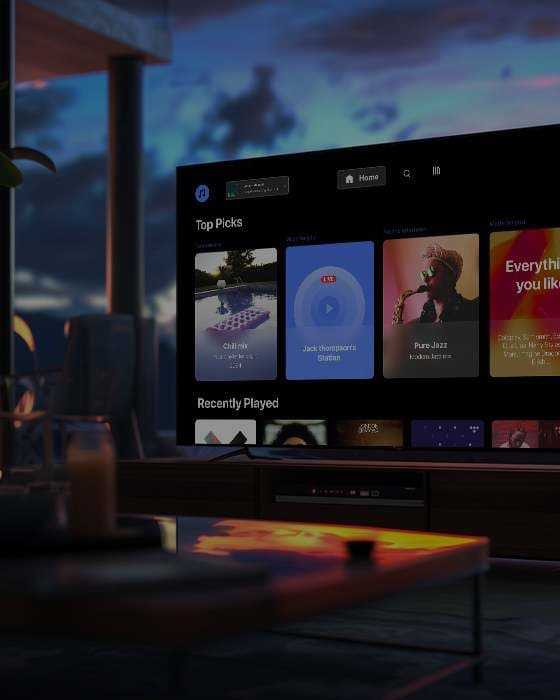
In one of the recent projects, standard SceneGraph components couldn’t handle dynamic karaoke-style lyrics animations and efficient audio playback. The goal was to create an app where a music video plays with lyrics displayed smoothly on-screen, featuring real-time word highlighting to guide singing. The lyrics flow naturally line by line, like a song, with the next line always visible to cue the user. Even when rewinding, the lyrics animation stays in sync, preserving the immersive feel of a live karaoke experience.
To achieve this, we rebuilt key screens from scratch: custom karaoke lyric renderers, dynamic menus driven by backend data, and on-the-fly album art resizing via AWS Lambda to conserve memory. The result was a high-performance, certification-compliant, and scalable Roku client delivering smooth animations, rapid content loading, and a cohesive UX across platforms.
What changed in visual search and discovery?
What’s different this time?
Visual Search now extends to the Roku Mobile App, returning search results with cover art, genre tags, and content clusters known as Roku Zones. It matches Roku’s wider move toward image-led navigation across platforms.
What’s better now?
Viewers recognize artwork faster than they parse text lists, so decisions happen sooner and fewer sessions end in the search box.
Your side of the work is metadata and imagery. Aligning thumbnails with Roku's visual layout raises the value of well-designed assets, and it creates room to A/B test artwork against real engagement data.
Continue watching in remote tab
What’s different this time?
The Remote tab in the Roku Mobile App now carries a Continue Watching row with direct access to in-progress content.
What’s better now?
Session startup friction drops, which matters in households running a Roku TV, a streaming stick, and two phones. The row also respects session history, so the loop between mobile and TV holds together.
For Roku engineers, this signals Roku’s deeper investment in cross-device state management. It invites tighter integrations with streaming services’ APIs and makes resume point accuracy a visble QoE metric.
Ivan adds:
Cross-session state syncing isn’t automatically handled by Roku’s core tooling. If your app spans multiple devices, syncing user session data (especially when using non-standard backends) must be built and optimized manually.
Recent Roku OS updates have focused on helping developers better track app behavior and memory use, rather than adding UI features. These updates support deeper debugging but don’t resolve complexity introduced by rigid native components.
How does Roku surface subscription content?
What’s different this time?
Active subscriptions appear as identifiable rows within the Home tab of the Roku Mobile App. Each row carries channel logos and related content thumbnails.
What’s better now?
This addresses a long-standing friction point, since most households lose track of what they’re paying. Viewers can now see active services and discover associated content with less effort.
For content platforms, that row is a high-visibility slot. Promoting a new release to people who already subscribe is the cheapest churn reduction available on the home screen.
The expert mentions:
Even though some components like Roku's video player must use the native engine, most surrounding elements (UI layers, navigation rows, metadata panels) can be built from scratch. Native Roku components often introduce configuration options and logic paths that aren’t needed for a given subscription UI. A custom solution lets developers directly shape the UX to meet business requirements without bloating the code or risking certification failure.
More Roku features worth knowing about
Beyond sports and content discovery, Roku has introduced features for tracking theatrical releases, watching short-form videos, and listening privately through Bluetooth headphones. These additions reflect the platform's growing attention to different viewing habits and household preferences.
Coming soon to theaters
What’s different this time?
A dedicated Coming Soon to Theaters row on the home screen was introduced, showing movies currently in theatrical release. Users can add these titles to a saved list, and Roku will notify them when the films become available for streaming on the platform.
What’s better now?
The row bridges theatrical and home viewing, so users track anticipated releases without leaving the Roku ecosystem for a separate app or website for movie release schedules.
For developers and content providers, this creates a new promotional channel for upcoming releases. By integrating metadata for theatrical films, studios can drive early engagement, while the saved list functionality fosters long-term user retention by keeping viewers within the platform.
Short-form content rows
What’s different this time?
Short-form content rows were added to the All Things Food and All Things Home tabs, featuring bite-sized videos such as recipes, home cleaning hacks, and DIY tutorials. These rows function similarly to TikTok or Instagram Reels, offering a seamless, swipeable experience directly on the TV.
What’s better now?
Short-form viewing on the big screen keeps growing, and these rows fit the casual sessions where nobody wants to commit to a full episode.
For developers, these rows open new monetization avenues through pre-roll ads or sponsored content. Content creators can also leverage these tabs to reach niche audiences, with the potential to drive traffic to longer-form programming or branded channels.
Bluetooth headphone mode for all Roku TVs
What’s different this time?
Bluetooth Headphone Mode pairs headphones directly with any Roku-made TV for private listening. The capability had been limited to higher-end models earlier.
What’s better now?
Private listening helps shared households and spaces or late-night viewing without disturbing others. It’s a significant step toward making Roku TVs more versatile for diverse households.
For developers, this opens opportunities to integrate audio-focused features, such as companion apps with synchronized audio streams or accessibility tools like real-time captions paired with private listening. It also encourages experimentation with immersive audio formats for premium content.
Enhancing your Roku app?
Oxagile’s experts are here to share their expertise and help you add trending Roku features to make your users even happier.
Roku OS 16: What's new for developers?
Roku’s latest developer capabilities build on several updates to performance monitoring, memory management, and playback controls.
Developer improvements introduced before OS 16
Earlier Roku OS 15 releases introduced several improvements for developers. BrightScript gained new APIs, JSON parsing became more memory-efficient, and Perfetto-based app tracing provided greater visibility into performance bottlenecks.
Roku OS 15.1 also introduced manifest-based seeking for more precise playback navigation, while OS 15.2 expanded Perfetto with BrightScript heap visualization, and added configurable low-memory notifications. These changes gave developers better tools for diagnosing resource usage, improving playback behavior, boosting accessibility features, and testing applications on memory-constrained devices.
New SceneGraph and BrightScript capabilities in Roku OS 16
Roku OS 16 brings more flexibility to custom interfaces and app communication. New SceneGraph APIs support GPU-accelerated rounded corners, borders, and gradients, as well as customizable focus indicators for ArrayGrid-based components2. Developers can also animate array-valued fields.
On the BrightScript side, WebSocket connections and server-sent events expand options for real-time communication with backend services.
For streaming applications, these additions are particularly relevant to custom navigation, interactive features, and interfaces that need to respond to changing data. They extend Roku's native capabilities, although device compatibility and performance requirements still need to be considered.
What about TypeScript and RSG 2.0?
Roku's RSG 2.0 SDK entered public beta on October 29, 2026, introducing TypeScript support and new tools for building SceneGraph applications. The SDK includes FlexGrid, a virtualized grid engine designed for streaming interfaces, and uses the Hermes JavaScript engine.
For now, RSG 2.0 applications can only be sideloaded for testing. Publishing them to the Roku Streaming Store is expected to become available in 2027. BrightScript and the existing SceneGraph development approach therefore remain relevant for production releases.
Major takeaways on new Roku features
Roku trends for 2026 stay consistent: refining the user experience, adapting to changing viewing habits, and expanding what’s possible for developers behind the scenes.
The recent updates have expanded both the viewing experience and the tools available to developers3. Content discovery and personalization remain central to the platform, and Roku OS 16 brings additional flexibility to SceneGraph interfaces. RSG 2.0 also introduces a new development option, although its public beta is still limited to testing.
The platform provides the foundation, what developers build on top of it determines the result. With careful engineering, a Roku app runs smoothly, scales predictably, and holds up against viewer expectations.

Want to add new Roku features?
Oxagile's Roku engineers can review your current client, profile it on low-spec devices, and scope the features your roadmap needs next.
Sources
- — Pixalate
Pixalate’s Q2 2026 Global Connected TV Device Market Share Report: Roku Leads Globally, Jio No. 1 in APAC, Samsung Smart TV leads in EMEA
- — Roku Developers
Roku OS developer release notes
- — Roku Support
Roku New OS features
FAQ
Which Roku features improve the sports viewing experience for users?
Roku features that enhance sports viewing include personalized sports highlights and notifications built into the platform. The Roku-made TV lineup ships with software that delivers personalized sports highlight rows and game-time mobile notifications, making it easier for fans to catch key moments without searching manually. These features help bring tailored sports content to the home screen and keep users up to date on their favorite teams and games.
How are Roku trends evolving around shortform content?
Roku trends show a clear shift toward integrating short-form content into the viewing experience. The new Roku-made TVs include short-form content rows in the home interface, enabling effortless browsing of snackable videos. This reflects a broader trend on the platform toward helping viewers discover quick, engaging clips alongside traditional longer programs.
What are the major updates that will improve user experience in Roku 2026?
For Roku in 2026, several key improvements are expected to shape the user experience.
- More personalized TV experiences:
Roku predicts that AI-driven personalization will become a bigger part of the platform in 2026. This means Roku’s OS and interfaces will surface tailored recommendations and suggestions based on individual viewing habits, making it easier and faster for users to find content. - Ads becoming a universal part of viewing:
Roku expects that 100 % of viewers will see video advertising on CTV by 2026, ending the notion of ad-free audiences on streaming platforms. - CTV as a safer, more stable environment for ads:
As AI changes the broader internet landscape, Roku predicts that connected TV will increasingly act as a premium, brand-safe space for viewing and engagement in 2026, which could improve the quality of recommendations and ad relevance for users. - Expansion of creator and hyperlocal content:
Roku foresees more creator-driven content making its way to big screens, and hyperlocal advertisers embracing CTV, both of which could translate to richer, more locally relevant content and ad experiences for users in the Roku ecosystem.
What's new in Roku OS 16?
Roku OS 16 introduces GPU-accelerated visual effects, customizable grid focus indicators, animation support for array-valued fields, and new BrightScript APIs for WebSocket connections and server-sent events. These features give developers more control over custom interfaces and real-time app functionality.