Roku App Submission: Instructive Tips to Secure Approval

Table of contents
- How Roku app submission works
- Roku app publishing requirements: The compliance checklist
- How testing separates the ready from the rejected in Roku app certification
- Submitting custom-built Roku apps
- Roku app approval tips: Is there a hidden key to certification?
- Your checklist to submitting a Roku app
- What to do if your Roku app gets rejected
- Final thoughts on submitting your Roku app
Building a Roku app and certifying a Roku app are two very different milestones, and you need to succeed at both. Simultaneously, of course.
In our earlier piece, we covered the ins and outs of Roku development in detail. Now let’s shift our focus to the next challenge: getting your app certified and your submission approved, so it can officially go live.
Though it may appear to be just a formality, certification is often more demanding than building the app itself, as it serves as a rigorous safeguard for Roku’s ecosystem.
Besides, certification requirements also scale with popularity: the more users and streaming hours your app has, the more rules you need to follow. For example:
- If your app requires login and has streamed an average of more than 1 million hours per month over the past 3 months, it must support Automatic Account Link.
- If your app in the U.S. has streamed over 5 million hours per month on average over the past 3 months, it must implement Continue Watching.
That’s why it’s better to plan ahead and build with these requirements in mind, even if your app hasn’t hit those numbers yet. This way, scaling up won’t turn into a headache later.

So what follows is a practical roadmap guided by Ivan Popovich, Senior Roku Developer at Oxagile, to help you navigate Roku app submissions and certification efficiently, and without the burden of avoidable rework.
How Roku app submission works
Submitting a Roku app is less “click and done” and more “airport security checkpoint”: line up your documents, triple-check your bags, and expect a few scans before you’re cleared for takeoff. That’s the process in two words (in bigger words, we’ll explain further, of course).
Step 1. Packing your bags (or Roku Developer Dashboard)
Everything begins in the Roku Developer Dashboard, where teams must carefully package their channel with the essentials: graphics, metadata, content feeds, customer support details, and monetization options.
Hands-on expert insight:
“Needless to say, there are no shortcuts here, as your documentation has to be complete, consistent, and fully aligned with Roku’s publishing standards. That means preparing metadata and visual assets (posters, screenshots, icons), providing content and ratings details (so Roku knows exactly what users will see), and including the right support and legal provisions (privacy policy, terms of use, and customer support info). All this signals Roku’s expectation that every app delivers not only a polished user experience, but also transparency and reliability worthy of its platform.“
Step 2. Security checkpoint (or Certification review)
Once submitted, the app enters Roku’s certification review. Here, it undergoes automated and manual testing, covering technical performance, user experience, and compliance checks. In business terms, this is the equivalent of a quality assurance audit: if one element is off, the app will be sent back with a list of corrections to be made.
Certification timing depends on the type of testing required. If the application goes through Roku QA certification, the process typically takes about three to five business days, and if successful, another one to two days are needed for the channel to appear in the Roku Channel Store.
If only automated tests are required (Static Analysis with or without the Channel Behavior test), certification is completed within minutes once the tests finish. In this case, after successful execution, the release can be scheduled. Depending on the submission day, rollout may happen as early as the next day or on a later chosen date.
Full rollout across devices may take up to 24 hours, meaning companies should expect up to a week from submission to live availability.
Step 3. Continuous check-ins (or Ongoing updates)
The process does not end at launch. Every update, whether a small bug fix or a major version upgrade, must pass through the same certification cycle. Rejections are not uncommon, so businesses should anticipate iterative testing and re-submission. As Roku emphasizes, continuous compliance is the rule, not the exception.
Roku app publishing requirements: The compliance checklist
The answer to how to publish a Roku app is that it’s not a one-time submission but an ongoing compliance exercise. Roku enforces a wide set of rules that cover everything from the way your app looks to how it performs and how money changes hands. Here are the key areas to prepare for:
Branding and assets
Your app needs a proper “face” in the store: a channel poster of exactly 540×405 pixels, clean full-HD screenshots, and a splash screen. Metadata such as app descriptions and titles must be clear, consistent, and localized for all supported languages.
Documentation and compliance
Roku asks for accountability basics, which implies a working support contact (email, phone, or web form), links to your privacy policy and terms of service, and test accounts so reviewers can explore your app without hurdles.
Payments and monetization
If you offer subscriptions or in-app purchases, you must use Roku Pay — third-party payment systems aren’t allowed on device. For ad-supported channels, Roku enforces its own Advertising Framework with proper use of pre-roll and mid-roll placements. On top of that, billing rules must be transparent and users’ paid entitlements crystal clear. For a deeper dive into monetization strategies, ad formats, and subscription models, explore Oxagile’s guide on monetizing your Roku channel.
Performance and user experience
The app has to feel smooth: quick launch times, reliable streaming without drops, and navigation that moves seamlessly from screen to screen. Roku also checks that voice keyboards work properly wherever text input is required.
Design and cross-device responsiveness
Your interface must adapt gracefully across different Roku devices and screen sizes. The company expects apps to follow SceneGraph design practices to achieve a consistent and polished look and feel.
Packaging and certification
Content feeds must be formatted correctly, channels packaged according to Roku’s rules, and all pre-certification tests passed before the official review.
Hands-on expert insight:
“There’s no fixed calendar for new Roku app requirements, but our extensive Roku app development experience shows that documentation and standards evolve regularly. In practice, businesses should anticipate fresh compliance checks roughly once a year, particularly in areas such as payments, advertising, and user experience.“
How testing separates the ready from the rejected in Roku app certification
The challenge with Roku app certification lies in the unpredictability of how an application will be tested, a nuance we have observed firsthand at Oxagile while developing Roku apps through three distinct approaches.
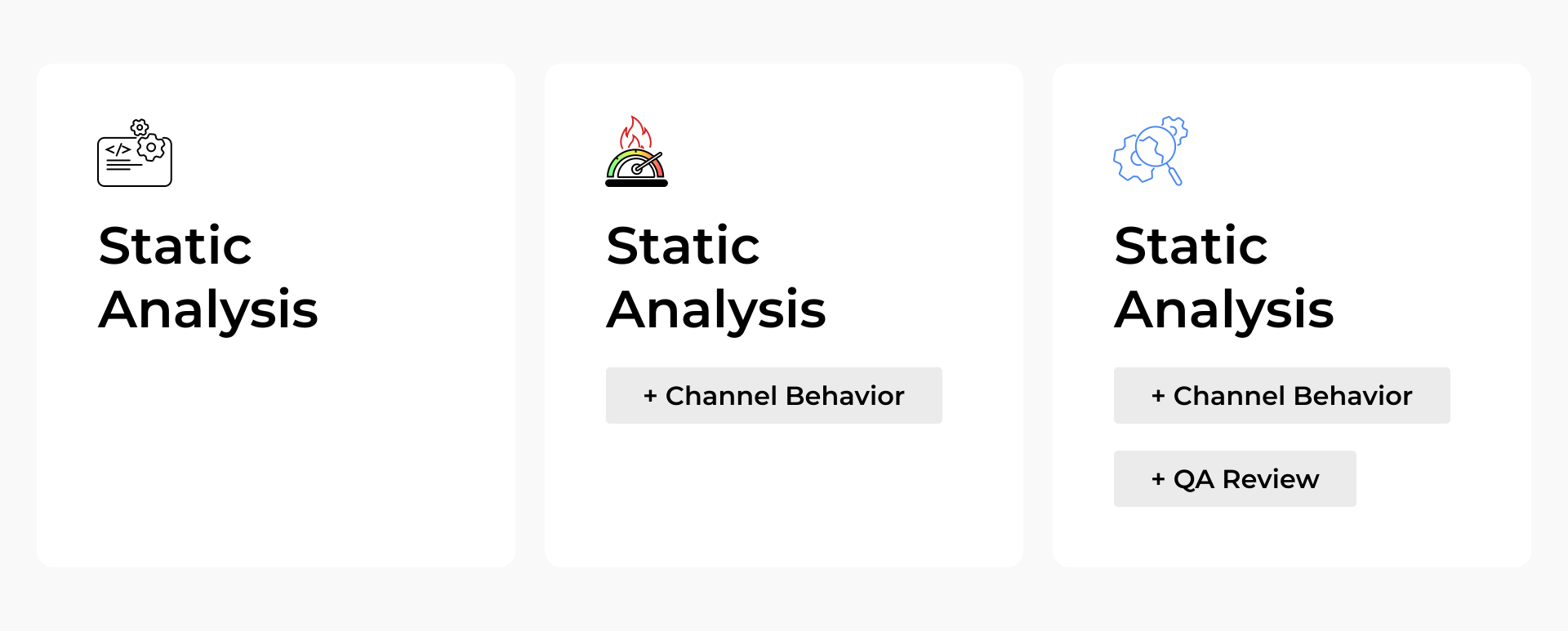
Option 1: Static Analysis only
The Static Analysis test is an automated process that checks whether the application code includes required Roku libraries while also inspecting package size, deprecated functions, and other structural details. For instance, it can verify that the RAF library is used for ads or the Channel Store class is implemented for subscriptions.
Option 2: Static Analysis plus Channel Behavior
The Channel Behavior test, also automated, comes in addition to Static Analysis. It measures whether the application’s performance aligns with Roku’s certification requirements, including app launch time and video playback speed in both regular and deep linking cases.
Option 3: Static Analysis, Channel Behavior, and QA review
In the most demanding path, Roku QAs also manually test the application. They go through the entire certification checklist and check requirements across different Roku device models, validating compliance beyond what automated tests can catch.
Hands-on expert insight:
“The challenge is that Roku does not disclose in advance which testing path an app will follow. The criteria, such as number of users, monetization, or the store under which the app is published, remain unclear. From our experience, new apps usually undergo only Static Analysis, while highly popular apps are more likely to face the full QA review. This unpredictability makes the certification process rigorous and somewhat opaque for developers, requiring careful preparation regardless of the app’s size or reach.“
Case in point: Compliance-First Approach to Roku App Development
The challenge:
In the process of developing a Roku app for our client and creating custom components, Roku introduced a new requirement in one of the Certification Guidelines updates: the mandatory inclusion of Developed Enhanced Subscription Recovery.
Our response:
- We continuously monitor Roku Certification Guidelines, so we spotted the update immediately.
- As soon as the feature became mandatory, we acted swiftly.
- We built and integrated it entirely from scratch, without relying on external code, which was not yet available at the time.
As an outcome the app remained fully compliant with Roku’s certification requirements, avoided potential delays, and provided a seamless experience for users.
Submitting custom-built Roku apps
Many newcomers to the Roku ecosystem fall for a tempting illusion: that using Roku’s own SDK components is like taking the express lane through certification. After all, why not lean on the company’s ready-made modules and assume approval will come faster?
The reality, however, is less forgiving. As discussed in Oxagile’s detailed comparison of custom Roku apps versus template-based approaches, both options come with trade-offs, including implications for certification.
Roku doesn’t evaluate which tools you used. It asks how well your app performs when someone picks up the remote. Launch speed, video playback, navigation between screens, ad behavior, payment flows — these are the factors Roku cares about, not whether you created your feature using custom code or stitched it together from native parts.
Custom-built Roku features can feel riskier because they sometimes demand extra explanation during review. But the paradox is that well-engineered, thoroughly tested custom apps often sail through certification more easily than rushed “native-only” builds.
Hands-on expert insight:
“Roku doesn’t review source code. Instead, its process is designed to test live performance, user flows, and mandatory features. For example:
- If an app uses Roku native components, then certain requirements, like Text-to-Speech accessibility, are automatically satisfied.
- On the other hand, native components can introduce complexity, making it harder to meet Roku’s tight performance requirements (e.g., launch times, responsiveness).“
Roku app approval tips: Is there a hidden key to certification?
The truth is, whether you find it comforting or not, submitting apps to the Roku store isn’t about luck or insider shortcuts — it’s about discipline. Apps that pass smoothly don’t rely on quick fixes; they follow a set of proven practices.
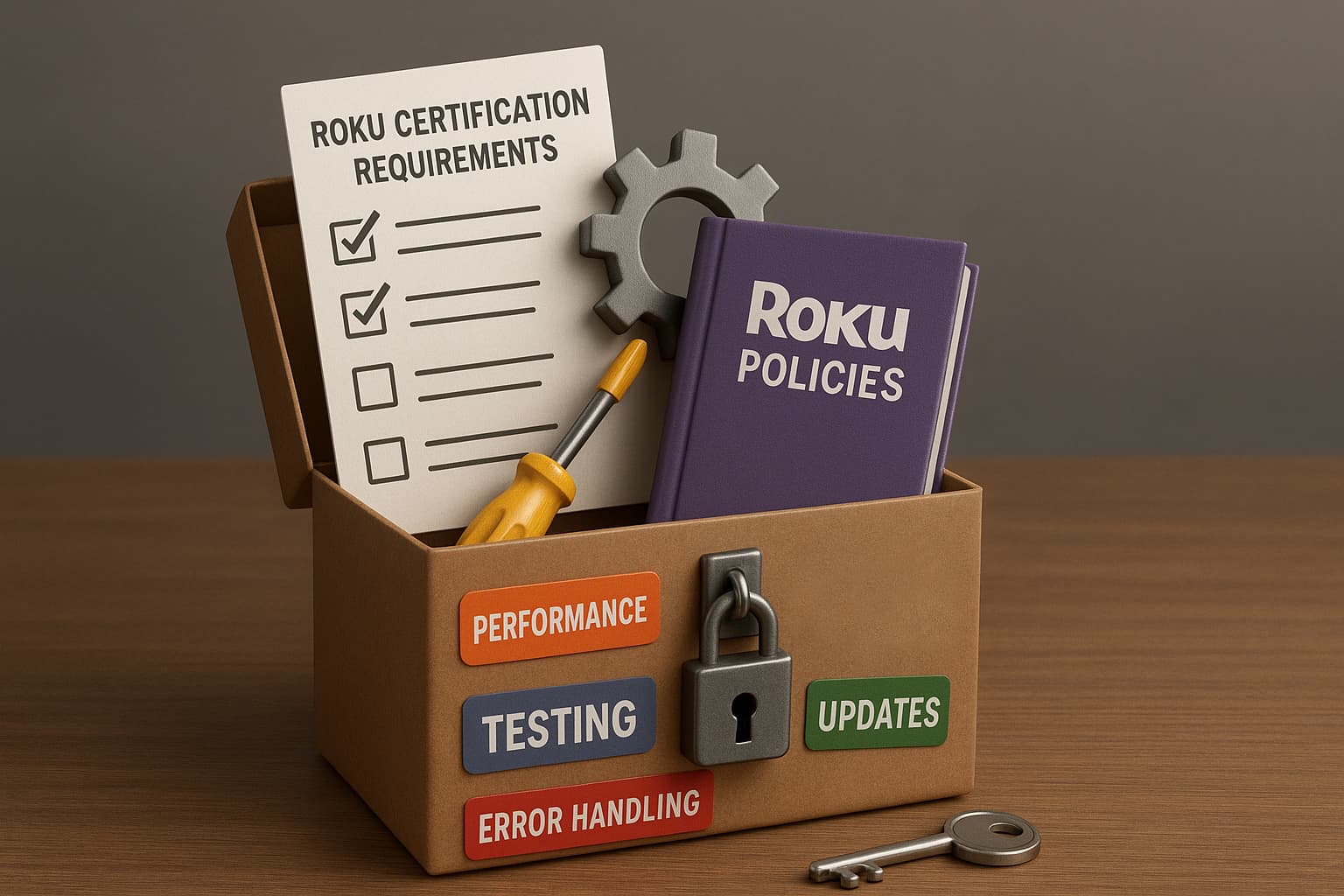
And here’s your developer’s survival kit on how to pass Roku channel certification effectively. If you check these boxes, you turn certification from a gamble into a process you will confidently manage.
Prioritize performance and user experience
Roku’s certification process emphasizes the app’s performance and user experience. Verify that your app launches swiftly, navigates smoothly, and provides seamless video playback. Implement responsive UI elements and optimize for various Roku devices to increase the likelihood of passing certification.
Stay informed about certification criteria updates
Roku periodically updates its certification criteria. For example, the Spring 2025 update introduced new guidelines that developers must follow. It’s crucial to monitor these changes and implement them proactively to avoid potential issues during certification.
Conduct thorough pre-certification testing
Use Roku’s pre-certification tests to identify and address potential issues before submission. These tests evaluate app behavior, performance, and compliance with Roku’s guidelines, providing valuable insights to refine your app.
Implement robust error handling and logging
Developers should incorporate comprehensive error handling and logging mechanisms. This approach aids in diagnosing issues promptly and ensures that the app remains stable and reliable, which is a key consideration during certification and one of the ways to avoid Roku app rejection over time.
Monitor and adapt to policy changes
Roku’s policies, such as those related to autoplay and billing, can evolve. Staying abreast of these policy shifts and adapting your app accordingly is vital for ongoing certification success regardless of your Roku app versioning.
Plan for future requirements
Anticipate upcoming requirements and begin implementing them ahead of enforcement.
Hands-on expert insight:
“You need to think in advance. Something that isn’t obligatory now can become mandatory in a few months. You have to know about the possible or upcoming changes in Roku channel store guidelines or requirements and prepare for them to prevent problems with the app.“

Staying compliant with certification rules is a full-time job
We handle the Roku updates and requirements, giving you peace of mind and freedom to prioritize your business objectives.
Your checklist to submitting a Roku app
As we’ve already highlighted, for experienced developers and product teams, knowing how to submit a Roku app goes far beyond hitting “Submit.” It’s a structured process that combines preparation, performance verification, and compliance. Here are the critical areas to focus on:
 Prepare your assets thoroughly: channel logos, HD screenshots, detailed metadata, and support contacts are mandatory. Keep your branding and descriptions clear and consistent, as reviewers check for professional presentation.Monetization setup: if your app offers subscriptions, integrate Roku Pay properly. Third-party payment systems alone are not sufficient for in-channel subscriptions. Ads must comply with the Roku Advertising Framework, including correct placement of pre-, mid-, and post-rolls.Verify performance benchmarks: app launch speed, video playback time, and deep-link behavior are scrutinized. Slow navigation or delayed content loading can trigger rejection. Use profiling tools and test on multiple device models to catch performance bottlenecks.Test content feeds and ad integration: dynamic feeds and ad insertion need to follow Roku’s standards precisely. Make sure feeds are robust and ads don’t break the user experience.Run pre-certification tests: Roku provides automated testing tools for Static Analysis and Channel Behavior. Use them to detect issues in code, performance, and compliance before official submission.Review user experience and accessibility: screen-to-screen navigation, voice keyboard input, cross-device responsiveness, and accessibility features like Text-to-Speech should be verified. These elements can affect certification even if your core functionality works perfectly.Package and submit with versioning: each submission must have a unique version number. Include all updated assets and metadata in your channel package before uploading through the Roku Developer Dashboard.Plan for ongoing compliance: requirements evolve. Even if your app passes once, future updates may be blocked if you don’t track certification changes, new policies, or additional requirements proactively.
By approaching submission as a disciplined, multi-step process rather than a single action, you minimize risk and significantly improve your chances of passing certification on the first try.
Case in point: Seamless Onboarding Under Roku Certification Constraints
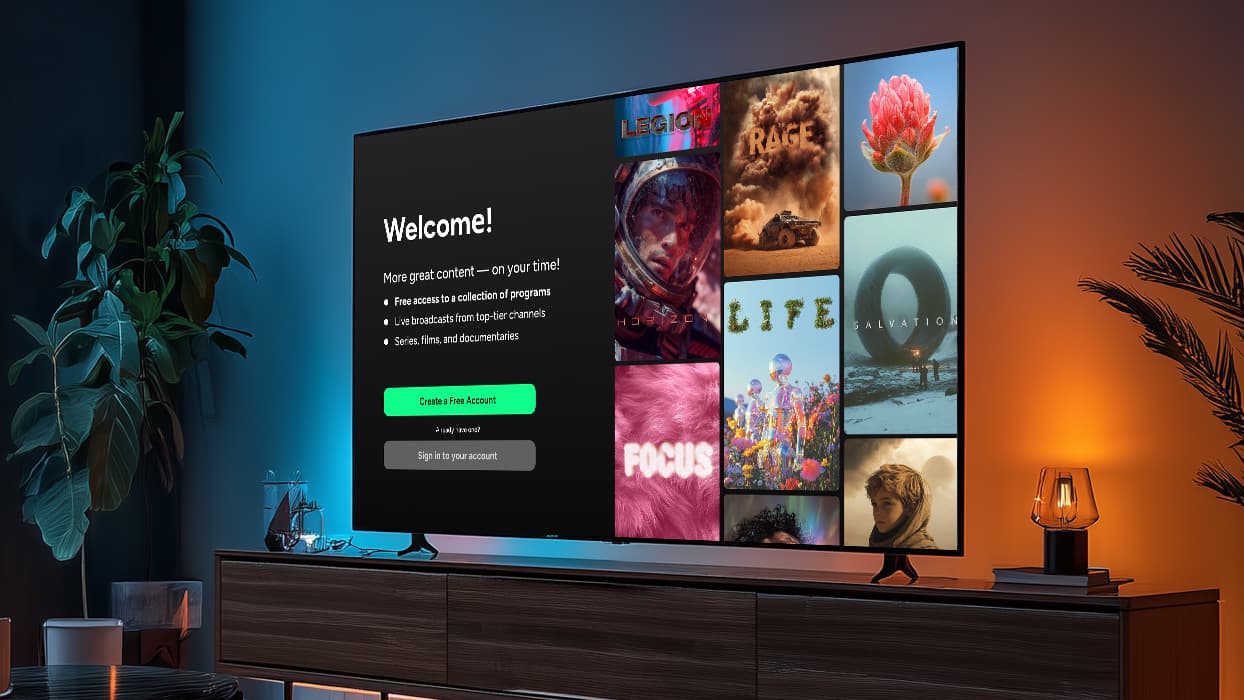
Challenge: Building a Roku app with a fully compliant authentication flow while navigating the constraints of Roku’s framework and certification requirements.
Action: We developed the entire user authentication and onboarding flow from scratch, carefully implementing each step to meet Roku’s technical and UX standards, including secure login, account creation, and subscription verification.
Result: The app successfully passed Roku’s certification process, providing a seamless, secure onboarding experience for users while fully adhering to platform requirements.
What to do if your Roku app gets rejected
Experiencing a Roku app rejection isn’t uncommon, but it’s essential to approach the situation methodically to secure a successful resubmission. Here are the steps to navigate the process.
1. Analyze the rejection feedback
Roku provides developers with detailed feedback outlining the reasons for rejection. Thoroughly review it to understand the specific areas that need attention, such as performance issues, monetization concerns, or compliance with Roku’s certification criteria.
2. Address identified issues
Based on the received feedback, implement the necessary changes to your app. This may involve optimizing code for better performance, adjusting monetization settings, or meeting compliance with Roku’s latest certification requirements.
3. Resubmit the updated app
Once the necessary adjustments are made, prepare a new version of your app. Increment the version number and package your app accordingly. Navigate to the Developer Dashboard to upload the updated package. Make sure that all metadata, including descriptions and screenshots, are up-to-date and accurately reflect the app’s functionality.
4. Monitor the resubmission status
After resubmitting, monitor the status of your app through the Developer Dashboard. Roku’s certification team will review the updated submission, and you’ll be notified of the outcome. If further issues are identified, repeat the analysis and adjustment process as needed.
By systematically addressing the feedback and maintaining compliance with Roku’s standards, you can enhance the likelihood of your app passing certification upon resubmission.
Final thoughts on submitting your Roku app
So, Roku app certification is less a formality than a test of foresight, precision, and sustained attention to detail. Launch speed, video responsiveness, intuitive navigation, and adherence to monetization and accessibility standards are not minor checkboxes — they are the measures by which an app’s readiness is judged.
At Oxagile, we have honed our expertise to navigate this terrain. Our experienced Roku developers monitor the metrics that matter, identifying subtle performance gaps before they become obstacles. Our work with custom Roku solutions has shown that anticipating potential pitfalls, rather than reacting to them, transforms the certification process from a source of uncertainty into a predictable, manageable exercise.
The best time to build a Roku app was yesterday.
The second-best time is now. By these lines, the path ahead should be clearer, but if you need more support, our experts can help streamline submission, certification, and share practical guidance.
FAQ
How to publish a Roku app?
Publishing a Roku app refers to the end-to-end process of making your app available to the public on the Roku Channel Store. It involves not only submission for certification but also preparing your app for release, scheduling the launch, and ensuring ongoing compliance. Key steps include:
- Enroll in the Roku Developer Program.
- Develop your app using Roku’s SDK, adhering to performance, UX, and accessibility standards.
- Package the app with all required assets: graphics, metadata, fonts, and other resources.
- Submit your app for certification through the Roku Developer Dashboard.
- Schedule publication once it passes review, so it appears in the Channel Store.
- Monitor and update the app to maintain compliance and improve performance over time.
How to submit a Roku app?
Submitting a Roku app is a specific step within the publishing process: it is the act of sending your packaged app to Roku for review and certification. The submission process includes:
- Checking that all assets (code, graphics, metadata) are complete.
- Packaging the app correctly using the Developer Dashboard.
- Uploading the app package and clicking Submit for Certification.
- Awaiting Roku’s automated and manual testing, which may include Static Analysis, Channel Behavior testing, and QA review.
- Responding to any feedback or required changes if the app does not pass initially.
How long does Roku app approval take?
Roku app approval time depends on the testing type. If Roku QA reviews your app, approval usually takes 2—4 business days plus 1—2 days for the channel to appear in the store. If only automated tests are required (Static Analysis with or without Channel Behavior), approval is completed within minutes, and rollout can be scheduled as early as the next day.
Can I publish a Roku app without monetization?
Yes, you can publish a Roku app without monetization. Monetization is optional, and you can choose to offer your app for free without integrating any payment methods or advertising.
What if my Roku app doesn't pass review and gets rejected?
If your app is rejected, Roku will provide feedback outlining the reasons for rejection. You should carefully review this feedback, address the identified issues, and make the necessary changes to your app. After making the required adjustments, you can resubmit your app for review.