Roku vs. the Streaming Giants: A Platform Comparison for Content Distributors

Table of contents
In the streaming colosseum, where platforms compete for viewers’ thumbs up and screen time, Roku TV stands out as the quiet contender that consistently delivers in the Roku vs Amazon vs Chromecast comparison. It may not be the flashiest or most premium option, but for content distributors and aggregators hungry to stretch their digital wings, Roku is an increasingly attractive choice.
Apple TV has grown sharply, climbing to 13% of the U.S. SVOD market in Q2 2026 and overtaking Hulu to become the country’s fourth-largest streaming service1. Amazon Fire TV has built massive reach, with customers worldwide having purchased over 300 million Fire TV devices across streaming players, partner-built TVs, and Amazon’s own sets2, which keeps it Roku’s closest rival. Samsung’s Tizen OS and Vizio’s Cast OS remain major forces in Smart TV ecosystems, offering integrated experiences that appeal to device-first users.
Yet amid this crowded field, Roku has quietly held its ground as the most widely adopted TV platform across North America. In April 2026, the company passed 100 million streaming households worldwide, counting distinct accounts that streamed over a 30-day period3. Its interface now sits in more than a third of TVs in North America and in half of U.S. broadband households. Engagement backs up the household count: Comscore put Roku at 44% of all connected-TV streaming hours in the U.S., with Amazon Fire TV at 14%, Samsung at 12%, and Google at 5%4.
For content distributors and aggregators, that scale matters. Roku’s consistent performance, stable platform, and developer-friendly ecosystem offer a balance of reach and reliability that few others can match. While every platform has its strengths, Roku’s mix of openness, audience depth, and steady execution keeps it at the center of the market.
But how does Roku measure up against these giants? Streaming quality is the easy comparison. The harder one involves technical capabilities, development trade-offs, and platform philosophy, and it’s where content distributors and aggregators spend their days when expanding their platform reach. On this page, we’ll give an overview of the platform from various perspectives as well as compare Roku TV vs. Apple TV, Amazon Fire TV, and Google Chromecast.
Key takeaways:
- Roku’s neutrality is the core reason to build there: no house catalog sits in front of third-party channels the way Amazon’s and Apple’s do.
- BrightScript and SceneGraph get Roku apps live in weeks, but the technical ceiling is lower than tvOS or Fire OS, so complex UIs and gaming belong elsewhere.
- Roku’s hardware range is the real constraint: the weakest devices set the performance standard, and debugging tools are basic.
- Amazon’s Vega OS migration splits Fire TV across three OS branches, so Fire TV vs Roku now includes maintaining builds for a platform in transition versus a single target.
- In Fire TV vs Roku monetization, Amazon gives deeper analytics and in-app purchase tooling. Roku gives visibility that isn’t competing with the platform owner’s own content.
- On Chromecast versus Roku, Google retired the Chromecast line and exited sub-$50 hardware, so budget-tier reach now runs through Roku and Amazon.
- Apple TV is the premium play, with strong tooling and an affluent audience, paid for in certification delays and mandatory ecosystem integrations.
- Among Roku competitors, every rival is an extension of a larger ecosystem. Roku is the only standalone distribution platform in the group.
- Roku competition is sharpening on the OEM side, with TCL and Hisense moving parts of their lineups to Google TV.
- Fox’s pending acquisition of Roku, closing in H1 2027, is the one thing that could change the neutrality calculation.
Roku TV: The people’s champion of streaming
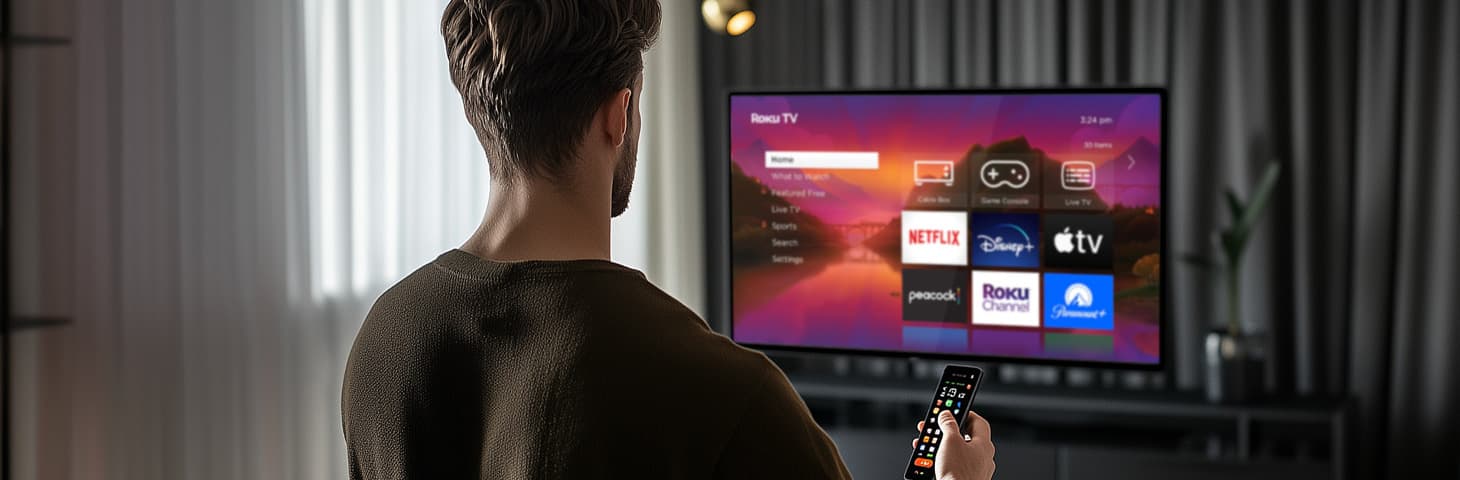
Roku TV, built on the Roku OS, runs on devices ranging from budget-friendly streaming sticks to integrated Smart TVs. Its strength lies in simplicity: a content-first interface that’s easy for users to move through and developers to build for.
While it may feel unconventional compared to modern languages, BrightScript is lightweight and tailored for streaming applications. Paired with SceneGraph, Roku’s XML-based rendering framework, it helps developers create visually appealing, responsive apps with minimal overhead.
Roku’s ecosystem is a magnet for content distributors and aggregators. With over 10,000 channels (Roku’s term for apps) and a growing user base, it offers serious reach. The Roku Channel, a hub for free and premium content, provides a testing ground for new monetization models, including ad-supported streaming and subscriptions.
Challenges exist, though. Roku’s hardware spans a wide performance range, from low-end sticks to the high-performing Roku Ultra. Based on our extensive experience with numerous Roku projects, optimizing apps to run smoothly across this spectrum is a task that demands careful resource management. Debugging tools are basic, and BrightScript’s lack of advanced features can limit complex functionality. Still, Roku’s open partnership model and lack of ecosystem lock-in make it a favorite for those prioritizing flexibility and scale.
Case in point: Bringing a music streaming app to Roku
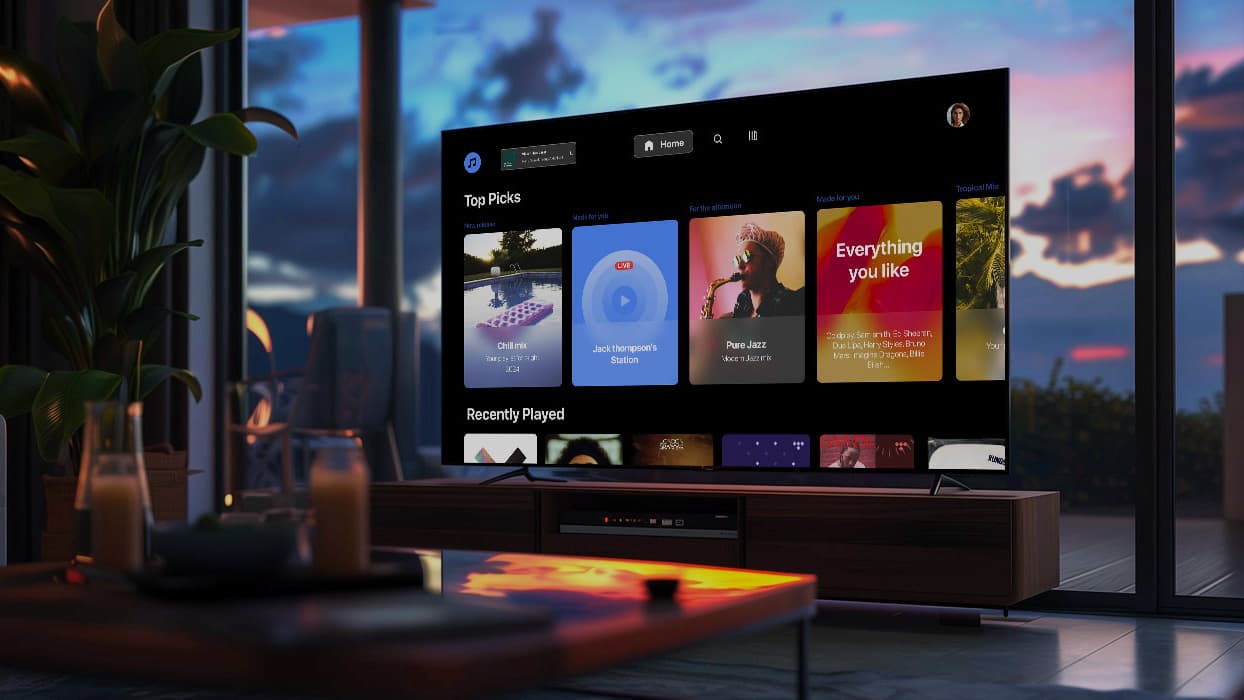
Oxagile helped a global music streaming brand launch a custom Roku app to bring their curated audio content to the big screen.
Despite the challenge of working with limited-performance TVs, the team created a sleek, responsive interface using Roku’s native tools like SceneGraph. The app included features like deep linking, smooth transitions, and stable playback, all optimized for a TV-native experience.
- Fast to market
- Works great even on low-end devices
- Simple, clean user experience
This project shows how Roku lets content providers, even outside of video, launch apps quickly and reliably, without heavy tech overhead.
Apple TV vs Roku
Apple TV vs. Roku pits a mass-market workhorse against a premium, tightly controlled platform. Apple sells one device to one audience, Roku sells an operating system to everyone who will license it.
Technologies
The current Apple TV 4K is powered by the A15 Bionic. Developers primarily build tvOS apps with Swift and Xcode using SwiftUI or UIKit, with apps distributed through the App Store subject to Apple’s App Review process.
Roku runs Roku OS across everything from cheap sticks to the Roku Ultra, where Roku development means BrightScript paired with the SceneGraph rendering framework: lighter, narrower, and faster to ship.
Adoption

tvOS
Apple hardware only. No licensing, no OEM partners. The Apple TV streaming service, by contrast, ships almost everywhere: Samsung, LG, Sony, VIZIO, TCL, Roku, Fire TV, Google TV, PlayStation, and Xbox.
Roku OS
Roku OS powers Roku’s own streaming players and Roku-branded TVs, as well as TVs from third-party partners including TCL, Hisense, Philips, and Westinghouse. The licensing picture is narrowing, though, since TCL and Hisense have moved parts of their lineups to Google TV after Roku began making its own sets.
Pros and cons
Apple’s advantage is uniformity. One hardware target, predictable performance, and tools strong enough for gaming and dynamic UIs. The cost is time-to-market and freedom, as certification adds weeks, and App Store guidelines plus mandatory Siri and HomeKit integration leave little room to move.
Roku’s advantage is speed and spread. Apps may ship in weeks, and the audience is broad and price-diverse (as opposed to small and affluent). The cost is a ceiling since hardware fragmentation means the weakest devices set the standard, debugging is basic, and personalization stays shallow next to Apple’s multi-user profiles and AirPlay.
In the Roku Ultra vs Apple TV matchup, Roku Ultra delivers solid 4K streaming at a lower price without the raw horsepower of Apple’s silicon. Roku developers trade Apple’s tooling and certification queue for fragmentation and thin diagnostics. Apple offers precision and premium appeal, Roku trades polish for speed and scale.
Roku vs Chromecast
The Google Chromecast vs Roku comparison was always less about hardware than philosophy, and the philosophy outlived Chromecast itself. Google discontinued the Chromecast line in 2024 and shifted its approach into the Google TV Streamer.
Today, Roku and Google TV represent different approaches to connected TV. Roku emphasizes a focused TV experience, while Google TV is closely integrated with Google’s broader Android, mobile, casting, and smart-home ecosystem.
Technologies
Google TV sits on an Android TV OS base, giving developers access to the broader Android development ecosystem. Google Cast and Cast Connect support experiences that extend across TVs, phones, and other compatible devices.
Roku OS stays deliberately narrow: predictable APIs, controlled updates, and BrightScript and SceneGraph, all aimed at consistency across a fragmented hardware lineup.
Adoption
Google TV
Ships on Sony, TCL, and Hisense sets, with the latter two expanding their Google TV lines in recent years. Google’s own hardware now stops at the $99 Google TV Streamer, with nothing below $50 since Chromecast ended. That exit left the budget shelf to Roku and Amazon, where Roku still sells sub-$30 devices.
Roku OS
Runs on its own TV line plus licensed brands, and remains one of the leading connected-TV platforms in the U.S., with a substantial presence across both Roku’s own hardware and partner-manufactured TVs.
Pros and cons
Google TV ‘s strength lies in its integration with Google’s wider ecosystem. It absorbs new features, Assistant capabilities, and casting protocols quickly. Cross-device data goes deeper than anything Roku offers. The cost is upkeep: Cast SDK and web tooling allow faster experimentation but demand more maintenance as standards move on.
Roku takes a more specialized approach. It’s an important platform for publishers targeting U.S. connected-TV audiences. Google’s retreat from cheap hardware hands Roku the volume tier outright. The cost is everything Google does with data that Roku doesn’t.
The Chromecast Ultra vs Roku Ultra matchup that filled buying guides for years now reads as Roku Ultra against the Google TV Streamer, since Chromecast Ultra and its successors are out of production. 4K HDR performance is comparable. The philosophies are not. Roku Ultra is designed primarily as a standalone Roku streaming experience, whereas Google TV Streamer offers deeper integration with Google services, casting, mobile devices, and compatible smart-home products.
Roku TV vs Amazon Fire TV
In the Roku TV vs Fire TV showdown, sometimes framed as Amazon Fire TV vs Roku, the dividing line is what the platform owner wants from your audience. Amazon runs a retail and advertising business that the TV feeds. Roku runs a distribution business.
Technologies
Amazon’s stack has changed more in the past year than in the previous five. Fire TV is migrating off Android-based Fire OS onto Vega OS, a Linux platform built around React Native and web technologies, and every new Fire TV Stick ships with it. Older devices stay on Fire OS with security updates promised through 2030, which leaves the current lineup split three ways:
- Vega OS on the newest sticks, with a different SDK and a different rendering model, so a rebuild rather than a port
- Fire OS 14 on recent Smart TVs, still Android underneath, so Java, Kotlin, Android Studio, and Fire App Builder apply
- Fire OS 8 on lifestyle sets like the Ember Artline
Roku’s stack is unchanged: one OS, one toolkit, BrightScript and SceneGraph.
Roku is now adding TypeScript alongside BrightScript through the RSG 2.0 SDK, but unlike Vega OS, it keeps SceneGraph in place and doesn’t force existing apps into a rebuild.
Adoption
Fire TV
Over 300 million devices sold worldwide, spanning Amazon’s own 2-Series and 4-Series, the Ember Artline, and partner sets from Hisense, Panasonic, TCL, and Xiaomi.
On Vega specifically
Netflix, Disney+, Hulu, and Prime Video carried over at launch, with agencies like Accedo brought in early to port customer apps.
Roku
More than 100 million streaming households across its own TV line and licensed brands including TCL, Hisense, and Philips.
Pros and cons
Fire TV wins on tooling and monetization. Alexa personalization, in-app purchase integration, strong analytics, a Cube that doubles as a smart home hub, and cloud gaming through Luna all sit ready to use. The cost comes in two parts: the interface promotes Amazon content first, leaving third-party distributors to work for visibility, and the Vega transition means maintaining builds for a platform in migration.
Roku wins on neutrality and simplicity. The interface stays app-centric with no house catalog up front, and a single OS keeps the target count at one. The cost is thinner analytics and no equivalent to Amazon’s personalization or smart home reach.
One argument has flipped. Sideloading was long Fire TV’s escape hatch for experimentation and a point against Roku’s closed system. Vega OS removes it entirely, which puts both platforms in the same category. What remains is the neutrality question. In the Roku vs. Amazon Fire debate, Fire TV offers integration and power, Roku counters with neutrality and reach.
Roku TV comparison to other Smart TV systems
In the Google Chromecast, Apple TV, and Amazon Fire TV vs Roku comparison, Roku’s identity emerges through contrast. Where its rivals are extensions of larger ecosystems, Roku remains a standalone delivery platform: less ambitious in scope, but more focused in purpose.
| Platform | Strengths | Weaknesses | Development environment |
|---|---|---|---|
| Roku TV | Neutral ecosystem, fast deployment, broad hardware compatibility, content-first interface | Limited UI flexibility, uneven performance across low-end devices, basic debugging tools | BrightScript + SceneGraph |
| Apple TV | Excellent performance (A15 Bionic), polished design and stability, robust developer tools | Expensive hardware, restrictive App Store policies, tightly controlled ecosystem | Swift, Xcode, tvOS frameworks |
| Google TV (formerly Chromecast) | Deep integration with Android and Google Assistant, reliable casting, strong cross-device personalization | Chromecast line discontinued, no hardware under $50, reliant on external devices for Cast, SDK changes frequently | Cast SDK, Android tools |
| Amazon Fire TV | Strong Alexa integration, powerful analytics and monetization tools | Interface prioritizes Amazon content, device base split across Vega OS and two Fire OS branches, limited neutrality | Android SDK and Alexa APIs on Fire OS; React Native and web via Vega Developer Tools |
Roku’s steadiness, often perceived as conservatism, is precisely what makes it appealing to content distributors. It doesn’t compete with its partners or redirect users toward in-house services. Apple and Google build ecosystems, while Roku builds reach. Fire TV leans into integration, while Roku favors balance. That neutrality remains its clearest technical and strategic advantage.
Need a cost estimate?
Compare a build with and without Roku in just a few clicks.
Roku’s current role in the streaming pantheon
For distributors and aggregators, Roku TV is a platform of opportunity tempered by trade-offs. Its BrightScript and SceneGraph combo accelerates development, with apps launching in weeks rather than months, but hardware fragmentation and basic debugging tools demand careful optimization. Content distributors tap into Roku’s vast audience and neutral stance, though monetization lacks the tight integration of Amazon’s analytics or Apple’s subscriptions. Aggregators thrive on Roku’s open model, sidestepping Apple’s gatekeeping and Amazon’s bias, but miss the advanced personalization of their rivals.
Compared to Apple TV, Roku sacrifices polish for accessibility, offering speed-to-market and scale over premium features. Against Amazon Fire TV, it trades ecosystem perks for neutrality, appealing to those wary of platform favoritism. For software developers, Roku’s low barrier to entry is a draw, though its technical ceiling is lower than tvOS or Fire OS. Distributors and aggregators eyeing broad reach will find Roku’s 10,000+ channels and growing user base hard to ignore, even if it lacks the bells and whistles of its competitors.
In the streaming wars, Roku TV isn’t the flashiest contender, but it’s the one that plays nice with everyone. It’s a platform where simplicity meets scale, offering a foundation for rapid deployment and wide distribution. For a niche app or a global service alike, Roku’s ecosystem gives you unusually broad reach, and the technical constraints are the price. “What is the best platform” is the wrong question. Ask which one aligns with your vision. For many, Roku’s open road is the path to take.

Expand your reach. Master every screen
From Roku’s lean logic to Apple TV’s polished flair and Fire TV’s Android wilds, we know our way around all of them. We turn fragmented ecosystems into one cohesive experience: fast, smooth, and built to scale. Let’s make apps that work (and wow) everywhere.
Sources
- — MacDailyNews
Apple TV climbs to fourth-largest SVOD platform in the U.S. with strongest annual growth
- — About Amazon
Amazon unveils Fire TV upgrade and debuts Ember Artline lifestyle TV
- — Deadline
Roku Passes 100M Global Streaming Households
- — Variety
Roku Tops 100 Million Streaming Households
FAQ
What sets Roku apart from other streaming platforms?
For content distributors, the case for Roku starts with one fact: it doesn’t compete with them. Apple and Amazon push viewers toward their own services. Roku has no catalog of its own to protect, so the platform is built for access, both for viewers looking for something to watch and for developers shipping the channels they watch it on.
With over 10,000 channels and a broad hardware base, Roku offers reach without a house catalog in the way. Its BrightScript and SceneGraph stack is lightweight and predictable, so teams can ship working apps quickly, even on lower-end hardware.
For publishers, that adds up to a platform they can grow on without wondering whose interests come first.
What are the major differences in a Roku Ultra vs Apple TV comparison?
From a business standpoint, the Roku Ultra vs Apple TV comparison highlights two different market philosophies. Roku favors scale and accessibility; Apple focuses on curation and control.
Apple TV operates inside a closed ecosystem, ideal for high-value, subscription-driven content but constrained by strict App Store rules and mandatory integration with Apple services. Its technical excellence and user experience come at the cost of agility: every update passes through Apple’s approval cycle.
Roku Ultra, meanwhile, supports a far broader audience through inexpensive hardware and minimal entry barriers. Development with BrightScript and SceneGraph is faster and lighter than tvOS with Swift and Xcode, which suits distributors seeking speed-to-market and cost efficiency over elaborate UI features.
What are the key distinctions in Roku TV vs. Amazon Fire TV?
In Roku TV vs Fire TV, the dividing line is ecosystem independence. Amazon Fire TV is tightly integrated into Amazon’s broader business, spanning retail, Alexa, and Prime Video, which gives it strong data and voice capabilities but also creates competition for attention. Fire TV’s interface promotes Amazon content first, leaving third-party distributors to fight for visibility.
Roku avoids that dynamic entirely. Its interface remains impartial and channel-driven, allowing every app the same structural space. For distributors, that means predictable exposure and lower customer acquisition friction.
The Vega OS transition adds a second consideration: distributors targeting Fire TV now maintain builds for a platform in migration, while Roku’s single OS keeps the target count at one.
In what ways do Google Chromecast vs Roku differ?
The Google Chromecast Ultra vs Roku Ultra dynamic comes down to control and operational stability. Though the Chromecast hardware itself is gone, Google discontinued the line and replaced it with the Google TV Streamer.
Google’s platform still functions as a node in a larger ecosystem, with Cast-based interaction dependent on external devices and shifting web standards. Roku operates as a self-contained platform: updates are controlled, APIs remain stable, and content playback is managed locally on the device.
For long-term partnerships, this translates to different maintenance profiles. Chromecast offers flexibility and deep Google integration but requires frequent adaptation as SDKs change. Roku’s environment moves slower but stays predictable, which helps large distributors managing multi-region deployments.