How to Start a Roku Channel That Hits Hard and Lasts Long

Table of contents
Streaming is crowded. Attention is short. And yet, Roku keeps pulling viewers in and holding them there.
If you’re considering to build your own Roku channel, timing couldn’t be better. With millions of active users across Roku devices and a growing appetite for content, the platform offers real opportunity – but only for those who approach it strategically.
In this article, we’ll walk you through how to start a Roku channel, when to use the Roku Direct Publisher tool, and what it takes to build a custom solution from the ground up.
Key takeaways:
- Roku remains a leading TV OS with over 95 million households, offering strong reach for content distribution and monetization.
- Roku channel creation can be done with Roku Direct Publisher for simple apps or partially using the Roku SDK for full customization.
- Costs vary widely, from low-budget no-code channels to advanced OTT platforms with subscriptions and custom features.
- Success depends on performance optimization, device compatibility, and ongoing maintenance after launch.
Is Roku channel creation worth your energy and budget?
Since entering the market in 2008, Roku has grown into one of the leading OTT platforms in the US market. It is the number one TV OS in the U.S., Canada, and Mexico with the leading share of smart TV shipments across North America, according to Circana’s recent report1.
And it isn’t slowing down, as Roku projects continue platform expansion in 2026, including double-digit platform revenue growth and a trajectory toward surpassing 100 million global streaming households2. For content creators and distributors, that’s an open invitation to a loyal, growing audience.
So today, crafting a Roku channel is about:

Amplifying your multi-screen strategy and planting roots in a fertile ecosystem with a vast, active audience that the platform keeps literally glued. According to the abovementioned report, Roku surpassed over 95 million streaming households globally in Q4 2025. The U.S. remained the dominant market, reaching more than half of broadband households and exceeding 35 billion streaming hours in the same quarter.
Boosting visibility and exposure, as Roku’s ecosystem spans streaming sticks, integrated TVs, and mobile apps. This provides cross-device accessibility with consistent performance and interface.
Tapping into multiple monetization options. Whether you’re exploring AVOD, SVOD, TVOD, or FAST, the platform gives the flexibility to tailor monetization strategy to any content and audience.
Enjoying ongoing upgrades and Roku’s commitment to enhancing user experience, including expanded AI capabilities across the platform in 2026, such as personalized content recommendations and conversational voice interactions. This also includes generative AI tools for ad creation and targeting, alongside continued growth of free ad-supported channels and local content features3.
Let’s not forget that with over 31,600 apps and channels currently available on the Roku Channel Store4 vying for viewer attention, visibility is anything but guaranteed. And a well-executed launch isn’t just a nice-to-have, it’s your secret weapon for cutting through the noise.
How can you make it happen?
Read on to explore the essential Roku features and key moves on how to start a channel on Roku that will make your sleek debut on the platform impossible to ignore.
Real case story: Borderless video content distribution
- Web
- Mobile
- Smart TV
- Apple TV
- Fire TV
- Roku
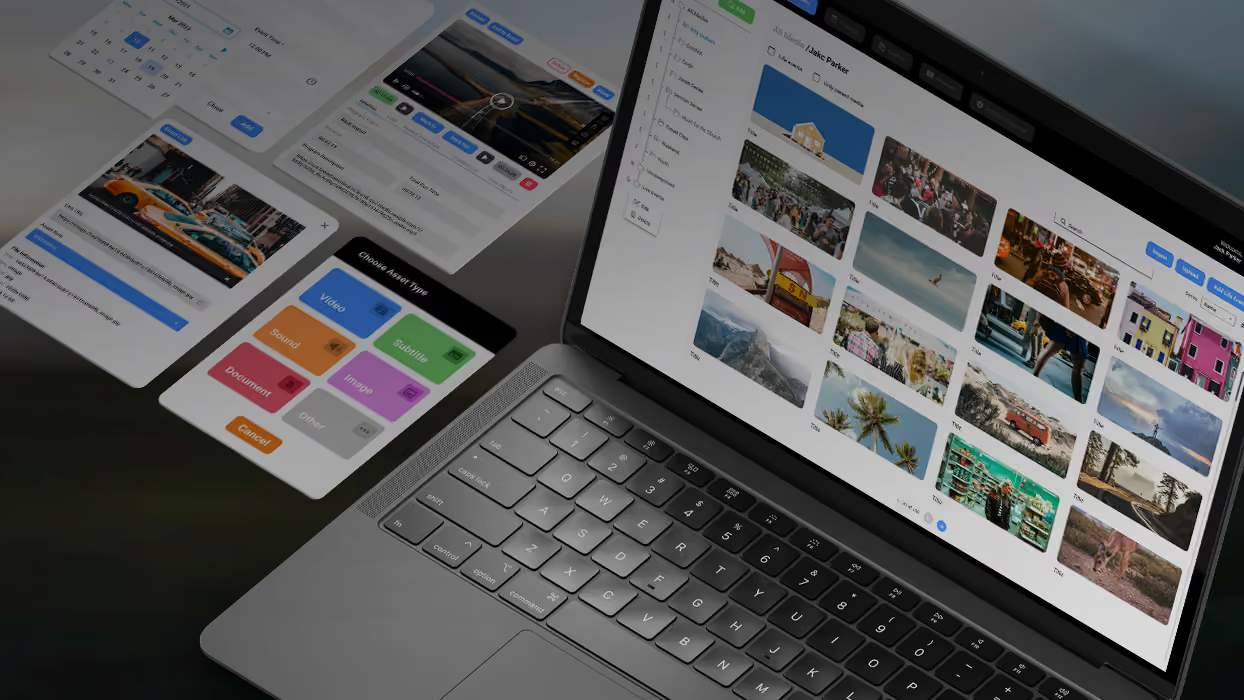
All haven’t been left behind, as soon as the OVP developed by Oxagile aims to cover multiple platforms to build a massive audience.
Platform potential and constraints you need to know from day one
Roku TV is a treasure trove of opportunity, yet it comes with its own set of peculiarities that diverge sharply from platforms like Android TV, Fire TV, or web-based environments.
Drawing from our extensive track record of building such solutions and providing Roku app development services, we’ve identified the critical, both positive and dubious elements, that set it apart, shape its ecosystem and undoubtedly merit your attention.
Limitations
Proprietary programming language
Roku sets itself apart from the crowd with BrightScript, a proprietary scripting language that powers its ecosystem. Unlike the widely adopted JavaScript or Python, BrightScript is a Roku original — potent, purpose-built, and somewhat exclusive. This singularity is a double-edged sword: it fuels Roku’s ability to deliver seamless streaming experiences, but it also narrows the field of expert practitioners. For developers accustomed to mainstream languages, this can feel like stepping into uncharted territory.
Proprietary component markup
Developers need to work with Roku’s own markup for components, SceneGraph, which may add complexity to the Roku app development process. It can also force the use of a fixed set of pre-made building blocks. This rigidity often means extra effort to achieve creative, unique or complex design slowing down the process for those unfamiliar with the tool.
Documentation gaps
Roku provides many examples for small reusable components but falls short when it comes to showcasing fully realized applications. You’ll find guidance on basic elements like buttons or lists, yet a complete end-to-end channel with features like authentication, content libraries, and navigation is not clearly outlined.
Possibilities
Application versatility
Roku allows developers to build various app types, including:
- Channels — streaming apps that deliver video, audio, or live content to viewers.
- Games — interactive applications designed for play using the Roku remote or compatible controllers.
- Screensavers — visual displays that activate when the device is idle and are particularly popular among users.
Efficient review and transparent certification
The platform maintains clear and comprehensive certification requirements. Compliance is straightforward for creators, and delays are reduced. Roku’s app review process is streamlined, and approvals are often completed within 24 hours. Once certified, developers can deploy their channels within days, which supports a fast transition from approval to public launch.
Flexible media integration
Roku offers a robust native media player, yet limited UI customization and basic feature sets can leave you wanting more, especially for complex apps. Developers can further enhance cross-platform consistency by integrating third-party solutions like Bitmovin. These tools can act as a wrapper around Roku’s native capabilities and provide a consistent playback experience across Roku, iOS, Android, and web environments.
In our real-world projects, we’ve implemented similar approaches, layering Bitmovin’s SDK over Roku’s native player ensuring uniform functionality across devices. And while this didn’t replace the native player entirely, it enhanced it with advanced features and added more flexibility.
How Roku’s architecture impacts app performance
Roku application development shares some DNA and similarities with platforms like LG or Samsung, but its architecture presents distinct performance optimization considerations.
Through practical engagement with these nuances and subtleties, we’ve highlighted the following focal points:
Overcoming constraints in style and design
At Oxagile, we’ve seen how Roku’s BrightScript and SceneGraph tools put some limits on style and design. You can’t create absolutely anything you imagine, but our practical experience shows there’s room to get creative within these boundaries. Smart ways exist to add unique touches and tailored styling, such as making buttons or menus stand out and still fit naturally within Roku’s design.
Meeting interaction timing requirements
Launch times for channels and videos are make-or-break for Roku certification. So the ultimate advice here is to track them, spot bottlenecks, and optimize to pass store reviews. Here’s what you can do:
- Monitor app launch time and keep it within Roku’s recommended thresholds
- Measure video start time (time-to-first-frame) across different network conditions
- Profile API response times and reduce slow backend calls
- Optimize image and asset loading to avoid UI delays
- Use caching for frequently accessed data to speed up navigation
- Test performance to catch edge cases even on a lower-end Roku device
- Continuously log and analyze performance metrics to identify regressions
Adapting media for a device-agnostic experience
Delivering flawless Roku apps across diverse hardware demands meticulous attention to compatibility. To ensure seamless performance, it’s a must to analyze device specifications — from screen resolutions to processing power — and tailor media formats to each device’s capabilities.
For seamless performance, it’s important to analyze device specifications, including screen resolutions and processing power. Media formats should then be tailored to match each device’s capabilities.
Video player integration
Roku’s native media player is reliable and robust, but flexibility is key and harnessing the strengths of the native Roku player for maximum performance is important. That’s why for clients with existing video players designed for other platforms, we integrate third-party options seamlessly, so Roku doesn’t feel like the odd one out.
Limited SDK support
Other platforms often provide ready-made SDKs and third-party libraries, whereas Roku typically requires custom feature development. However, skilled developers (by that, we mean Oxagile’s minds of course) can create new Roku-specific functionality from scratch, ensuring smooth operation of TV apps and games.
Multi-platform consistency
When Roku is part of a broader strategy covering multiple platforms, delivering authenticated streaming and unified design is a must. And ensuring consistency across connected TVs, mobile devices, set-top boxes, and game consoles for catch-up viewing and seamless user experiences is what at core of any development process.

Got a Roku idea brewing?
Let’s break it down into features, timelines, and real costs minus the confusion.
How much does it cost to start a Roku channel?
Roku channel development costs can differ significantly based on a range of factors. Simpler channels built with the Roku Direct Publisher tool are less resource-intensive thanks to its straightforward, no-code setup. Custom channels built with the Roku SDK and featuring more intricate designs or subscription integrations naturally require a bigger investment.
The final cost typically depends on the level of customization, backend complexity, and integration requirements. Of course, going the custom route will cost more, but it’s often the preferred choice if you’re aiming for a truly unique app tailored to your vision.
The development approach also matters: outsourcing to seasoned developers or keeping it in-house shifts the cost dynamic, with external expertise potentially speeding things up and delivering polished solutions.
Content hosting is another piece of the puzzle, as Roku doesn’t handle video storage. Third-party platforms like Vimeo or Amazon step in, with fees tied to bandwidth and volume. Ongoing maintenance, like updates or fixes, adds to the tally, as does weaving in monetization options like ads or subscriptions, which demand more sophisticated work.
To give you a clearer picture, here are typical Roku channel development scenarios with estimated costs and timelines. These estimates give a general sense of budget, but the final numbers will vary based on scope, team structure, and technical requirements.
Channel type | Key features | Estimated cost | Timeline |
|---|---|---|---|
Basic (Direct Publisher) | MRSS/JSON feed, simple UI, no login | ~$0-$2,000 | 1-3 weeks |
Template-based custom | Branded UI, basic navigation, video playback | ~$5,000-$15,000 | 4-8 weeks |
Mid-level custom channel | Authentication, categories, analytics, ads | ~$15,000-$40,000 | 2-4 months |
Advanced OTT platform | Subscriptions, payments, multi-device sync, custom UI | ~$40,000-$100,000+ | 4-8+ months |
Are there any ongoing costs after the channel is launched? Of course, as even after launch, development doesn’t stop. A Roku channel requires ongoing attention to keep performance stable, adapt to platform updates, and support new features as your product evolves. Expenses can grow as you scale your audience and expand functionality.
Post-launch expenses typically include:
- Ongoing maintenance and updates for bug fixes and OS compatibility
- Support and performance monitoring to maintain app stability
- Content hosting and CDN fees based on video traffic and storage
- Third-party services such as analytics, video players, or DRM
- Monetization setup costs for ads, subscriptions, or payment processing
Moreover, while Roku’s official resources may lack the extensive examples you’d hope to lean on when brainstorming ideas for your app, we at Oxagile have, over time, built a substantial portfolio of Roku projects. This has helped us build a comprehensive library of app examples, along with clear and detailed explanations of how different features and functionalities work.
If you have specific ideas in mind, we can break down the Roku channel development cost using real-world examples from our projects, drawing on 20+ years of experience in OTT development.
Case in point: Custom Roku app for a leading music streamer
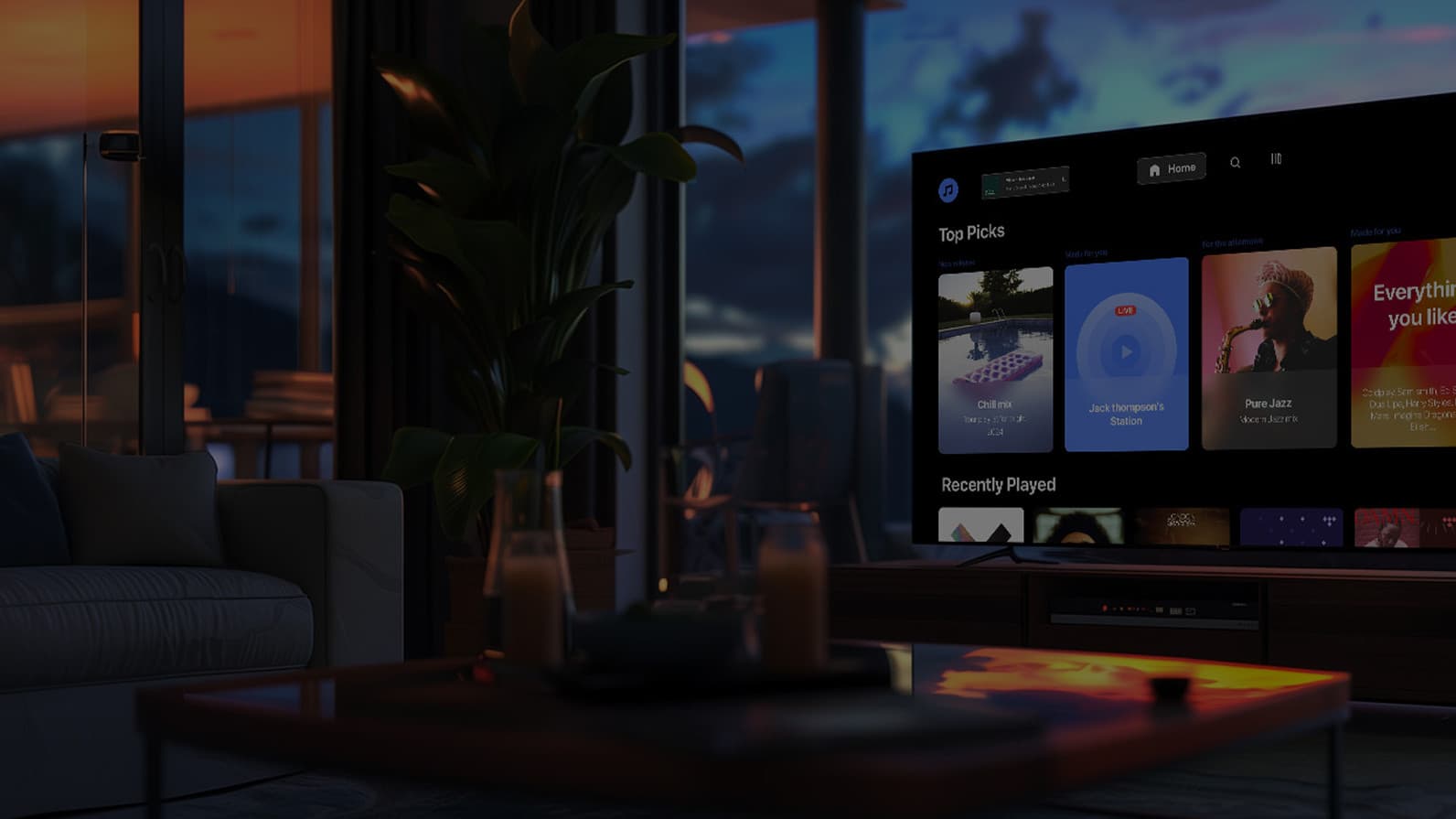
A custom Roku application for a leading music streaming service highlights how tailored development improves performance and user experience on connected TV platforms. The solution focused on smooth playback, intuitive navigation, and consistency across devices.
Key features include:
- Optimized video player integration for stable streaming
- Cross-device compatibility across Roku, mobile, and web
- UI design tailored to Roku navigation patterns
- Performance tuning to meet Roku timing requirements
What happens when the second screen becomes first in engagement?
Concluding thoughts on launching your own Roku channel
Building your own Roku channel means working within a platform that combines massive reach with very specific technical rules. Every decision shapes how your channel performs and how users experience it: choosing between Roku’s Direct Publisher tool and custom development, handling device differences, planning monetization, how you approach performance optimization, and more.
Being a gateway to 80 million active accounts hungry for content, Roku is a puzzle definitely worth solving for expanding your content’s footprint. The pieces are all there: audience, tools, and proven monetization models. But success comes down to how well they fit together in your particular case.
Now all you need to do is put these pieces into place. If you’re ready, our Roku experts will guide you through the technical details of development and help turn your idea into a channel that performs, scales, and stands out.
Need to launch your Roku channel faster and smarter?
Knowing the ins and outs of Roku TV apps development, we’re at your service to craft a TV app so sleek, your audience forgets the remote exists.
Sources
FAQ
What types of content perform best on Roku?
The types of content that perform best on Roku are video-first formats with high engagement and repeat viewing potential. Common high-performing content includes:
- Free ad-supported TV (FAST) channels
- Niche streaming content (fitness, education, kids, faith-based)
- Live streams and event-based programming
- Catch-up TV and episodic series
Consistency matters. Regular uploads and clear content structure improve retention. Channels with strong categorization and fast playback tend to keep users longer.
What is the difference between Roku Direct Publisher and a Custom SDK channel?
The difference comes down to flexibility and control. Roku Direct Publisher is a no-code tool designed for fast setup. It offers limited control over design and features, which makes it suitable for simple video libraries.
A Custom SDK channel uses BrightScript and SceneGraph. It provides more control over the interface and functionality, supports subscriptions and authentication, and requires dedicated development resources.
Do I need my own servers to host video content for a Roku channel?
Yes, Roku channels require external hosting for video content. Stable hosting improves playback speed and reduces buffering issues.
Bear in mind that Roku does not store or stream video files. Content should be delivered through third-party platforms, such as Vimeo, Amazon S3, or AWS Media Services, and other OVPs (online video platforms). To launch a channel, you need:
- A video hosting solution
- A content feed (usually JSON or MRSS)
- A CDN for reliable delivery
Can my Roku channel be integrated with my existing mobile or web streaming apps?
Yes, a Roku channel can be integrated with existing mobile and web apps. The process involves connecting common backend APIs for content and user data, unified authentication (SSO) across platforms, and shared video player or third-party integration (e.g., Bitmovin). Integration works best when planned early in the development process.
This approach supports:
- Consistent user experience across devices
- Centralized content management
- Easier updates and feature rollout