How to Make Your Own Roku App: Overcoming Platform Constraints and Gaining Market Share
Table of contents
- What makes Roku TV app development unique compared to other smart TV platforms?
- How Roku apps are made: Insights into our step-by-step Roku application development approach
- Challenges of Roku development and why skilled Roku app developers are in short supply
- How much does a Roku app cost?
- Final thoughts: Why proper Roku app development matters
When it comes to Smart TV platforms, Roku is a universe of its own. Sleek. Scalable. Surprisingly particular. On the surface, it’s the platform every content owner wants to be on, and for good reason.
Roku was founded in 2002 by Anthony Wood, with its first streaming device launched in 2008, marking the company’s entry into the connected TV space. In 2026, the number of households using Roku devices has exceeded 100 million1. Also, this OS is leading on the Smart TV market in the U.S., Canada, and Mexico2, so the opportunity to reach a massive audience is enormous. Roku opens the door to nearly every monetization model worth pursuing, including AVOD, SVOD, and FAST channels. But there’s a catch, and it’s not a small one.
Roku app development services are not just about building for another screen. Roku is an ecosystem that plays by its own rules. If you’re stepping into this playground thinking it’s a simple extension of your web or mobile strategy, prepare for some whiplash.
At Oxagile, we have been building Roku apps that run seamlessly across devices and reach millions. And we’ve learned firsthand where the platform shines and where it fights back. Let’s talk about that.
Key takeaways:
- Roku development requires BrightScript and SceneGraph, which creates a different technical environment compared to more common mobile and web stacks.
- SceneGraph introduces structural constraints in UI development, limiting flexibility compared to typical component-based frameworks.
- Starting to build Roku app functionality often goes beyond official documentation, especially for full-featured products with authentication, monetization, and dynamic content.
- Third-party integrations are limited, and many advanced features require custom implementation rather than plug-and-play SDKs.
- Roku certification has strict performance and UX requirements, and compliance issues are a common reason for late-stage revisions.
- Testing across multiple Roku devices is necessary due to hardware variability and its impact on performance and UI behavior.
What makes Roku TV app development unique compared to other smart TV platforms?
If you’ve worked with Android TV or Fire TV, you might think Roku is just another name on the Smart TV apps list. But Roku development is a bit like moving to a new country: same planet, different alphabet. Everything works under a different set of rules, from how apps are structured to how they’re reviewed and shipped. That’s what makes the learning curve feel unfamiliar, even for experienced developers.
Meet the Roku tech stack
BrightScript: the language you didn’t see coming
Roku apps run on BrightScript, a proprietary scripting language with a syntax all its own. It’s efficient, yes, but it’s also unfamiliar to most developers. If your team is fluent in JavaScript or Swift, you can still expect a learning curve.
That curve may soon get shorter: Roku is adding TypeScript support through the new RSG 2.0 SDK, though SceneGraph and platform-specific constraints stay in place.
SceneGraph: flexibility with guardrails
Roku’s UI is built with its own component-based markup system called SceneGraph. It’s functional and well-integrated but rigid. You can build fast, but not wild. Want a custom animation or advanced UI logic? Prepare for workarounds.
Other Roku app development peculiarities to note
Sparse documentation at scale
While Roku offers plenty of guides for basic tasks (buttons, carousels, lists), there’s little hand-holding for building full-scale, production-ready apps. You won’t find a detailed template for building Netflix 2.0, that blueprint is yours to draw.
Limited SDKs, minimal third-party support
Compared with iOS or Android, Roku has a much smaller ecosystem of third-party SDKs and integrations. Features like authentication, complex analytics, or advanced video players require custom builds or clever external plug-ins.
And yet… it works. When built right, a Roku app can deliver stunning performance, rapid startup times, and silky-smooth streaming even on modest hardware.
Case in point: Roku app for a music streaming company
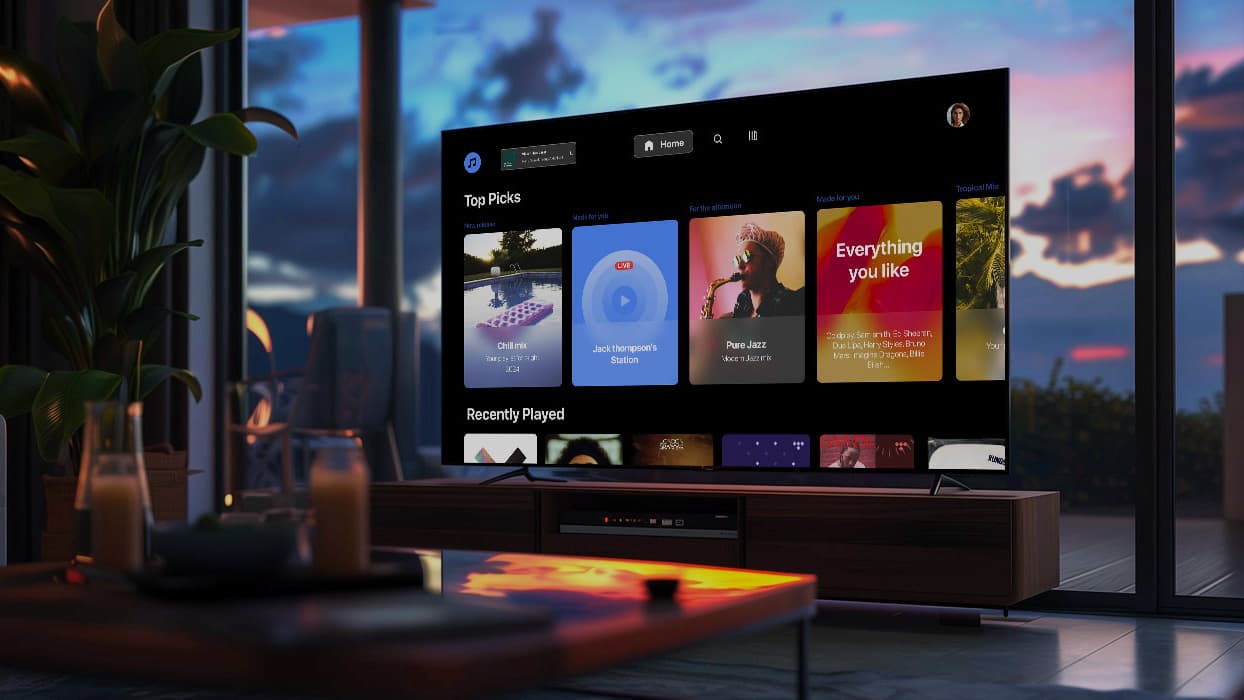
When a global music streaming brand approached Oxagile, their goal was clear: deliver a Roku app that feels just as smooth, fast, and intuitive as their mobile and desktop platforms. We built a fully custom channel with cross-device playback, an adaptive UI, and seamless content delivery, working within Roku’s performance limits and SDK constraints.
How Roku apps are made: Insights into our step-by-step Roku application development approach
You’ve got the content. You’ve got the audience. And Roku looks like the natural next step. But if you’ve never launched on this platform before, here’s what you need to know: Roku development isn’t just a technical task.
Here’s how we build Roku apps at Oxagile, and the insights we’ve gained from years of experience.
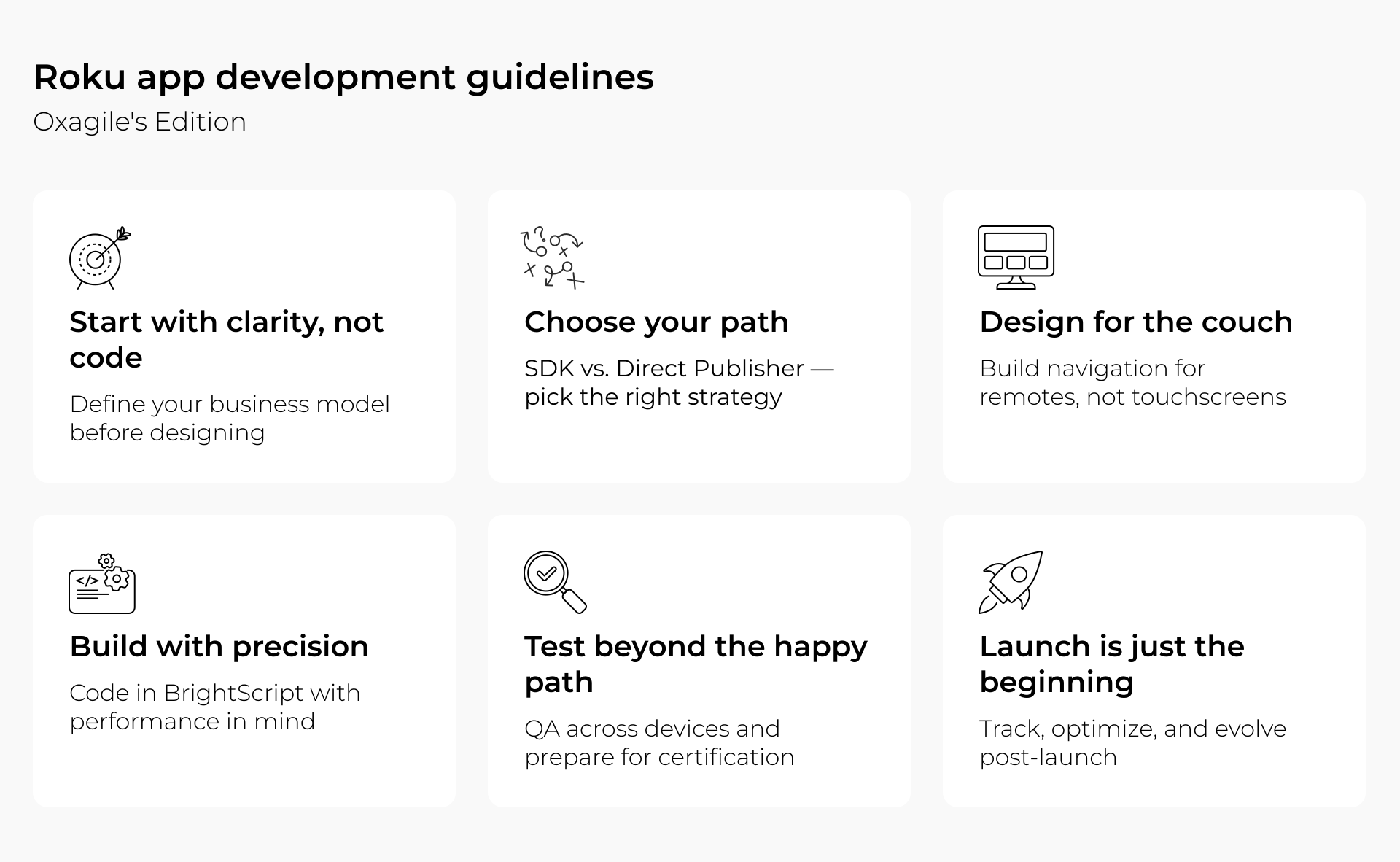
1. Start with clarity, not code
Before any development begins, we help clients answer a few fundamental questions:
- What content are you delivering: on-demand, live, or hybrid?
- Will it be free, paid, or ad-supported?
- Do you need user authentication, personal watchlists, or smart recommendations?
These details define the structure of your app and how the entire user experience will function. We’ve seen projects stall because teams jumped into UI before defining the business model. So we start the other way around.
2. Plan for long-term flexibility
Historically, Roku offered Direct Publisher for simple channels, but today all commercial Roku apps are built using the Roku SDK with BrightScript and SceneGraph. And that’s why companies are looking for Direct Publisher migration services.
SDK-based development provides the full customization, scalability, and ownership of your app’s future. It requires significant upfront effort, but it opens the door to everything you’ll need later: custom design, advanced playback logic, integrated monetization, user accounts, dynamic content feeds, and the list goes on.
3. Design for how people really watch
Designing for Roku is different. There’s no touch. No mouse. Just a remote. That’s why we think about navigation first. How does it feel to browse your content with five buttons, on a couch, across a dozen screen sizes?
At Oxagile, we design every Roku UI around one goal: make it fast to find something worth watching. And make the experience feel effortless on even the oldest Roku stick someone forgot to update.
4. Build with precision, not assumptions
Roku development relies on BrightScript and SceneGraph. Both tools are purpose-built, but not widely adopted outside the Roku world. That means no shortcuts. No borrowed libraries. Everything is built with performance and compliance in mind. Typical tasks include:
- Building out content feeds and screen hierarchies
- Connecting metadata, APIs, and analytics
- Configuring ads and user behavior logic
- Optimizing loading and buffering times for certification
For cross-platform video players, we often integrate third-party SDKs like Bitmovin to ensure playback consistency across Roku, mobile, and web, without compromising performance.
5. Test beyond the happy path
We test across a spectrum of Roku devices to achieve visual consistency. Not just for visual polish, but for the invisible things users notice first: app startup time, stream loading delay, broken navigation logic, unresponsive UI.
We also prepare the app for Roku’s certification review, checking technical compliance, content guidelines, and store requirements. It’s the final checkpoint before launch and one we never leave to chance.
6. Launch is just the beginning
Once your app is certified (usually within 24–48 hours), it goes live. But the work doesn’t stop there. We stay involved to:
- Monitor performance and user behavior
- Tune ad behavior and monetization flow
- Add features as user expectations evolve
- Keep everything optimized for the latest Roku OS updates
In other words, we don’t treat app delivery as a finish line. We treat it as day one of iteration.

Want a development partner who’s been through the Roku process enough times to know where things break and how to fix them before they do?
Take a look at our Roku app development services and let’s talk about what you want to build, and how to build it right.
Challenges of Roku development and why skilled Roku app developers are in short supply
Roku has a lot going for it: an engaged audience, smooth performance, and a relatively clean OS. But under the hood, it’s not the friendliest environment for developers, especially those expecting shortcuts or reusable tools from other platforms. Here are the most common blind spots and platform-specific limitations we’ve learned to navigate.
1. BrightScript: powerful but unfamiliar
Roku uses BrightScript, its own proprietary scripting language. It’s not hard, but it’s different. Developers used to JavaScript or Python won’t find much that feels familiar. There’s also limited community support, meaning when you hit a wall, Google won’t always bail you out.
The good news? Once you know how to work with it, BrightScript can be lean and reliable, and it’s built for one thing: streaming that works.
2. SceneGraph UI: flexibility with boundaries
SceneGraph gives you a set of building blocks to create Roku-native interfaces. But those blocks are fixed. Want a complex animation or a layout that breaks the mold? It’ll take time or workarounds.
Designing beautiful apps within SceneGraph’s rules is possible (we do it all the time), but it means getting creative within limitations. And you have to know what’s worth customizing and what’s not.
3. Missing documentation (including where it matters most)
Roku’s docs are decent for small components. You’ll find examples of how to build a list, a button, or a splash screen. But if you’re looking for an end-to-end guide to building a fully featured channel, with user auth, dynamic content, and monetization, it’s not there.
We’ve filled the gap with our own internal playbooks, based on years of trial, iteration, and repeatable success. That’s often what saves our clients weeks of development time.
4. Limited third-party SDK support
Most streaming platforms today offer dozens of plug-and-play SDKs. Roku doesn’t. If you want integrations (analytics, subscriptions, recommendation engines), you’ll either need custom development or external tools that play nice with Roku’s sandbox.
We’ve built Roku apps that extend the native player with third-party layers like Bitmovin, helping clients unify playback across Smart TVs, mobile, and web. It’s not plug-and-play, but it’s doable with the right hands on the project.
5. Certification standards can be unforgiving
Roku’s review team moves quickly (often 24–48 hours), but they’re strict on performance and UI guidelines:
- Your app must launch within a certain time
- Video playback must be smooth and responsive
- Content must comply with Roku’s editorial standards
- Navigation must follow Roku’s interaction logic
Fail any of these, and you’re back to revisions. That’s why we bake certification checks into our QA process as a development requirement from day one.
Want the math to match your roadmap?
We’ll help you estimate the budget, the timeline, and the trade-offs that make sense for your audience and business case.
How much does a Roku app cost?
Let’s be honest: cost is usually the second thing people ask, right after “How fast can we launch?” And like most platform projects, the answer is: it depends on how far you want to go.
If you want to build something that reflects your brand, fits your audience, and adapts as you grow, consider turning to Oxagile for Roku channel development services. With the Roku SDK, our team can help you:
- Create a unique, branded user experience
- Add ads, payments, logins, and personal content flows
- Integrate your backend, analytics, or third-party services
- Make your app feel fast and native on every device
And we don’t stop at launch. Our Roku team can track, tune, and help you scale once users start coming in. You are welcome to learn more about our custom video solutions or how we approach Roku development to create a wider picture of how we can help.
So, here are the main factors shaping the cost
A custom Roku app comprises strategy, design, architecture, QA, and long-term support. Some of the biggest cost drivers include:
- How much content you have (and how it’s structured)
- Whether you need monetization (AVOD, SVOD, TVOD, etc.)
- How custom your UI and features need to be
- Hosting, CDN, and integration tools
If you want to make your own Roku app, professional services typically range from $5,000–$20,000 for basic solutions, $20,000–$60,000 for mid-level custom applications, and $60,000+ for complex, scalable platforms with advanced functionality.
We’re among the Roku development companies that have built lean MVPs for first-time OTT players and delivered large-scale projects. And we’ve also delivered high-performance platforms for major media brands rolling out across five continents. For that experience, we can say that the Roku app cost always starts with one thing: clarity on where you want to go.
Final thoughts: Why proper Roku app development matters
Building a Roku app isn’t just about reaching another screen. Your business is showing up where your audience already is: on the biggest screen in the house, with the remote in hand and time to watch.
But visibility on Roku isn’t automatic. With hundreds of free live TV channels on the Roku channel alone and thousands more in the store, your app needs more than just a good idea: it needs a well-built, well-tested experience that works flawlessly across devices and keeps people coming back. And that’s where we can be your guide.
At Oxagile, we’ve been helping content providers, media platforms, and broadcasters turn their Roku vision into polished, scalable reality. Whether it’s a lightweight AVOD app or a complex multi-platform ecosystem — we know the platform, we know the constraints, and we know how to build around them without compromising performance or creativity.
Planning to launch your own Roku channel?
Let our Roku TV channel developers help you avoid the usual traps.
Sources:
1. Roku Surpasses 100 Million Streaming Households, a Historic Milestone for the Streaming Era — Roku
2. Pixalate’s Q1 2026 Global Connected TV Device Market Share Reports — Pixalate
FAQ
How does Roku app development compare with building apps for other smart TV platforms?
Compared to other smart TV platforms, Roku apps often offer strong performance but usually need more customization. Developing for Roku requires specific expertise with its unique ecosystem and technologies like BrightScript and SceneGraph, which are essential for building robust apps.
How can businesses benefit from professional Roku channel development services for their streaming platforms?
Professional Roku app development services deliver an app that meets platform requirements, runs smoothly, and gets published on time. Working with experienced developers also reduces technical risks and enables you to create a unique user experience tailored specifically to Roku devices and your brand’s unique characteristics.
What skills should experienced Roku TV channel developers have to build scalable Roku apps?
Experienced Roku developers are rare because building custom Roku apps requires deep knowledge of BrightScript, SceneGraph, and other platform-specific features. It’s important to look for developers with a strong portfolio of published Roku apps for proven expertise.
What programming language is used for Roku app development?
Roku app development primarily uses BrightScript along with SceneGraph for building user interfaces. These are proprietary technologies designed specifically for the Roku ecosystem.
What is BrightScript and why does Roku use it?
BrightScript is Roku’s own scripting language used to build application logic for streaming channels. It is lightweight and optimized for media playback performance on Roku devices.
What is SceneGraph in Roku development?
SceneGraph is Roku’s component-based framework for building user interfaces. It defines how screens, layouts, and UI elements are structured and rendered within Roku apps.
What are the key steps in the Roku app development process?
The process typically includes defining the app structure and business logic, designing the UI for remote-based navigation, development using BrightScript and SceneGraph, integration with APIs and content sources, testing across devices, and submitting the app for Roku certification.