


This website uses cookies to help improve your user experience
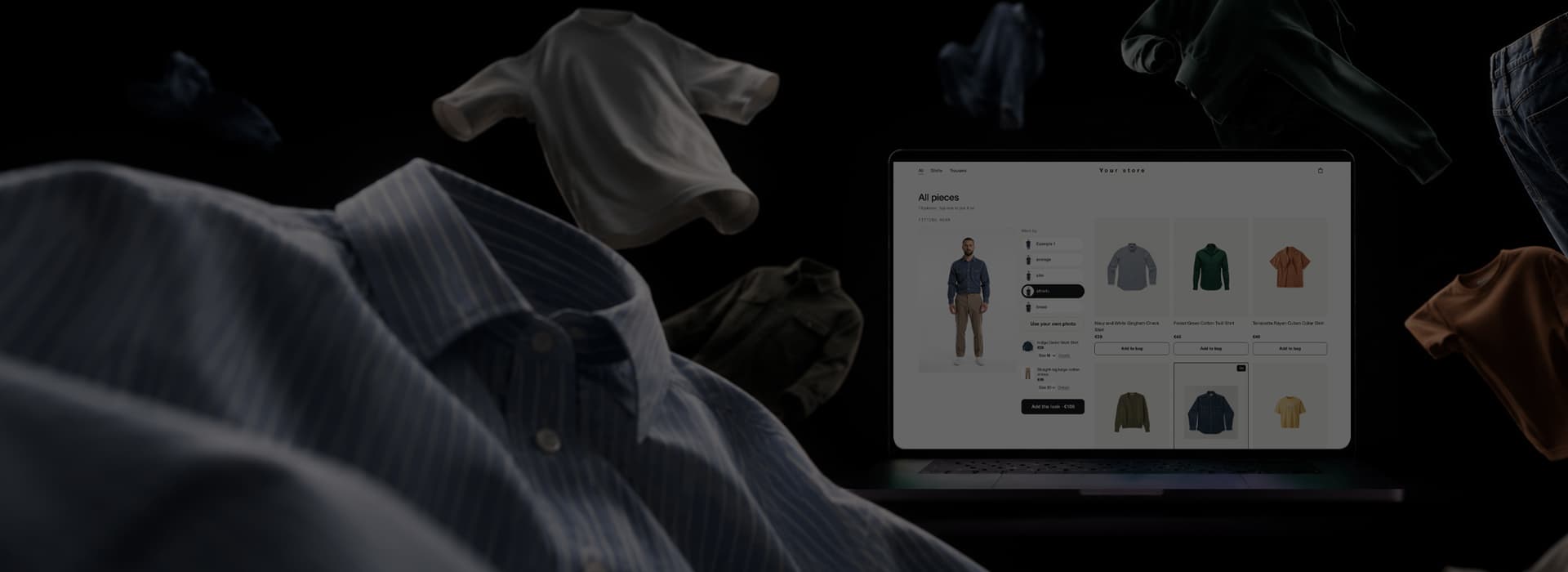
Virtual Try-On App
Your catalog, on your shoppers. One full-length photo becomes an avatar that wears every piece you sell, in the size your chart suggests.
Try it onA virtual try-on solution for eCommerce. Ready to install.
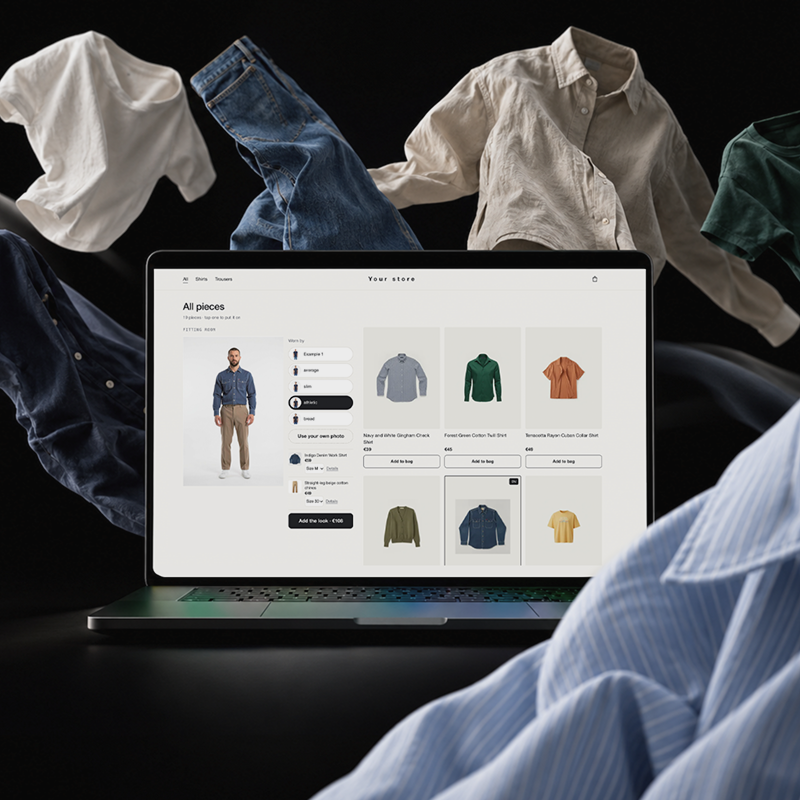
Oxagile’s Virtual Try-On app is a virtual fitting room for online clothing retailers and fashion brands. Add one script to your site and one package to your iOS and Android apps, and every garment in your catalog appears on the shopper’s avatar, at their height and in their build.
The engine comes out of Oxagile’s AI work for retail and ships finished. Your pilot runs on the standard setup, and our engineers touch only what your storefront needs.
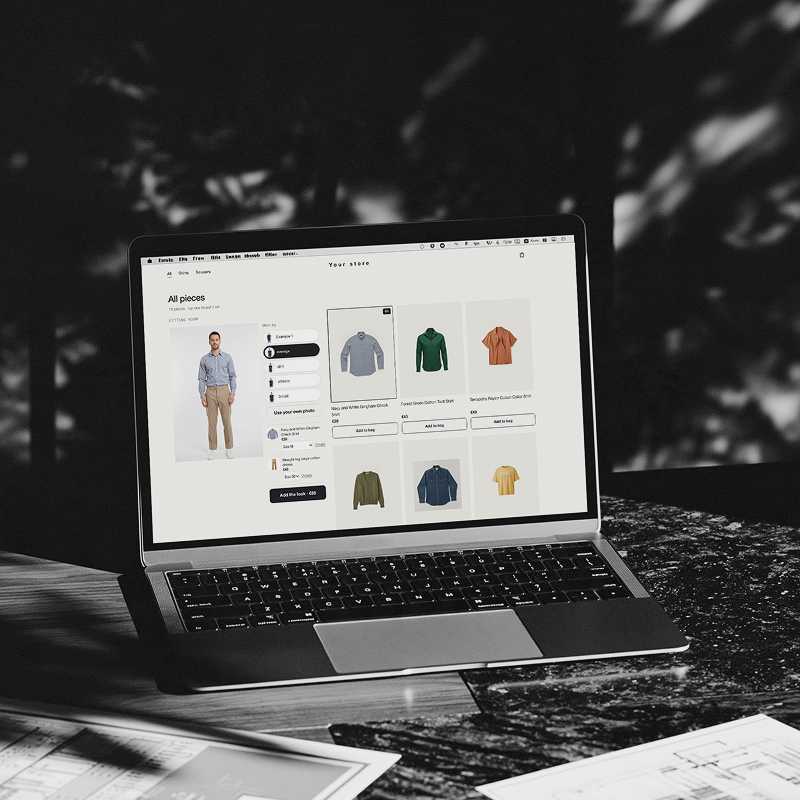
Can’t try on a photo? Meet the digital fitting room
A product photo shows the shirt on a catalog model with someone else’s height and build. Your shopper still has to guess where the sleeves end on their arms, so they order two sizes or leave the cart. Fit gets settled after delivery, which is where size and fit returns begin.
Retail giants build try-on with in-house computer vision. A brand on a regular eCommerce budget can take a turnkey virtual try-on for retailers and send product photos shot on white. From then on, shoppers judge fit before checkout.
Oxagile’s virtual fitting room features
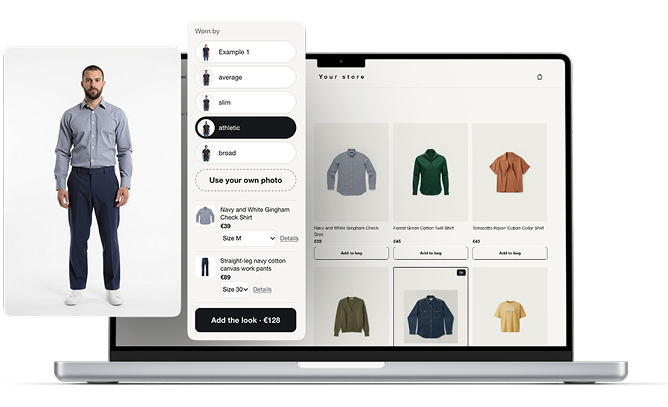
Tap a shirt. It’s on. The virtual fitting room app puts every piece on the shopper’s own body the moment they choose it, and the bag sits on the same screen.
Their build, never a model’s
The avatar keeps the shopper’s height and shoulder width from the photo. Anyone who skips the photo upload can pick a body preset (average, slim, athletic, or broad).
Size settled before checkout
Each product card suggests a size based on the shopper’s height and your size chart. The shopper can change it before adding a product to the cart.
No waiting between shirts
Garment pairs are rendered ahead of time. Changing a shirt or a pair of jeans swaps finished images, so the page responds at once, and the shopper’s phone needs no GPU.
The whole look, one tap
A top and a bottom go on the avatar together. One button sends both pieces to the cart at the combined price.
Your cart and checkout stay yours
Every add-to-bag lands in your existing cart. The try-on SDK never touches payments, and checkout stays as it is today.
A selfie with an expiry date
The photo is deleted once the avatar is built. The avatar expires within 30 days, and the shopper can delete it earlier with one tap.
How the virtual try-on app builds each frame
One avatar per shopper, built once. Every garment goes on top as its own layer.
- Step 1
Selfie
The shopper takes one full-length photo, which is deleted as soon as the avatar exists.
- Step 2
Studio base
The engine places the shopper in neutral basics on a white background and reads the pose once for every layer that follows
- Step 3
Garment layers
Bottom, top, and footwear go on in a fixed order, each in its own pass, with the mask taken from the pose.
- Step 4
Delivery
Finished frames arrive as JPEGs in your CDN, or the whole catalog is rendered ahead for each avatar.
What this virtual fitting room software for retailers asks of your engineers
Integration
The web version takes one script and one container on the product page, and each mobile app takes one package. Your server imports the catalog through an API with a secret key that never reaches the browser. The import reports every product it rejects and why, for example, when no usable image is found.
Hosting and data
On-premise, the engine runs on a single 24+ GB GPU card and makes no call to the internet during a render. In your own cloud account, it needs a GPU instance with 24 GB or more, and extra cards can be added for a seasonal drop. Shopper photos go to no third-party API in either setup.
Start standard. Make it yours.
This virtual try-on solution for brands fits into an existing storefront from day one. It picks up the brand’s accent color and corner radius, connects add-to-bag actions to the shopping cart, and sends try-on events, including add-to-cart actions, to the existing analytics system.
Need more? Oxagile’s engineers change the engine itself as custom development, backed by the company’s computer vision and AR/VR development practices.
Send us 20 products shot on white. We’ll dress a test avatar in them inside a demo storefront, so you can see your own range on it before any integration starts.
Our work in retail and eCommerce
Browse other retail and eCommerce products built by Oxagile for its clients.
FAQ
How long does it take to integrate your virtual fitting room into our online store?
On the web, the integration of Oxagile’s virtual try-on solution for brands and sellers is one script and one container on the product page plus a catalog import from your server, and each iOS or Android app adds one package. The pilot on 20 of your products comes first, and the timeline is set after it, once we know the size of your catalog and what has to be adapted.
Do we need 3D digital assets of our clothing to use this software?
No. The engine works from regular product photos shot on white. During catalog import, it reports every item that has no usable image, so the reshoot list is ready before launch.
Will the virtual fitting room plugin slow down our website’s load speed?
Garment pairs are rendered ahead of time and served as JPEG images from your CDN. When a shopper switches pieces, the page swaps finished images, so the shopper’s device does no rendering of its own.
What clothing categories does the virtual fitting room support?
The engine dresses the avatar in tops, bottoms, footwear, and other items that can be applied in a virtual fitting room for fashion retailers or other sellers, each applied as its own layer in a fixed order over the shopper’s body. If your range includes other categories, we check them on your products during the pilot.
How is pricing structured for B2B fashion retailers?
The price depends on where the engine runs (your hardware or your cloud account), the size of your catalog, and how much of the storefront we adapt. You get an estimate after a short call and the pilot on your products.
