










This website uses cookies to help improve your user experience
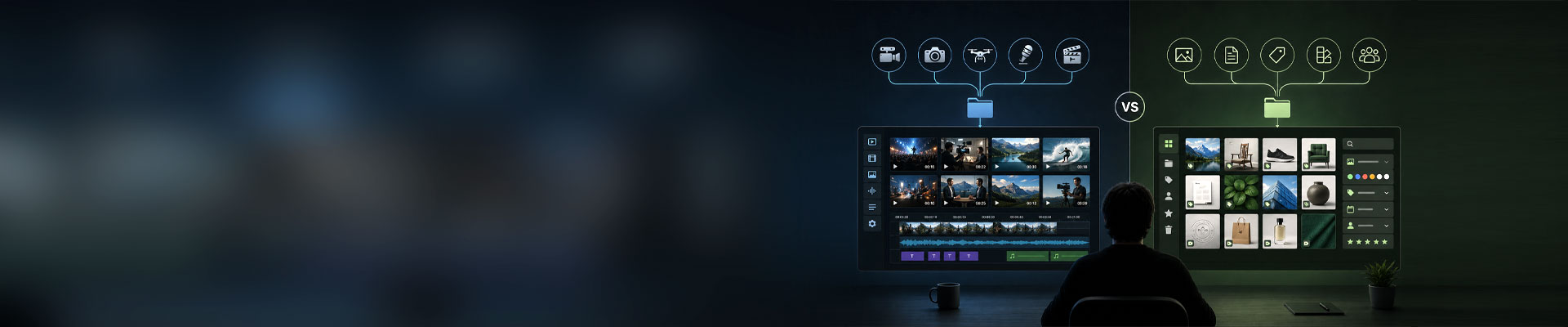

A marketing team uploads the final cut of a product video. They need the approved version to be searchable, rights-controlled, and available to regional teams. A broadcaster receiving two hours of raw footage faces a different job. Before viewers see it, the media may need ingest, proxy creation, editing, transcoding, quality control, captioning, packaging, and delivery.
Both teams manage digital assets, but the DAM vs MAM question comes from very different work. Digital asset management (DAM) organizes, governs, and distributes content. MAM media asset management becomes necessary when video or audio moves through a technical lifecycle involving multiple systems, processing steps, and exceptions.
Definitions vary, but the workflow usually says more than the product label. The distinction becomes clearer when you stop looking at the files themselves and shift focus to what has to happen to those files. And that is usually the more useful place to start.
Key takeaways:
Overall, both systems answer a similar question: How do we keep valuable digital content accessible, organized, and under control?
MAM and DAM make content searchable, with metadata, versions, permissions, previews, rights, and support for video files. However, they separate more clearly once the media starts moving.
These systems help companies manage and access content but have a few distinctive features. DAM tends to optimize the library around the asset, whereas MAM does it around the media.
Think of DAM as the foundation for managing digital files. Whereas MAM takes it a step further, it’s DAM tailored for video and multimedia. Here’s what distinguishes them.
| Comparison area | Digital asset management (DAM) | Media asset management (MAM) |
| Primary focus | Manages a wide range of digital content types Asset governance, discovery, reuse, and distribution | Specialized in video and rich multimedia asset management Media production, processing, orchestration, and delivery |
| Common content | Images, graphics, documents, brand materials, and finished video | Raw footage, audio, proxies, masters, subtitles, and media packages |
| Typical users | Marketing teams, brand, creative departments, news agencies, journalism networks, general content users | Broadcasters, studios, editors, media operations, OTT teams, video producers, TV networks, content managers, media teams requiring complex workflows |
| Key capabilities | Content management, metadata tagging, rights and permissions management | Advanced video editing integration, automated format conversion, detailed version control, workflow orchestration |
| Scalability | Scalable for diverse asset types but may lack deep media-specific tools | Optimized for high-volume, large file sizes, and fast processing |
| Workflow support and depth | Supports broad content workflows, often requiring customization Review, approval, versioning, publishing, and reuse | Built-in support for complex video production and distribution pipelines Ingest, editing, QC, transcoding, localization, packaging, playout, and archive |
| Metadata emphasis | Campaign, ownership, taxonomy, rights, approval, and market | Codec, frame rate, timecode, audio, language, status, and component relationships |
| Integration pattern | CMS, PIM, creative tools, portals, and marketing systems | Storage, NLEs, transcoders, QC, playout, scheduling, and delivery systems |
| Operational demand | Finding and controlling approved content | Moving large media through changing technical processes |
A MAM is sometimes described as a specialist DAM for rich media. That shorthand is useful until product categories blur: some DAM platforms handle serious video workloads, while some MAM platforms manage documents and graphics alongside media.
Therefore, choosing between them by asking “Do we have video?” won’t be enough.
Digital media asset management solutions usually treat the asset as something the business must find, trust, and publish. This system is designed to store, organize, and distribute all types of digital assets such as images, documents, audio, and presentations. It centralizes content, supports version control, and integrates with platforms like CMS or eCommerce systems for brand consistency and efficient collaboration.
DAM addresses a familiar business problem: valuable content accumulates faster than teams can classify, govern, and reuse it.
Consider a global consumer brand with product photography, logos, packaging files, campaign videos, presentations, social creatives, and localized variants. Even with a large library, the recurring questions are practical. Which logo is current, has legal approved this cut, can the French team publish this image, and when do the rights expire?
A DAM creates a controlled content layer around those assets. Taxonomy and metadata support discovery, while version history helps users pick the right file. Permissions and rights data restrict use, and connected systems publish approved material to websites, commerce platforms, partner portals, and campaign tools.
Video can sit comfortably in that model. A library containing thousands of finished MP4 files may still be a DAM problem if teams mainly search, approve, localize, and distribute them. Trouble starts when production work leaks outside the platform: shared drives hold source files, spreadsheets track delivery status, and editors exchange links without a stable asset record. At that point, the video is no longer behaving like a finished business asset.
Media asset management tracks what the media is, where it is, what has happened to it, and what must happen next. It is a special form of DAM focused on video and multimedia content.
It supports complex workflows like ingestion, editing, metadata tagging, and publication, making it easier to manage large volumes of rich media files. With specialized tools and workflows, MAM helps teams handle everything in the cycle, including ingestion and delivery, making it easier to get the right content to the right place and quickly.
Take the same product video several stages earlier. The source file may be hundreds of gigabytes. Editors need proxies, automated quality control (QC) must inspect each output, and various territories need separate audio or subtitle packages.
Distribution endpoints typically expect different codecs, resolutions, wrappers, and metadata. A failed QC result may return one rendition for reprocessing without stopping every destination. A rights change can pause one territory and leave the rest of the release intact.
Storage and search now cover only part of the job. The operation needs a system that can maintain media identity and workflow state as files, metadata, and decisions move between services. A MAM usually sits close to storage, editing, processing, QC, localization, playout, and delivery. A typical path and MAM workflow might include ingest, metadata extraction, proxy generation, editorial work, approval, transcoding, QC, localization, packaging, delivery, and archive.
Exact responsibilities differ by platform, but the media lifecycle remains its center of gravity.
Feature pages make DAM and MAM look increasingly similar. A DAM may list video previews, rendition creation, automatic tagging, and integrations. In MAM’s case, it’s permissions, versions, search, and brand assets.
The harder questions appear halfway through a failed job. Suppose a source file lands in object storage and triggers metadata extraction plus proxy creation. Approval launches several output variants, each with its own QC and destination rules, but one transcode fails after the others have passed.
The answers reveal the architecture. A platform may have a transcoding button and still lack the coordination model a broadcast operation needs.
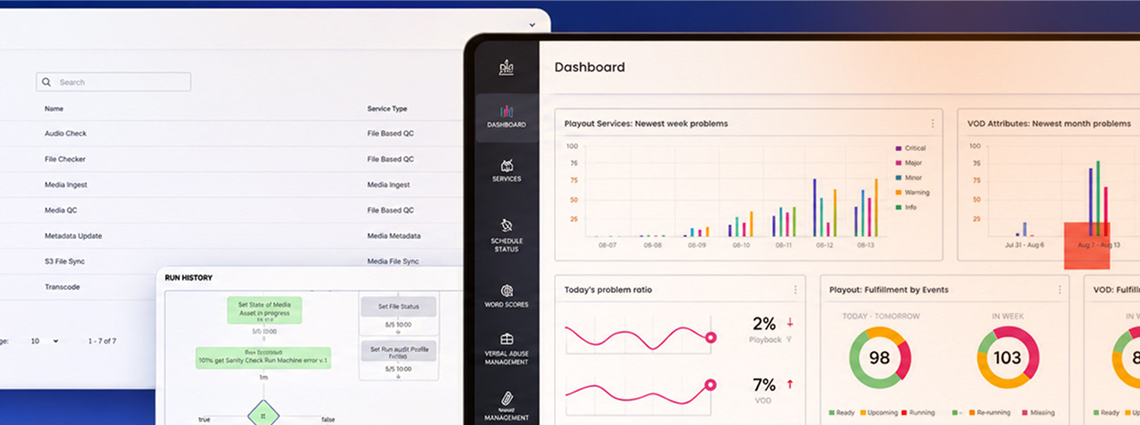
A media solutions provider coordinated complex processing work through emails and calls across globally distributed infrastructure hubs. Oxagile built a cloud-based orchestration platform for manual and automated workflows covering transcoding, QC, regional requirements, subtitles, delivery, streaming, and playout.
The platform now serves 200+ broadcasters and media companies. The client reports a 48.5% efficiency boost and task handovers up to 1,200 times faster.
DAM integrations usually connect approved assets to the systems that consume them. MAM connections reach further into production infrastructure and frequently carry more state.
A media operation may need connections for:
Ten connected systems produce more than ten interface contracts. Each has its own data model, throughput limits, failure modes, upgrade cycle, and view of the asset.
It’s possible that direct point-to-point connections work at modest scale. They become harder to maintain once several workflows depend on the same integrations. One connector change might then break unrelated processes, often during a delivery window when nobody appreciates architectural purity.
A cleaner design separates workflow intent from connector behavior. The orchestration layer coordinates state and routing, and adapters handle system-specific APIs, protocols, and error responses.
Actually, it’s not a MAM or DAM decision. Large media businesses often need both systems because production and marketing teams handle the same program at different stages.

Here’s a possible scenario. An approved trailer begins as a production asset inside MAM. After editorial and legal approval, DAM receives the finished cut plus selected rights, descriptive metadata, and publication status. The handoff needs explicit ownership:
Duplicate files aren’t automatically a design failure. Conflicting authority is. If both systems can independently change the same rights field or publication status, drift is likely.
Some organizations keep broad distribution inside MAM. Others put DAM at the center and connect specialist production tools around it. The right DAM MAM design and boundary follow user roles, media state, and system responsibility.
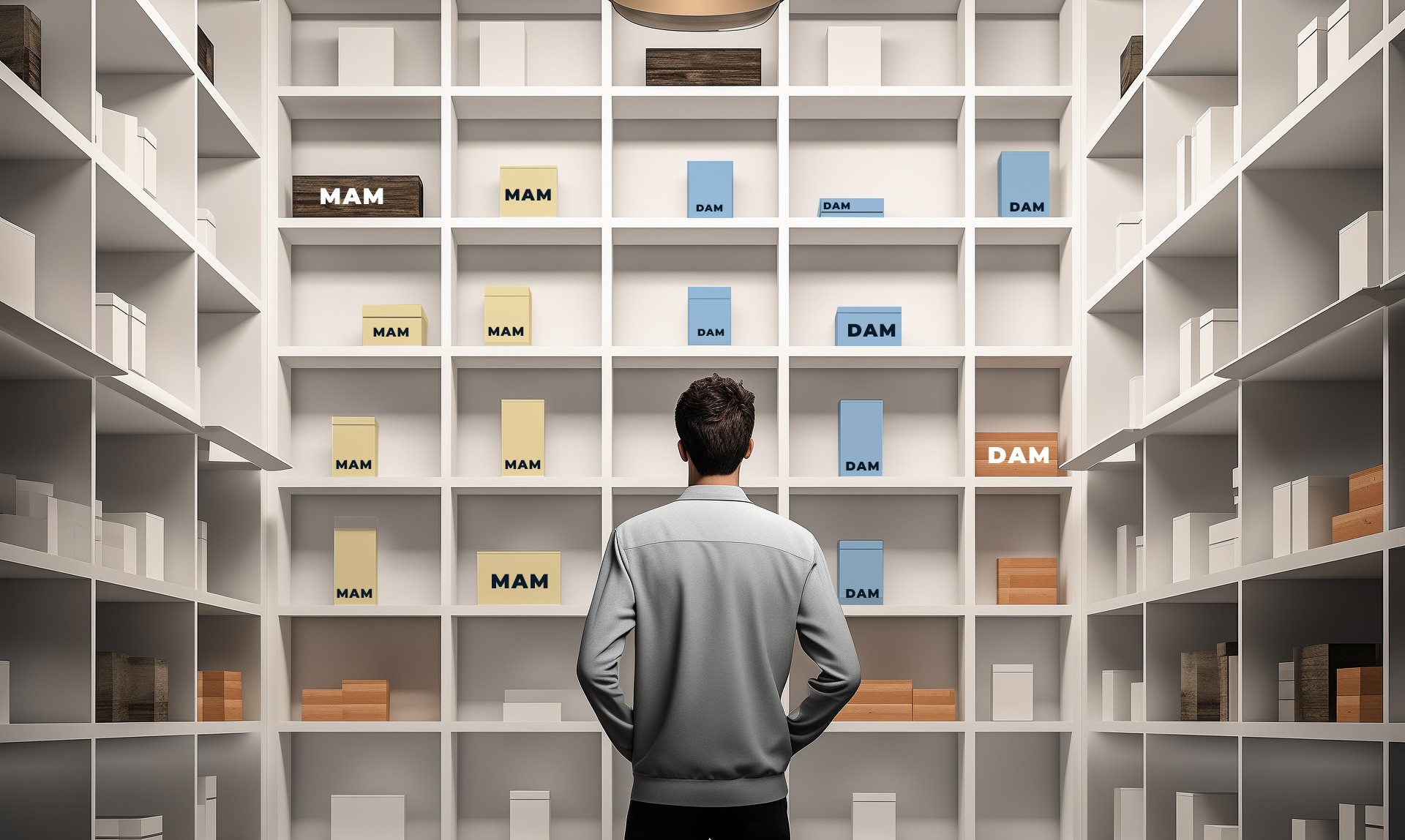
There is no universal asset-count threshold where DAM stops and MAM begins. Ten million small images and 10,000 high-bitrate masters create different infrastructure demands. DAM is often the stronger fit when the difficult work involves search, taxonomy, permissions, rights, approvals, and broad business distribution, even if video is important.
MAM becomes more compelling when video and audio are central to daily operations. Large files move continuously, technical metadata drives processing, editors need direct media access, and delivery depends on repeatable production workflows.
If both sets of demands are material, design the handoff instead of forcing every team into one platform. A single repository can look tidy in a diagram and still create daily friction for everyone using it.
Start with the work causing the most operational friction.
Then test the architecture against failure. Follow one asset through ingest, editing, QC, localization, approval, distribution, rework, and archive. Record which system owns each state and who fixes each failed handoff. Once those answers exist, product selection becomes easier. Without them, a feature comparison mostly tells you which vendor prepared the better demo.
Oxagile’s expert team has been working with online video projects for over 20 years. Check out our media asset management services and reach out to discuss your case.
Many things change as media operations mature. A small team choosing its first asset platform and a broadcaster replacing a decade-old MAM may ask a similar question, but their architecture reviews shouldn’t look alike. As operations grow, visible features carry less weight. Workflow change, processing load, integration contracts, observability, and replacement cost start to dominate.
Established DAM and MAM products cover a great deal. Custom development shouldn’t be the starting assumption simply because media work is complicated.
The gap appears when business logic, integration requirements, or operating constraints no longer fit the platform’s configuration model. Teams then build a shadow process beside the official one.
Warning signs include:
These symptoms don’t always justify replacing the core platform. A custom orchestration or integration layer may preserve the repository, user interface, and vendor support model.
Broadcast architecture adds more acronyms, but they don’t describe three more substitutes for DAM or MAM. They refer to different scopes in the production stack.
DAM governs and distributes digital assets, MAM manages media through its technical lifecycle, PAM focuses on active production (where used), DMF models software-defined production infrastructure, and WFO coordinates processes across systems and media functions.
Production asset management (PAM) usually refers to media and project objects under active editorial work, including clips, sequences, proxies, versions, shared storage references, and NLE collaboration.
Vendors draw the line differently. PAM may exist inside a broader MAM, beside it as a production workspace, or as a named part of a vendor suite. Its practical focus is work in progress, while a broader MAM can track media through ingest, processing, QC, localization, delivery, and archive.
According to the European Broadcasting Union1, Dynamic Media Facility reference architecture is a software-defined model for media production infrastructure. It separates media functions from fixed appliances and places them across layered compute, platform, application, and media exchange concerns.
The Media eXchange Layer (MXL) provides a common exchange mechanism for video, audio, and data between media functions. The EBU also treats orchestration as a cross-cutting concern that creates, configures, controls, and monitors resources across layers.
DMF doesn’t replace DAM, MAM, or PAM. It addresses how media functions and facility resources run and communicate. Asset ownership, rights, approvals, retention, and editorial records are application design decisions.
Workflow orchestration (WFO) implies the coordination layer across storage, MAM or PAM, processing, QC, playout, and delivery. It isn’t a single standardized product category used consistently across the industry.
A WFO layer may trigger jobs, route media and metadata, retain workflow state, react to failures, and select the next action. Individual components then focus on their own processing responsibilities.
The term matters because media operations rarely run inside one product. Coordination becomes a separate architecture concern once each asset crosses several systems with their own clocks and failure behavior.
Oxagile supported a MAM vendor during migration from Sony Navigator X into a content distributor’s existing media stack. The environment included EVS, Sony Ci, AWS S3, DIVA, Vantage, Signiant, and 5-10 million media assets.
The team reverse-engineered legacy dependencies, built an EVS metadata connector, and used an index-first migration. Metadata, editorial structure, markers, and storage references moved first, while media stayed in its original storage until needed.
That design supported parallel operation of the legacy and new platforms during the transition. It reduced cutover risk without pretending that a live media operation could pause for a tidy weekend migration.
DAM organizes, governs, and distributes assets across the business. MAM becomes necessary when media moves through a technical lifecycle shaped by production tools, processing services, delivery rules, and operational exceptions.
File type or asset count doesn’t set the dividing line. It appears where responsibility changes between production and approved reuse, technical state and business governance, or teams with different needs.
So, which one is it, DAM or MAM? If your current platform is accumulating manual transfers, shadow spreadsheets, brittle connectors, or unclear ownership, the category debate has already become an architecture problem.
Bring your workflow map, integration constraints, and migration scope. Oxagile can help define system ownership, handoff points, and recovery requirements before implementation work begins.
1. Dynamic Media Facility reference architecture — European Broadcasting Union
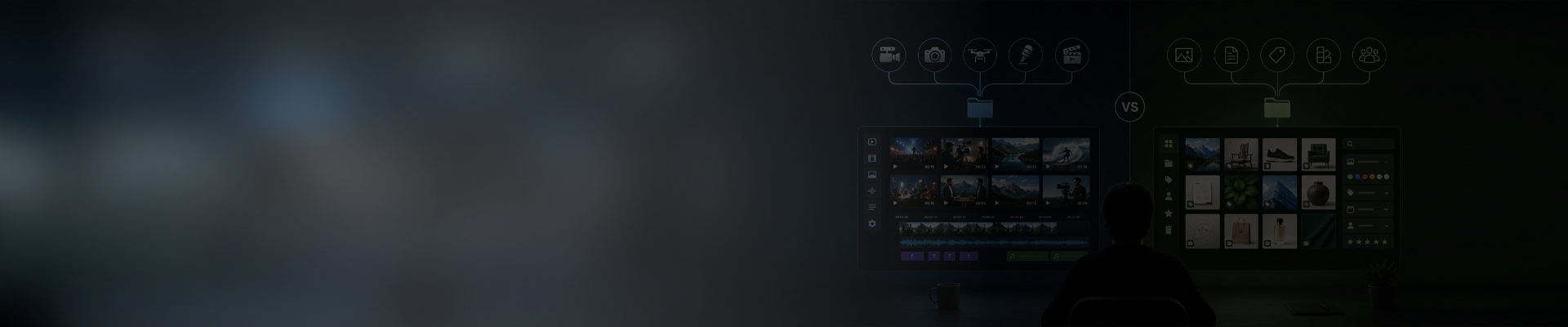
DAM usually manages approved assets for discovery, governance, reuse, and business distribution. MAM manages video and audio through production and technical processing. Both may store video, but MAM usually carries deeper workflow state, technical metadata, processing connections, and delivery logic.
No. MAM and DAM are distinct categories that solve different problems. DAM focuses on brand and marketing asset distribution. MAM focuses on video and audio production workflows, including ingest, transcoding, editing integration, and archive. Some features overlap (metadata, search, permissions), but the core use cases and typical users are different. Marketing teams use DAM. Production and broadcast teams use MAM.
A DAM can replace a MAM when its workflow, metadata, processing, and integration model meets the actual media operation. Test ingest, proxies, transcoding, QC, localization, rights gates, timed delivery, retries, and operator controls. If those needs require extensive custom scripts or external coordination, a MAM-oriented layer may provide a cleaner boundary.
Many do, but the two-system model isn’t mandatory. A broadcaster may use MAM for production and delivery, then send approved outputs to DAM for marketing and regional reuse.
Some platforms cover both operating models. The design still needs clear ownership for masters, rights, metadata, approvals, and workflow state.
Map one real asset through its full working life. Include ingest, editing, processing, approval, delivery, reuse, rework, and archive.
Then identify the system responsible at each stage. The platform category should follow that operational model, not the file extension or the largest feature list.
DMF (dynamic media facility) operates at a different layer of the stack. DAM and MAM are application-layer systems that manage assets. DMF is an infrastructure reference architecture that defines how to run media facility compute and storage. A broadcaster might run their MAM system on top of a DMF-style infrastructure. They complement each other rather than compete.
PAM usually refers to active production media and editorial work, but vendors use the term differently. It may sit inside MAM or beside it as a production workspace. Treat PAM as an implementation-specific production scope, not a universal third category with a fixed boundary.

