How to Monetize a Roku Channel: Ad, Subscription, and Hybrid Revenue Models

Table of contents
When you build a revenue-generating Roku app, you're not short on options, but choosing the right monetization strategy is where things get interesting. Some default to subscriptions, while others rely on ads. Roku gives you room to mix and match, and a well-built combination can deliver viewer satisfaction and business results.
In this article, we discuss the most effective ways to monetize a Roku channel: ad delivery, subscription structuring, and the hybrid models in between. We'll go into what each model takes technically and commercially, the same trade-offs that shape any broader OTT monetization strategy, on Roku and beyond.

Ivan Popovic, Senior Roku Developer at Oxagile, shares his first-hand experience with Roku's monetization mechanics. After years of building and tuning Roku apps, he knows how to turn platform requirements into flexible monetization strategies and how to align the technical implementation with business goals.
Key takeaways:
- Under Roku's default advertising model, publishers allocate 30% of ad impressions to Roku at its request and retain the remaining 70%. For subscriptions and one-time purchases, Roku's revenue-sharing program generally gives publishers 80% of applicable net revenue1.
- Mid-roll ads carry the highest revenue potential, but they need careful, logical placement to avoid hurting the viewing experience.
- Feature-based subscription tiers can work well for Roku apps that offer more than video playback, particularly when premium features provide a clear reason to upgrade.
How does Roku monetize?
Revenue source | How Roku makes money |
Video advertising | Roku receives 30% of ad impressions at its request under the default inventory split. Publishers retain the remaining 70% of inventory. |
Subscriptions and purchases | Roku retains 20% of applicable net revenue from subscriptions, rentals, and one-time purchases under its revenue-sharing program. |
App promotion | Publishers can pay for advertising placements on Roku, including home-screen banners, screensaver ads, and video campaigns. |
Why should you care?
Because once you know how Roku earns money, including how the Roku ad revenue share works, you can better predict how the platform will evaluate your app and which monetization models it is likely to support and promote. At Oxagile, we help video-first businesses choose that model on Roku and in broader custom video projects, from connected TV apps to full OTT platforms.
Monetizing your Roku app takes more than plugging in an ad provider. You make technical decisions about content type, playback model, and viewer experience, then align all of it with Roku's strict certification guidelines. Experienced Roku developers make the difference here.
Make Roku ads work
Ad integration, playback, and certification affect revenue. Oxagile's Roku developers know the requirements.
Using ads to make money with a Roku channel
Roku supports three revenue mechanics: ad-supported video on demand (AVOD) gives content away and earns from impressions, subscription video on demand (SVOD) charges a recurring fee, while transactional video on demand (TVOD) charges once for a rental or an event.
AVOD is the most common and scalable starting point. It lets you offer content free of charge while generating steady revenue through placed ad breaks. Viewers avoid upfront costs, and publishers tap into the connected TV ad market.
Roku supports several ad insertion methods:
Server-Side Ad Insertion (SSAI)
Stitches ads into the stream on the backend, which keeps playback smooth and buffering minimal.
Client-Side Ad Insertion (CSAI)
The app requests and plays ads at breakpoints, which is more flexible but can cause inconsistent playback if mishandled.
The Roku Ad Framework (RAF)
Roku’s mandatory advertising library handles ad playback, event tracking, and impression reporting.
Whatever provider you use, including Google Ad Manager, Adobe, or Roku's own services, you have to integrate RAF. It tracks key ad events such as starts and completions. Roku requires ad-supported apps to integrate the Roku Advertising Framework (RAF) to pass certification. RAF handles ad playback and measurement for client-side advertising and supports event tracking for server-stitched ads. Even when ads are inserted on the server, measurement beacons must be fired client-side through RAF2. Your app won't pass certification, and revenue won't be counted correctly.
RAF is also where the commercial mechanics of ads differ from subscriptions. Under Roku's current default model for ad monetization, called Inventory Split, the channel keeps approximately 70% of ad inventory and Roku takes about 30%. That is platform mechanics, not a negotiated client-specific number, and Roku can revise the terms, so confirm the split in your own publishing agreement.
The 20% commission covers payments only. Treating the two as one number is a common planning error, and it distorts any forecast that blends AVOD and SVOD revenue.
Ad placement options on Roku
Roku supports display banners, overlays, and interactive units, including Roku shoppable ad formats, but video ads remain the gold standard. Video can be served in three primary positions, and each one behaves differently in production.
Pre-roll ads
Pre-roll ads run before content starts. They are technically simple, less intrusive, and consistently effective, which makes them the common go-to for short-form and music content.
Mid-roll ads
Mid-roll ads appear during playback and carry the highest revenue potential over time. They are also the most complex kind to get right.
Ivan explains:
Mid-rolls are where things get tricky. They need to be inserted logically and not just dropped randomly into the stream. With music or short-form content, that’s almost impossible without hurting the experience. But if you're dealing with long-form videos, it can work as long as the breaks feel natural.
Technically, this means that for VOD content, you’ll need to predefine cue points. For live streaming, you must insert ads dynamically, synchronized with the stream. Each approach has its own set of backend rules and Roku constraints.
Post-roll ads
Post-roll ads run after content ends. They are easy to set up, and they tend to underperform, because many viewers exit or switch content before the ad plays.
Ivan notes:
Many people think monetization setup ends with deployment. But actually, ad reporting and revenue integration are just the beginning. You have to stay compliant with Roku’s policies, track events properly, and make sure you’re receiving the expected revenue shares.”
Subscriptions as a monetization strategy available on Roku
Ads monetize free content, yet subscriptions give you something different: a direct relationship with your audience. A well-structured subscription model earns revenue and gives viewers reasons to stay.
Roku supports monthly and yearly subscriptions, the classic streaming model. It also supports rentals, which grant temporary access to a single piece of content. Pay-per-view covers one-time fees for events such as concerts or live sports.
Most Roku-based apps can and should support several purchase types at once. If your app already includes subscriptions, the hard part is behind you.
Ivan mentions:
If you implement subscriptions, then you already handled a large share of the required things for implementing pay-per-view. We encourage our clients to do that to make the most of their Roku channel monetization.”
Likewise, Roku's certification requirements also affect how purchases are implemented. Transactional Roku apps must include an on-device Roku Pay purchase flow, even if the service sells subscriptions through its website or other platforms. This needs to be accounted for when designing the app's billing integration.
Subscription tiers, pricing, and plan management
Roku retains 20% of applicable net revenue from purchases processed through Roku Pay under its revenue-sharing program. Publishers need to account for this when setting subscription prices and calculating margins.
Ivan warns:
Some teams forget this and end up with thinner margins than expected.”
Subscription plans can be more flexible. You’re not limited to “monthly” and “annual” and may offer tiers based on content quality (e.g., HD vs 4K), access level, or unique app features.
Roku Pay also supports subscription upgrades, downgrades, free trials, and promotional offers. However, these capabilities require proper configuration and integration. Upgrades can take effect immediately, while downgrades generally become active at the end of the current billing period.
Subscription changes also need to be reflected in the app's entitlement system. Roku provides purchase validation and transaction notification APIs that publishers can use to track purchases, renewals, cancellations, and other billing events. The backend must process these updates and grant or revoke access according to the viewer's current subscription status. For example, a cancellation doesn't necessarily mean immediate loss of access if the paid billing period hasn't ended.
Viewers can:
- Redeem promotional offers to trial paid features or unlock limited-time access
- Manage plans through Roku Pay, Roku's proprietary billing platform
These built-in options make your app more attractive, especially for users still on the fence. They also open the door for smarter pricing experiments and seasonal campaigns.
As Ivan puts it:
Plan movement deserves as much design attention as the plans themselves. The flexibility you give viewers inside your pricing structure is what makes the system feel fair and keeps people subscribed.
Roku Pay handles the transaction, and your entitlement logic decides how graceful the switch feels.
Is feature-based monetization a smarter subscription model?
Ivan's go-to strategy is to group plans by features instead of stream quality or time-based access. This strategy works especially well for feature-rich apps that offer more than just passive content consumption. A typical structure looks like this:
- Free tier: Access to a limited content library with pre-roll ads and no login required
- Basic tier: Ad-free access, plus essentials like Continue Watching, My List, and content bookmarking
- Premium tier: Everything in Basic, plus multi-device sync, custom playlists, or even early access to new content
Ivan advises:
You don’t have to tie every tier to video quality like HD vs 4K. Functionality is more tangible for users, they feel the value in real-time, which makes them more likely to upgrade.
This approach suits niche audiences well, including music fans, learners, and sports communities. You gate the features those viewers actually care about.
How does Roku app architecture affect monetization?
Monetization requirements need to be considered early in Roku app development. Advertising, subscriptions, and pay-per-view involve different integrations, payment flows, and content access rules.
With the Roku Developer SDK, developers can implement ad insertion through the Roku Advertising Framework (RAF), integrate Roku Pay for subscriptions and one-time purchases, and build custom entitlement logic to manage access to paid content.
Things get more complicated when several monetization models coexist. For example, a streaming service might offer a free, ad-supported catalog, an ad-free subscription tier, and individual live events available for purchase. The app needs to recognize each viewer's entitlements, apply the correct advertising rules, and handle changes in subscription status.
These requirements don't all have to be implemented in the first release. However, accounting for them in the initial architecture can save substantial rework when new pricing tiers or revenue models are introduced.
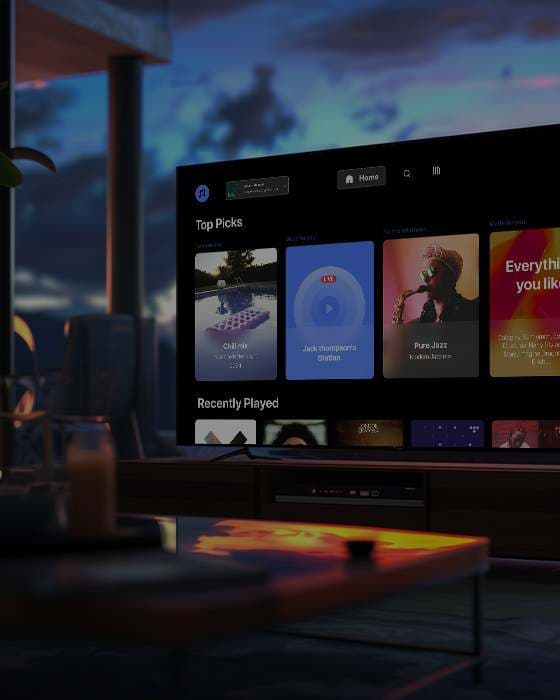
Case in point
Custom Roku app for a leading music streaming platform
Oxagile developed a custom Roku app for a leading music streaming service, giving viewers access to content without mandatory registration. The app supported ad-based monetization from launch, with paid subscriptions available for those interested in additional features.
- Anonymous users could stream select music videos and performances for free
- Pre-roll video ads monetized traffic without disrupting the listening flow
- Subscription plans unlocked full access, including ad-free playback and curated playlists
This hybrid approach allowed the client to grow their user base while maintaining sustainable monetization, all wrapped in a smooth, user-friendly CTV experience.
Build Roku monetization that matches your vision and user expectations
There’s no one-size-fits-all approach to monetizing a Roku channel. The platform gives you freedom, but that freedom comes with choices. Ads or subscriptions? Pre-roll or mid-roll? Monthly plans or feature-based tiers?
The most successful publishers combine models deliberately, matching content, audience behavior, and long-term goals.
Ads earn more when they feel like part of the viewing experience. They run at natural breaks, use formats designed for a TV screen, and take into account what the viewer is watching and for how long. Viewers keep paying for a subscription when it gives them more than the free version: no ads, profiles and parental controls, playback that resumes where they stopped, and billing handled through their Roku account.
On the technical side, the work is turning business rules (who sees which ads, what subscribers unlock, when a trial converts to paid) into an app that passes Roku’s certification.
The expert notes:
Revenue comes from apps people want to open again tomorrow. They pay with their attention through ads or with money through a subscription.
Find your Roku revenue model
Ads, subscriptions, or both? Oxagile helps assess the technical work behind each option and supports your app beyond launch.
Sources
FAQ
What percentage of revenue does Roku take from ads?
Under Roku's current default Inventory Split model, the channel keeps roughly 70% of ad inventory and Roku takes about 30%. Exact terms depend on your publishing agreement and on how you sell inventory, directly or through Roku's demand. Ad revenue also depends on correct Roku Ad Framework reporting, so impressions and completions are counted properly. Misconfigured tracking costs you money before any split applies.
What percentage does Roku take from subscriptions?
Roku takes roughly a 20% commission on payments processed through Roku Pay, covering monthly and annual subscriptions, rentals, and pay-per-view purchases. Price your plans against the net figure instead of the sticker price, or your margin math will be wrong from launch. If you also sell direct on web or mobile, model those channels separately, because acquisition cost and the platform cut differ.
What's the difference between AVOD, SVOD, and TVOD on Roku?
AVOD is ad-supported video on demand: viewers watch free, and you earn from impressions served through the Roku Ad Framework. SVOD is subscription video on demand, a recurring fee for catalog access billed through Roku Pay. TVOD is transactional video on demand, a one-time payment for a rental or a pay-per-view event. Roku supports all three, and many channels combine them in one app.