What Is an Ad Server? Your Recipe for Advertising Success

Table of contents
- What is an ad server?
- How does ad serving work?
- Publisher ad server vs. advertiser ad server
- Self-serve vs. managed platforms
- Custom vs. off-the-shelf
- Benefits of an ad server
- Ad server vs DSP: Which tool fits as you scale
- Ad server examples: Finding the right ingredients for your advertising strategy
- AdTech strategy support from Oxagile
Every time a page loads, something has to decide which ad to show, to whom, and at what priority, all within a few hundred milliseconds. That something is an ad server: the system sitting between publishers, advertisers, and demand sources that makes the call on every single impression.
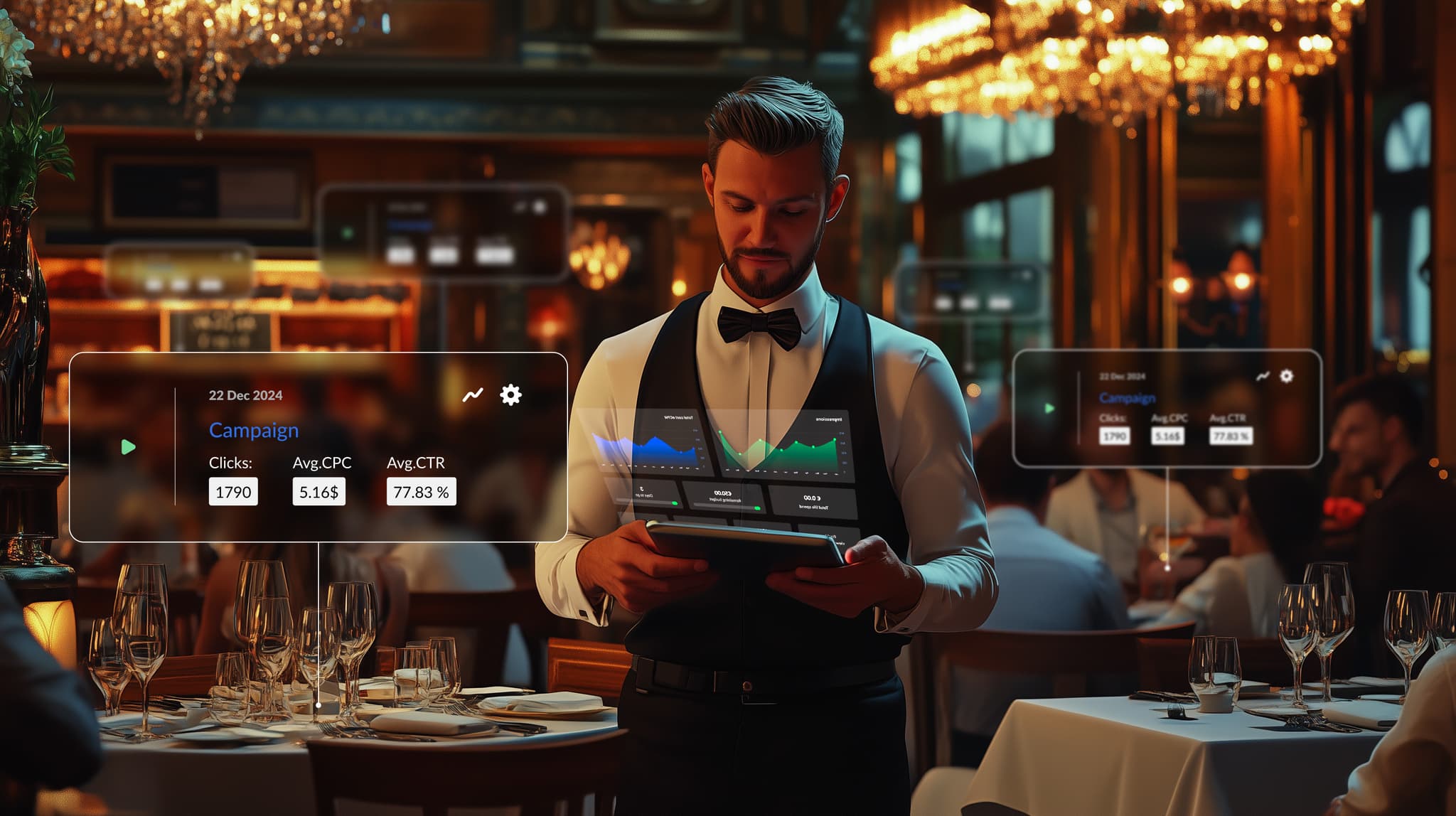
Think of it like a host managing a packed restaurant on a Friday night: deciding which walk-in gets the next open table, which reservation takes priority, which regular gets seated first because they spend the most. None of that happens by accident, someone is making those calls in real time, table by table. Ad servers run the same logic, just for ad slots instead of tables.
This guide covers:
- What actually happens behind the scenes when an ad loads
- What separates an ad server built for publishers from one built for advertisers
- Whether self-serve, managed, or custom-built makes sense for you
- What you actually gain by using one
- Where a DSP fits in, and when you need both
- What you’ll realistically pay, and what drives the price up
Key takeaways:
- An ad server resolves which ad to serve in under 200ms per page load, based on targeting rules, budget, and deal priority.
- Publisher ad servers manage inventory and sell placements. Advertiser ad servers manage campaigns and attribution across publishers. Most businesses only need one, depending on which side of the transaction they’re on.
- Self-serve platforms cost less and offer more control but require in-house setup and management. Managed platforms cost more but include access to premium inventory and hands-on campaign support.
- Off-the-shelf ad servers get you live fast. Custom-built ones can cost $750K+ a year to run but give full data ownership and no per-impression fees.
- Pricing typically follows one of three models: CPM-based (around 0–5% of media spend), flat monthly fees ($499–$3,000+), or revenue share. Costs scale with traffic volume, ad formats supported, and integrations.
- DSPs can host creatives for smaller operations, but as spend grows, owning your own ad server gives more consistent control across campaigns and channels.
- Google Ad Manager, OpenX, Kevel, and Meta Ads Manager each serve different needs, including premium publisher inventory and fully customizable APIs.
What is an ad server?
Say you’ve just opened a restaurant and need to get the word out: what’s on the menu, when you’re open, why people should bother coming. Personally plastering flyers around the city is an option, but you hire an organized front-of-house manager who knows which neighborhoods to target, which regulars are most likely to return, and exactly when to reach them.
That’s roughly what an ad server does for digital advertising. It handles the logistics of getting the right ad in front of the right person at the right moment.
More precisely, an ad server is a technology platform that stores ad creatives, decides which ad to show for a given placement, delivers it, and logs what happened. All of this happens within a few hundred milliseconds, every time a page loads.
How does ad serving work?
Think of it this way: the ad server’s job is to decide where to seat your guests (where your ads should appear), what to recommend to them (which ad creatives to show), and when to serve them (timing and targeting).
At a technical level, it all starts the moment a user loads a page:
- An ad tag embedded in the page fires a request to the ad server. That request carries contextual signals: the site URL, the user’s location, device type, time of day, and any audience data tied to that user.
- The ad server runs through its decision logic: which advertisers have targeting rules that match this user, which campaigns still have budget, and which deals take priority. This typically resolves in under 200 milliseconds.
- The winning creative is returned and rendered in the ad slot. The impression is logged immediately.
- Then it’s time for post-delivery tracking. It monitors clicks, viewability (whether the ad was on screen long enough to count), and any downstream conversions that are recorded and fed back into campaign reporting.
Beyond this core flow, ad servers handle frequency capping so a user doesn’t see the same ad 40 times in one session. Creative rotation and A/B testing and conversion attribution are also part of the list. They also manage priority rules: if a publisher has both a direct deal and programmatic demand competing for the same slot, the ad server decides which one wins and at what price.
Modern ad servers are expected to work across display, mobile apps, video, connected TV, digital out-of-home, and in-game placements from a single interface. Running separate systems per channel was workable in 2015, but today it mostly just creates reporting headaches and attribution gaps.
Publisher ad server vs. advertiser ad server
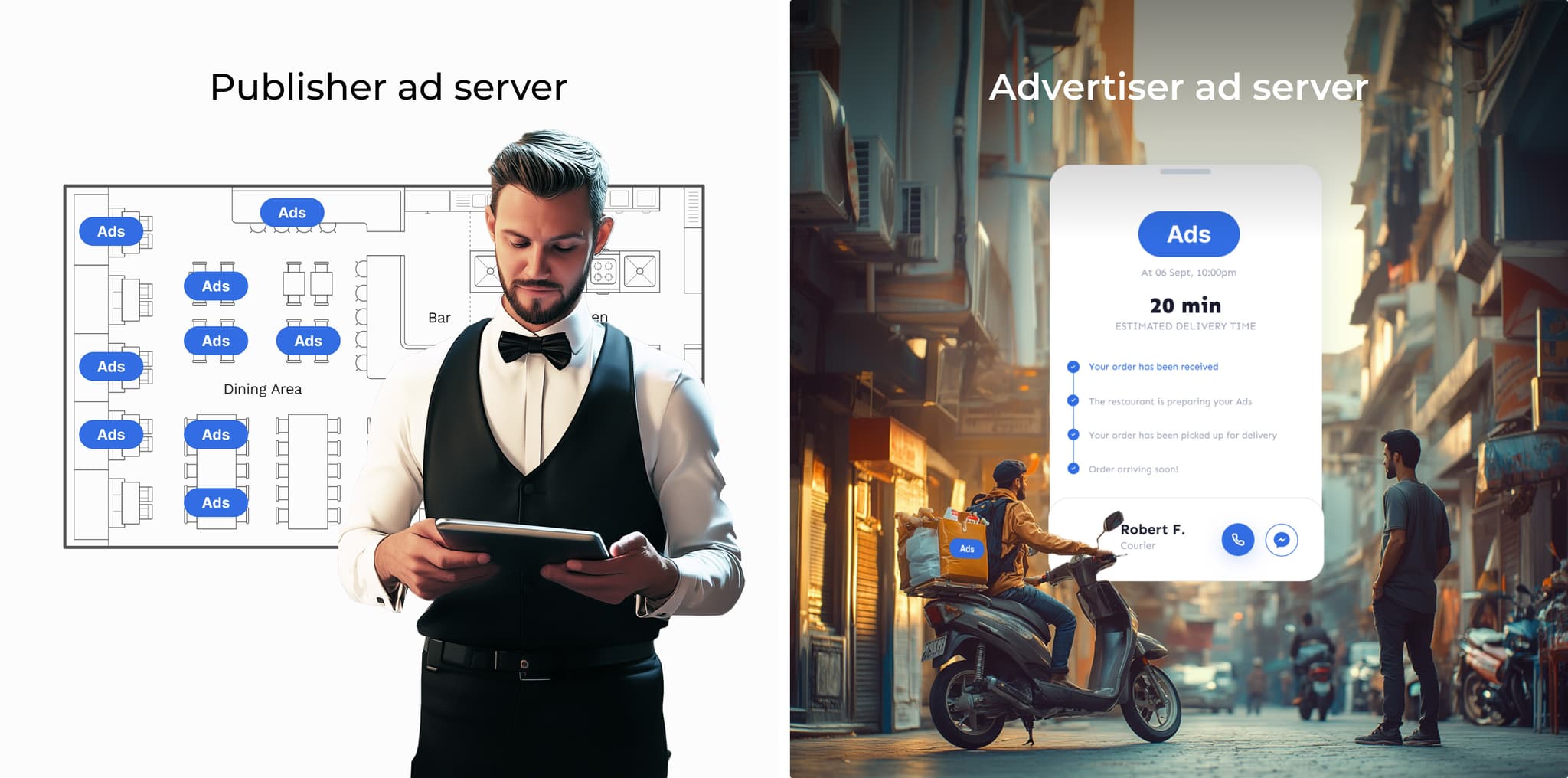
There are two fundamentally different types of ad server, and they serve opposite sides of the transaction.
1. Publisher ad server
Think of a publisher ad server as the host managing the seating plan. They know which tables are reserved, which are open, and how to accommodate walk-ins without disrupting the flow.
It works for the owner of the media: a website, app, or streaming platform. It manages available inventory (the ad slots) and decides which advertiser gets which placement and when.
If you run a news site and sell ads directly to brands while also filling unsold slots through programmatic exchanges, the publisher ad server orchestrates all of that. It applies priority rules so a guaranteed direct deal takes precedence over lower-cost programmatic demand, enforces targeting constraints, and makes sure every available slot is put to use.
2. Advertiser ad server
An advertiser ad server works for the brand or agency running the campaign. Think of it as a delivery service that takes your materials and gets them to the right address at the right time.
Where it goes beyond simple delivery is synchronization and measurement. When you update a creative, say you’re refreshing designs for a new promotion, the advertiser ad server pushes that change across every publisher running the campaign automatically. No manual uploads per site, no lag between what’s live on your own channels and what’s running elsewhere.
The other major function is attribution. Because the advertiser ad server sits at the center of the campaign, it captures every impression and click regardless of which publisher served it. That makes it the source of truth for cross-channel performance, including which placements drove conversions, which formats underdelivered, and where the budget should move next.
Self-serve vs. managed platforms
No let’s move on to another question that regards the choice between direct control on a budget or a premium inventory at a price. Perhaps your restaurant is doing well, and you want to expand. You have two options.
1. Self-serve platforms
Self-serve platforms can be compared to the buffet-style restaurant service.
Here, you’re in charge of everything. You decide what goes on the buffet, set up the trays, and make sure everything runs smoothly. It may be cost-effective and give you full control, but it requires effort. If you love rolling up your sleeves, this may serve you.
Self-serve platforms operate similarly. They often take the form of advertiser’s ad servers, which cater to businesses that:
- Purchase traffic directly from publishers.
- Work on limited budgets and can’t afford large intermediaries or custom-built tech stacks.
These businesses typically use self-serve platforms to:
- Place their ads directly with publishers, offering ready-to-go creatives.
- Collect performance data themselves without relying on analytics from publishers.
This setup is especially relevant in niche industries, where advertisers often strike direct deals with smaller publishers.
2. Managed platforms
Managed platforms provide the luxury, full-service dining experience.
Managed platforms are like hiring a team of Michelin-starred chefs and staff to handle every detail for you. Crafting a personalized menu, giving every guest an impeccable experience, they take care of everything. And here’s the highlight: these chefs don’t just serve any dish, they use only the best, premium ingredients.
That means premium traffic (the top 10–15% of all available inventory), often reserved for large-scale campaigns with substantial budgets. Managed platforms are designed for businesses that prioritize quality and results, granting access to this top-tier audience so your ads are served to the most valuable “diners” in the ecosystem.
But just like booking an exclusive chef’s table requires an upfront commitment, managed platforms typically ask about your expected ad spend during registration. This helps them prioritize clients who are prepared to invest at a premium level, aligning resources with campaign goals. It’s the perfect solution for businesses looking for white-glove service and the best return on their investment.
Custom vs. off-the-shelf
Speed to launch or full ownership of your stack is another question. Let’s imagine you’re opening a new branch, and here you also have two options to choose from.
Off-the-shelf ad servers
Think of this as renting a pre-furnished space. Everything is set up, and you can start serving customers right away. It’s convenient and efficient but comes with limitations, like you can’t rearrange the kitchen or knock down walls to expand. Similarly, in AdTech, off-the-shelf servers are pre-built and easy to implement but might lack the flexibility if you have unique requirements.
Custom ad servers
This is like designing every detail of your restaurant. Want a rooftop garden or a chef’s table? Done.
But customization takes more time, money, and effort. This choice lets you store and manage all campaign data in one place, giving you full control over functionality and insights. However, it also means you’re responsible for all ad-serving costs and maintenance.
The decision depends on what you need specifically. If off-the-shelf servers lack the functionality you require, or you’re seeking full data ownership for campaigns or the advertisers’ campaigns if you’re a publisher, a custom solution might be the way to go. The right path is lined out by whether efficiency or control matters more.

Not sure which AdTech option fits?
Off-the-shelf, managed, or custom each come with real trade-offs in cost, control, and time to launch, and the wrong pick is expensive to walk back later.
Tell us about your traffic, budget, and what you’re trying to get out of your ad stack, and we’ll help decide which option makes sense.
Benefits of an ad server
Running ad campaigns without an ad server is a bit like managing a busy restaurant without a reservation system. You can do it, but things get messy fast. Double bookings, missed tables, no record of who came and when.
An ad server brings order to that chaos. Here’s what that looks like.
One place for everything
No more managing creatives, budgets, and placements across a dozen separate tools, an ad server centralizes campaign operations. Publishers see all their inventory in one dashboard, and advertisers manage all their placements from one interface.
Targeting that actually works
Ad servers apply targeting rules at the moment of delivery, not at setup. That means a campaign can react to real conditions:
- The user’s device and location
- Time of day and browsing context
- How many times they’ve already seen the ad
Frequency capping
Without it, the same user can see the same ad dozens of times in a single session. Ad servers track exposure per user and cut off delivery once a set limit is hit. This protects the user experience and the advertiser’s budget.
Accurate attribution
Because the ad server sits in the middle of every impression, it’s the most reliable source for performance data. Click-through rates, conversion paths, viewability scores are all measured from a single point than stitched together from publisher reports that don’t always agree.
Creative updates without campaign restarts
When an advertiser updates a creative, the ad server pushes that change across all connected placements automatically. No manual re-uploading per publisher, no lag.
Scalability across channels
A well-built ad server handles display, video, mobile, connected TV, and digital out-of-home from the same infrastructure. Adding a new channel doesn’t mean adding a new system.
Ad server vs DSP: Which tool fits as you scale
As your restaurant grows, you might expand into a chain. Running multiple locations is tricky since you need a system to coordinate them all. But DSPs (demand-side platforms) are a solution, as they act as a central command center, helping you manage advertising across all your websites, apps, etc.
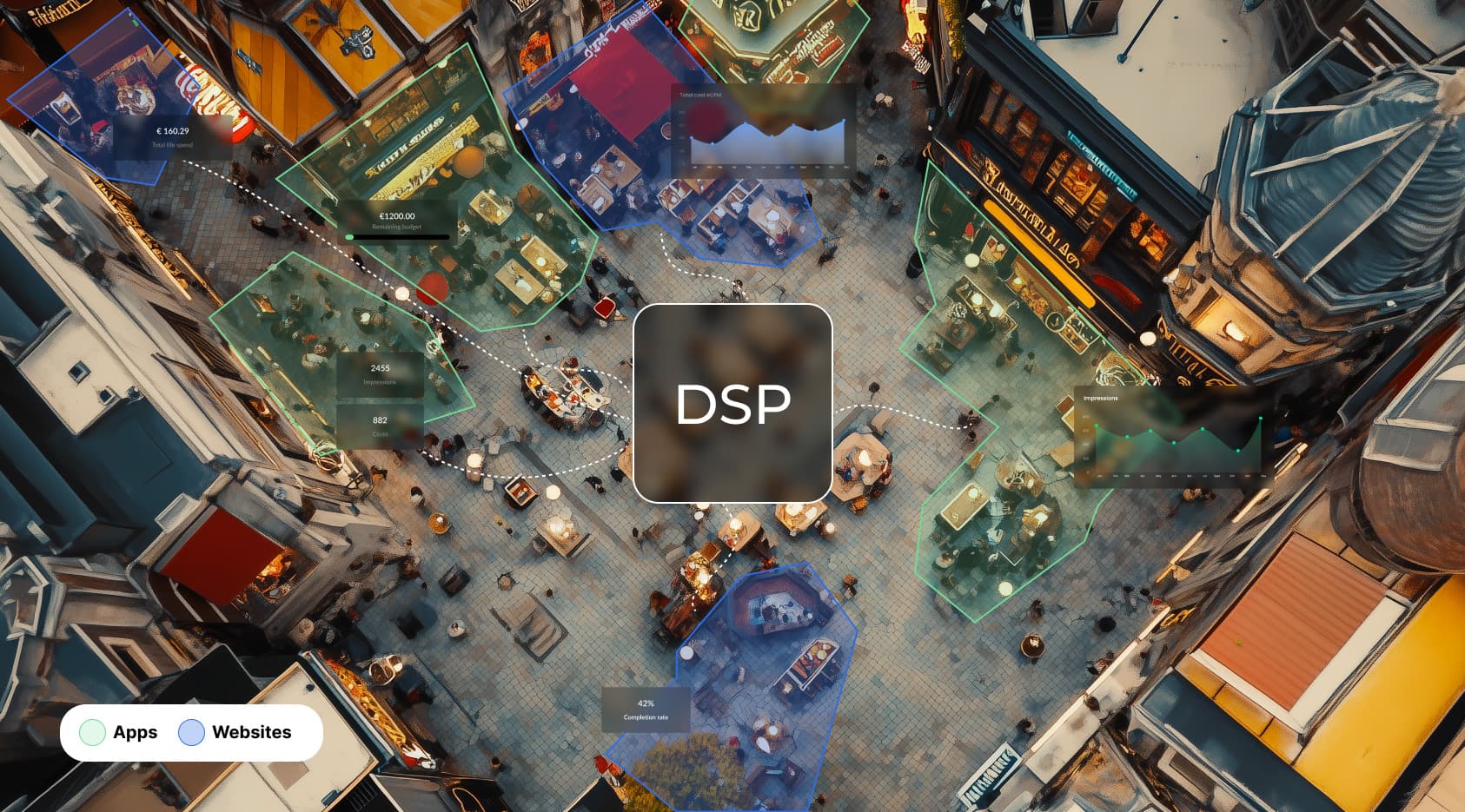
If you don’t have your own ad server, many DSPs may offer built-in options for hosting creatives. This setup works well for smaller operations, but as your business scales, relying solely on DSPs can become restrictive.
Having your own ad server offers a more efficient, centralized solution. It lets you make updates or changes that instantly apply across all connected DSPs, simplifying management.
Owning an ad server also brings faster load times, better performance tracking, and more advanced targeting. It’s especially useful for branding campaigns built around reach and data collection, giving you control and flexibility as your business grows.
Ad servers can complement DSPs or operate independently, depending on your needs:
- For performance-driven campaigns, DSP ad servers are built for speed and accuracy.
- For branding campaigns, independent ad servers give you more control over creatives and metrics, better suited to campaigns focused on reach and data.
Case in point: DSP aggregation tool
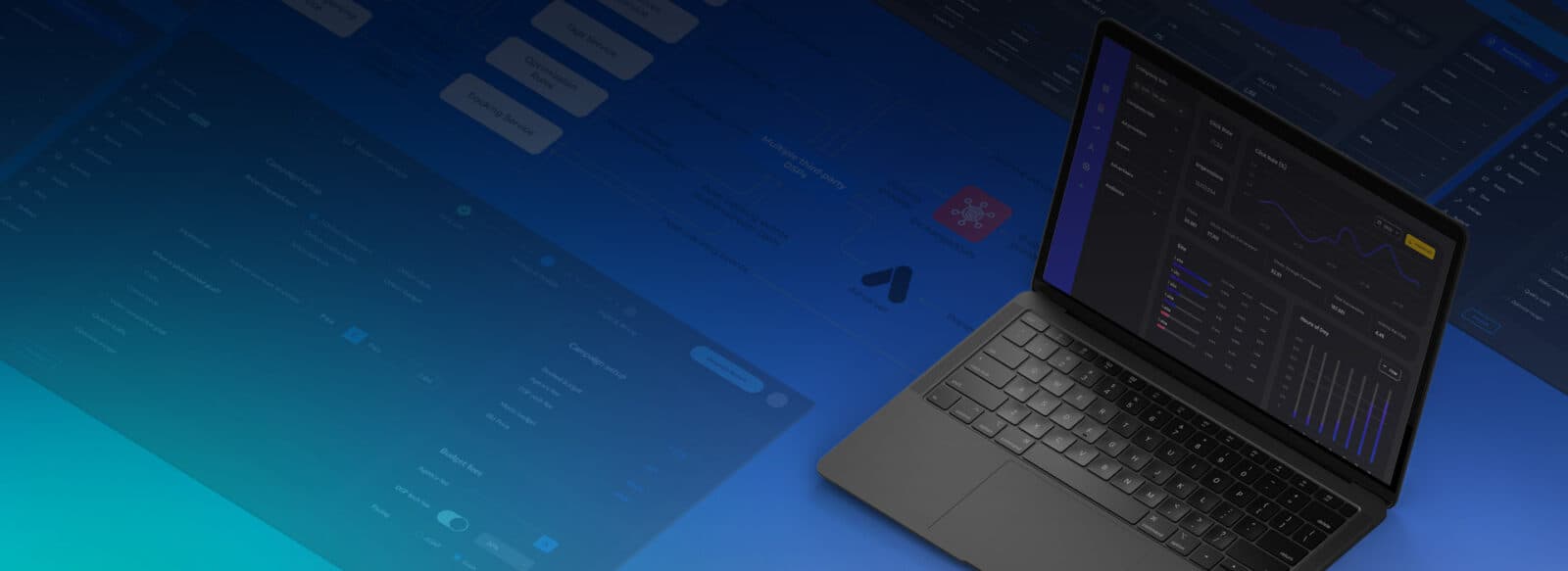
We developed a custom DSP aggregator for a marketing agency to integrate multiple DSPs into one platform. It:
- Integrates multiple DSPs into a single system
- Automates advertising processes
- Centralizes campaign creation, management, and analysis in one interface
- Provides real-time analytics with BI reporting
- Supports budget optimization by identifying the best-performing campaigns
- Offers geolocation and retargeting
- Allows easy scaling with an optional SaaS model for the client’s customers
Ad server examples: Finding the right ingredients for your advertising strategy
Just like a restaurant depends on a handful of trusted suppliers instead of sourcing every ingredient from scratch, advertisers and publishers rely on established ad server platforms and don’t build everything from scratch. Here’s a quick rundown of some of the major ones.
Google Ad Manager
Formerly known as DoubleClick, this platform is a favorite among publishers. Acquired by Google in 2008 and rebranded in 2018, it merges DoubleClick for Publishers (DFP) and DoubleClick Ad Exchange (AdX) into a single publisher-facing platform.
Advertisers, meanwhile, typically manage their campaigns through Campaign Manager 360 (CM360), Google’s separate ad server for the buyer side. Think of it as a comprehensive supplier delivering everything, including campaign setup and premium ad placements.
OpenX
OpenX is an integrated solution that combines an ad server with a real-time bidding exchange. Ideal for programmatic advertising, it’s like having a system that handles your orders instantly, giving you efficient and competitive placement across digital channels.
Kevel
Known for its customizable approach, Kevel is the go-to choice for platforms like Reddit and Ticketmaster. Its DIY model, powered by flexible APIs, gives advertisers and publishers the opportunity to modify the solutions as they need. However, just like crafting a unique menu, it requires in-house expertise and resources.
Meta (Facebook) Ads Manager
This self-service platform from Meta is ideal for advertisers managing smaller budgets across Facebook and Instagram. It allows users to independently create, launch, and optimize ad campaigns with nice interfaces and minimal setup.
Each platform offers unique “ingredients” for crafting your ad strategy. The choice goes down to your campaign goals, scale, and the expertise you have on hand to manage the tools effectively.
Ad server pricing models: What you’ll actually pay
Ad server costs vary more than most vendors advertise upfront, and the final number is based on several factors that aren’t always obvious at the evaluation stage.
The main pricing structures
Most ad servers use one of three models, or a combination of them:

CPM-based pricing
Charges per thousand impressions served. This is the most common model for publisher-side platforms. Ad serving fees typically represent around 0–5% of total media spend. This option is low per impression, but significant at scale.
Flat monthly fees
These are more common with self-serve and API-first platforms. The range is wide: smaller platforms like AdGlare start at around $499/month, while API-first tools like Kevel start at $3,000/month and go up from there for enterprise tiers. The trade-off is predictable budgeting regardless of impression volume.
Revenue share models
Such models are used by some managed platforms, where the vendor takes a cut of the ad spend running through their system. Rates vary significantly depending on service level. Self-serve DSPs typically take less than fully managed operations where a team handles campaign setup and optimization for you.
What drives ad server costs up
Traffic volume is the biggest factor. Most platforms tier their pricing, and crossing impression thresholds triggers higher rates or requires an upgrade. Google Ad Manager, for example, is free up to 90 million monthly impressions in North America before requiring a paid Ad Manager 360 contract.
Ad formats add complexity as well. A platform handling display only costs less to run than one supporting display, video, connected TV, and native simultaneously.
Custom integrations and data features are usually add-ons, not defaults. First-party data activation, advanced audience segmentation, and API access for custom reporting all sit on top of the base rate.
Support level is another variable. Self-serve platforms with community documentation cost less than managed platforms where a dedicated team handles campaign setup and optimization on your behalf.
Custom-built ad servers
The costs for a custom solution don’t follow any standard pricing model because you’re paying for development rather than licensing:
- Building a competitive ad server typically takes 1–2 years of engineering time
- Annual development costs alone can reach up to $1 million, not counting infrastructure and salaries
- Once live, industry estimates may put the total annual cost of running and maintaining a custom ad server at around $750,000 or more
The trade-off is full ownership: no per-impression fees, no vendor lock-in, and complete control over data and functionality.
AdTech strategy support from Oxagile
Picking between ad servers, integrating one into your existing stack, or building something custom are different problems with different costs and timelines, and the right call depends on specifics that generic comparisons usually miss.
AdTech consulting
If you’re deciding between a custom build and an off-the-shelf platform, we look at your traffic volume, budget, and existing infrastructure, then recommend the option that fits your case, not the one with the best marketing.
Ad server integration
Already chosen a platform but need it working inside your existing setup? We handle the integration: connecting it to your current tools, setting up data flows, and making sure nothing that already works gets broken in the process.
Custom AdTech development
When off-the-shelf platforms don’t cover what you need, we build the alternative: DSPs, SSPs, retail media platforms, or extensions to your current ad stack.
And if those cases don’t cover your need, you can count on Oxagile’s AdTech experts for assistance after reaching out.
Need help picking or building your ad server?
Tell us about your traffic, budget, and goals, and we’ll help you figure out whether custom, off-the-shelf, or a hybrid setup makes sense.
FAQ
What is the difference between a publisher ad server and an advertiser ad server?
A publisher ad server manages inventory. It decides which ads run in which slots and how direct deals are prioritized against programmatic demand.
An advertiser ad server manages campaigns from the buy side, syncing creatives across publishers and tracking attribution.
Can a business use both a publisher and an advertiser ad server?
Yes. A media company that sells its own inventory while also running campaigns on other channels often needs both. Agencies managing campaigns for multiple clients typically rely on advertiser-side tools even without touching publisher inventory.
With the deprecation of third-party cookies, how do modern ad servers execute precise audience targeting and frequency capping?
Most ad servers now rely on first-party data, contextual signals, and cohort-based targeting, like Google’s Topics API, instead of cross-site tracking. Frequency capping increasingly depends on publisher-authenticated IDs than on third-party cookies, so accuracy hinges on how much first-party data a publisher collects.
How does ad serving differ for Connected TV (CTV), and why is Server-Side Ad Insertion (SSAI) preferred over Client-Side Ad Insertion (CSAI)?
On CTV, ads are stitched directly into the video stream than loaded separately by the device, since TV apps don’t handle client-side ad calls as reliably as browsers do. SSAI does this server-side, producing one continuous stream with fewer playback failures and no exposure to ad blockers, which is why it’s generally preferred over CSAI.
How does a custom ad server protect a publisher's proprietary audience data from being scraped by programmatic buyers?
A custom ad server lets publishers control exactly what data gets passed in each bid request, limiting buyers to cohort-level or hashed data instead of granular user data. Data clean rooms and per-buyer access controls add another layer, letting publishers share enough for targeting without exposing their underlying audience data.