Smart TV App Development, the Sony Way: A Strategic Look Inside

Table of contents
Weighing app development on Sony
You seek to broaden your content’s reach or attract partners wishing to establish dedicated channels within your application. And you’re thinking about Sony TV. Smart move.
While Sony may not dominate global television sales volume, it maintains a distinct, cultivated position in the premium segment. Recent Counterpoint Research data indicates that Sony holds 5% of the global high-end TV market, positioned behind Samsung (45%), LG (20%), TCL (11%), and Hisense (11%)1.
Yet this figure belies a deeper strategy: Sony eschews the mass market, focusing instead on a discerning audience. This commitment manifests in sustained investment in OLED and Mini LED technologies, renowned for delivering exceptional contrast and color fidelity. Its Cognitive Processor XR emulates human perception, refining picture and sound dynamically. Furthermore, Acoustic Surface Audio technology transforms the screen itself into a speaker, achieving remarkable audiovisual synchronization and immersion.
For content creators and brands, entering Sony’s ecosystem means finding an audience more likely to pay for premium content and stay loyal to brands that earn their trust.
In other words, every new viewer you reach here has real value, not just as a one-time impression, but as a potential subscriber, buyer, and long-term fan.
Especially assuming the app is executed right. Which is probably exactly why you’re here. Let’s jump into our guide to developing apps for Sony TVs.
Key takeaways:
- Sony TVs don’t live in a closed ecosystem. They run on Android TV with the Google TV layer on top, so development targets a shared platform, not just a single brand. One codebase can stretch across Sony, Chromecast, TCL, and other Android TV devices.
- The platform may be unified, but the experience is not. Android TV pushes users toward apps, while Google TV flips the model and pushes content first. That shift changes how users discover what to watch and how apps get attention.
- Content visibility depends less on your UI and more on your data. Integration with discovery APIs, metadata quality, and catalog structure decide whether your content appears on the home screen or stays buried inside the app.
- Sony hardware raises the bar for presentation. High-end displays and processing mean that UI flaws, scaling issues, or low-quality assets stand out immediately on large screens.
- Remote-first interaction defines everything. Navigation must work cleanly with a D-pad, minimal input, and voice support, which changes layout, flows, and even how users move through content.
- Performance varies more than it first appears. Different chipsets, firmware versions, and audio capabilities across Sony models can affect playback, memory usage, and responsiveness.
- Emulators won’t reveal the real problems. Only testing on physical Sony TVs exposes issues like remote lag, AV sync quirks, firmware differences, and subtle UI behavior.
- Backend choices shape both cost and flexibility. Custom video platforms offer control and complex monetization, while ready-made solutions trade flexibility for speed and simplicity.
Sony TV app development: What you should know about these TVs
Unlike Samsung’s Tizen or LG’s webOS, Sony doesn’t have a proprietary TV operating system. Instead, it runs on Google TV, which is basically a layer built on top of the Android TV OS.
What does that mean for your development team? Less fragmentation, faster delivery, and more reuse. You build a single app for Android TV, and it works across Sony TVs, Chromecast with Google TV, TCL, Hisense, and other Android TV-powered devices. In short, you don’t build “for Sony”, you build smart for an entire ecosystem.
But while the operating system is shared, the user experience is not. And that’s where things get interesting when you’re building apps for Sony Smart TVs.
Android TV vs Google TV: The same engine with different priorities
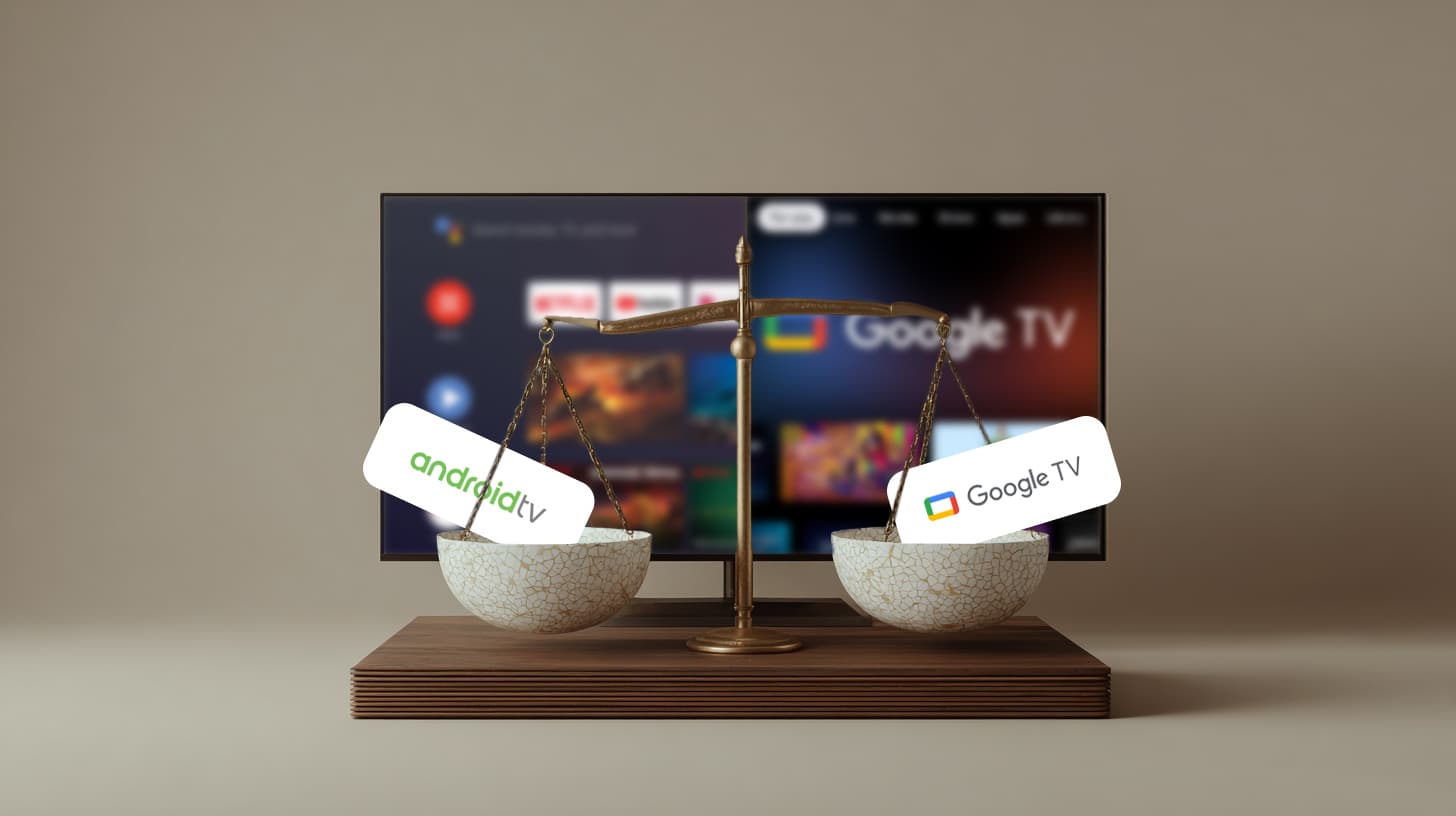
You can think of Android TV as the engine (the foundation that powers everything) and Google TV as the dashboard, the user-facing experience. While the underlying system remains the same, what users see and how they interact with content changes significantly.
- Android TV presents an app-focused experience. Users browse through rows of installed apps like Netflix, YouTube, or Hulu, and then dive into each one to find something to watch. Content recommendations, when available, are limited and typically confined within each app’s context.
- Google TV, by contrast, is built around content-first discovery. Its home screen aggregates titles from across all installed apps and presents them in a unified, personalized view, driven by AI and machine learning. Instead of asking where you want to watch, it surfaces what you might want to watch next.
This means that while both platforms support the same APIs, Google TV places greater emphasis on metadata, integration, and discoverability. It leverages Google’s Knowledge Graph and user behavior to personalize recommendations, manage universal watchlists, and even sync content suggestions across devices.
What this means for developers targeting Sony TVs
Since Sony TVs rely on Android TV at their core, you’ll use the same standard development tools and APIs during Sony Android TV app development.
But if you want your app to fully participate in the Google TV experience, which most Sony users now see, you’ll need to implement the proper content discovery APIs. This way, your catalog can be indexed, allowing Google TV to access, understand, and present your content effectively on the home screen.
You won’t control how Google surfaces your content because that’s part of the proprietary recommendation logic, but you can control what data you provide, and how clearly your app communicates what it offers. That’s the difference between simply being installed and actually being watched.

Make your app visible where it matters most
With proper content discovery API integration, your catalog won’t just live on the platform, it will surface in front of the right users at the right time.
Foundational truths of Sony Smart TV app development
While Sony TVs run on the familiar Google TV OS that’s often topped with the Google TV interface, a few under-the-hood quirks can throw a wrench into otherwise standard development workflows. To help you stay ahead of surprises (and not get tripped up mid-sprint), here’s a clear-cut breakdown of what holds steady and where you’ll want to keep your eyes peeled.
UI/UX and design best practices
- As we’ve mentioned, Sony TVs typically feature high-end displays and advanced video processors like the Cognitive Processor XR, so UI elements and content visuals need to look polished and scale correctly on large screens.
- Ensure proper D-pad navigation and avoid assuming custom remote layouts. Sony remotes may include additional buttons, but basic navigation remains standard.
- Be mindful of Sony’s pre-installed features such as “Living Decor” or ambient modes, which may influence how and when your app appears on screen, even though they don’t typically affect development directly.
Performance optimization
- Sony TVs are well-equipped to handle rich media experiences, but performance tuning is essential to avoid issues on varying chipsets across Sony’s product line.
- Resource management matters too, as apps should be tested for smooth video playback, fast load times, and efficient memory use.
- Audio testing is equally important: Sony TVs may support Dolby Atmos or proprietary audio enhancements, so verifying playback quality across models can enhance the user experience.
App Store submission and compatibility
- Apps are submitted through the standard Google Play Store for Android TV, meaning there’s no separate process for Sony.
- Declare TV-specific capabilities (e.g., LEANBACK_LAUNCHER) and provide TV-ready assets (banners, icons, screenshots).
- As with other Android TV devices, apps should be backward-compatible and tested across Android versions, since firmware update cycles may vary between Sony models.
- Sony generally does not require a separate SDK, therefore, follow standard Android TV development guidelines for maximum compatibility.
Content discovery and recommendations
- Sony TVs with the Google TV use content discovery APIs (e.g., Watch Next) to populate the home screen with personalized recommendations.
- While your app doesn’t control the home screen directly, proper API integration allows Google TV to identify and present your content in context, increasing visibility and user engagement.
Testing and real-world behavior
- While Sony follows Android TV standards closely, real-device testing is critical during Sony TV application development to:
- Catch subtle behavioral or layout issues
- Confirm audio/video sync
- Ensure remote responsiveness
- Validate compatibility across various SoCs and firmware versions
Platform compliance
- Sony TVs are strong adherents to Android TV specifications, meaning:
- You can use standard Android APIs (e.g., ExoPlayer, MediaPlayer, Bluetooth, Wi-Fi)
- Compatibility with Google Assistant is built-in, so voice search and control should be supported where appropriate
A walkthrough of building a Smart TV app for Sony the right way
- Sony’s Smart TV ecosystem offers fertile ground for high-quality OTT apps. But as with any worthwhile product, success lies in the process. Here’s a structured roadmap with clear steps to develop Sony TV apps to help you go from concept to living room-ready experience without missing the strategic forest for the technical trees.
Step 1: Define the core value proposition
- Before a single pixel is designed, get clarity on:
- Your target audience (and whether they own a Sony TV or a broader Android TV device)
- Your distribution model (free, ad-supported, subscription-based, or transactional)
- Your core user flows (from onboarding to playback to upsell)
- This Google TV Sony app development step informs everything downstream: platform architecture, monetization logic, even remote control UX. If it feels abstract, good. That’s where strategy lives.
Step 2: Choose the right platform stack
- At the heart of every OTT app lies its backend infrastructure. And here, you have two paths: go custom or choose a ready-made solution. This decision will directly impact your app’s performance, time to market, and ability to scale effectively. No pressure, right?
- You can either:
- Go custom — for full flexibility, unique workflows, and advanced monetization logic.
- Opt for ready-made — to get up and running faster with pre-built modules.
- The right choice depends on your roadmap and how far your app needs to deviate from the standard.
Step 3: Design for the “10-foot” experience
- Sony TVs aren’t tablets, they’re 55-inch portals viewed from across the room. Your design choices in the course of Sony Smart TV app development need to reflect that:
- Big, focused visuals
- Remote-friendly navigation (no swipes here, just arrows and clicks)
- Minimal typing; strong voice support
- Seamless transitions and polished motion
- The UX/UI phase isn’t just about beauty. It’s about functional clarity in a lean-back context. This is where Sony’s Google TV also starts to matter — you’ll need to matter, since you’ll need to think in terms of content discoverability, not just static menus.
Step 4: Build the frontend + integrate the backend
- Here’s where the app comes to life. For Sony TVs, you’ll typically build using:
- Android Studio
- A robust media player (usually ExoPlayer)
- Google’s APIs for Watch Next, Assistant integration, and content recommendations
- Backend APIs (from your OVP) will plug into the app here for authentication, payment logic, content delivery, analytics, and more. This is where a well-scoped architecture pays off during Sony app development.
Step 5: QA + real-world testing on Sony devices
- Emulators are useful. But real-world testing on actual Sony TVs is non-negotiable.
- You’ll want to validate:
- D-pad navigation and focus behavior
- Audio/video sync and quality (especially on high-end Sony displays)
- Voice command accuracy via Google Assistant
- App behavior across firmware versions
- Sony doesn’t require a custom SDK, but their premium audience will notice the smallest bugs. Don’t give them a reason to delete.
Step 6: App Store submission and rollout
- Sony apps are published through the Google Play Store for Android TV. You’ll need:
- Leanback launcher support
- High-res TV banners and assets
- Accurate metadata for Google TV’s recommendation engine
- Once live, be ready to iterate. Data from real users (viewing time, engagement, conversion) will inform everything from monetization tweaks to content placement.
Calculating your Sony TV app development path
- Let’s talk numbers. Or rather, why they’ll vary — a lot.
- When it comes to launching an OTT app (for Sony Smart TV or any platform, really), one of the key variables that will shape your budget isn’t the device, the platform, or even your content. It’s your video backend, and whether you build it using a custom Online Video Platform (OVP) or go with a ready-made solution.
- However, the truth is that there’s no universally “cheaper” option, only a better fit for your use case.
- If you’re looking for full control (granular monetization logic, complex multi-tiered subscriptions, unique user analytics, branded interfaces, and custom workflows), then a custom-built OVP gives you the flexibility to scale your product exactly how you want. But that flexibility comes with increased cost and development time, as you’re not just buying a service, you’re building infrastructure.
- On the other hand, off-the-shelf OVPs are faster to launch and easier to maintain. They’re ideal if your app logic is relatively standard and your goal is to get to market quickly without compromising on core OTT functionality like DRM, CDN integration, user management, and basic monetization tools.
- Ultimately, it comes down to how far from the default you need to go. The more specialized your business logic and UX expectations, the more it makes sense to lean custom and budget accordingly.
Monetization models that align with premium screens
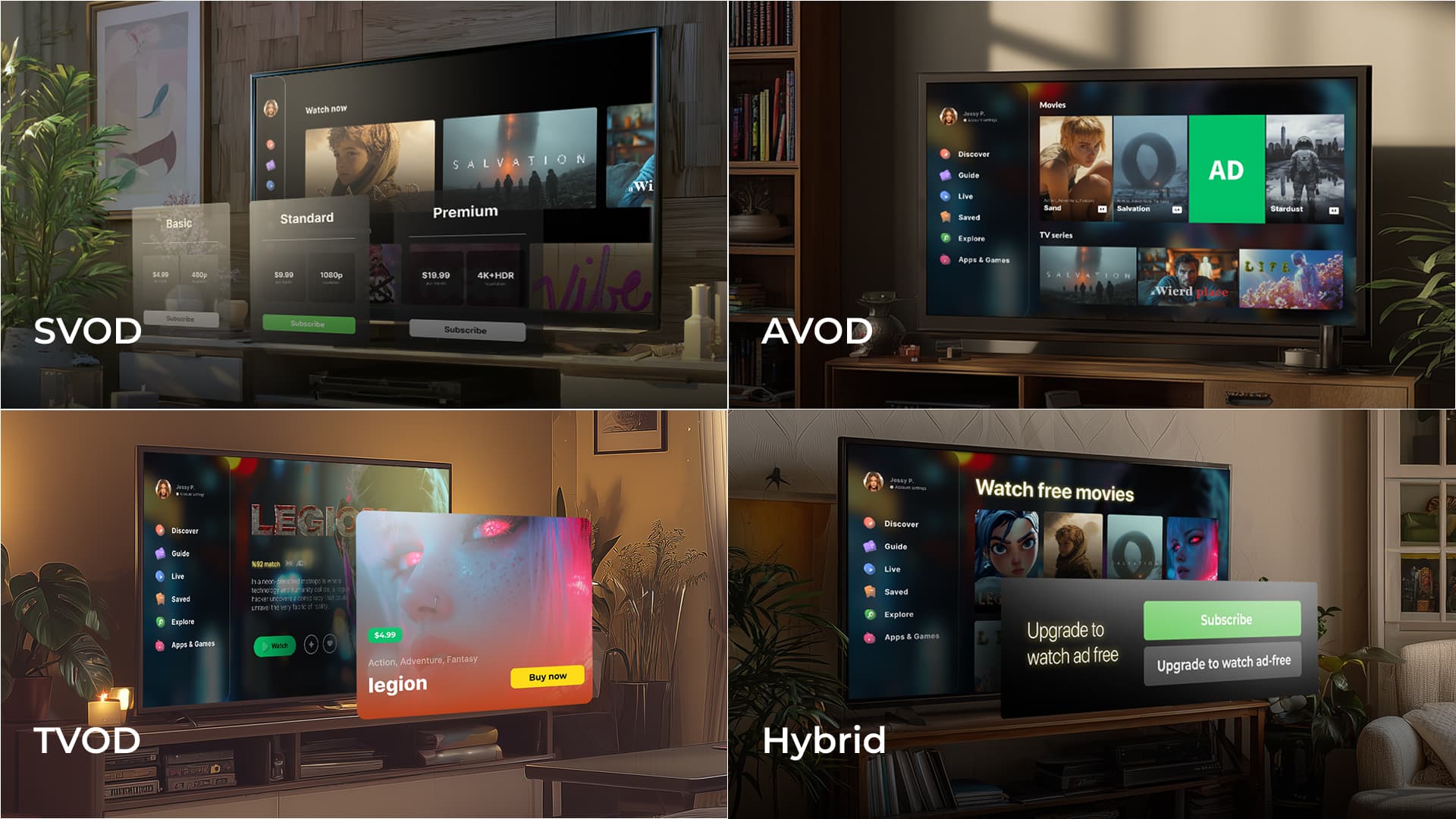
- When developing an OTT application for Sony Smart TVs, monetization should be considered not as an afterthought, but as a strategic pillar from the start. Fortunately, Sony’s Google TV-based ecosystem supports the full spectrum of proven revenue models, allowing you to tailor monetization to both your content strategy and your target audience.
- Subscription Video on Demand (SVOD) remains the most robust model for building recurring revenue and long-term customer value. Given Sony’s positioning in the premium market, its users often demonstrate a higher willingness to pay for quality, curated content experiences.
- For broader reach, Advertising-Based Video on Demand (AVOD) offers an accessible entry point, particularly effective when paired with intelligent ad placement and seamless user experience. This model ensures content remains free to access while generating revenue through targeted ad delivery.
- In cases where content is event-based or niche, Transactional Video on Demand (TVOD), where users purchase or rent individual pieces of content, provides flexibility and high-margin opportunities without requiring ongoing commitment from the viewer.
- Finally, hybrid models are increasingly popular, combining elements of subscription, ad-supported, and transactional approaches. This offers a dynamic framework that can adapt to varied audience segments and content types, all within a single platform.
- Sony Smart TVs, leveraging the Android/Google TV infrastructure, are fully compatible with these monetization strategies, giving content owners the infrastructure they need to build revenue confidently.
Why building for Sony is just one piece of a smarter Smart TV strategy
- Smart TV app development isn’t just about porting your mobile app to a bigger screen, it’s about understanding the room you’re entering. And in the case of Sony, that room is clean, quiet, and fully furnished with premium expectations.
- Sony Smart TVs run on Android TV OS, wrapped in the more modern, content-forward Google TV interface, meaning you’re not building for a niche walled garden, but for a scalable platform used across major OEMs. You develop once using standard Android tools and practices (Leanback UI, ExoPlayer, Watch Next API), and your app can run not just on Sony but also TCL, Hisense, Chromecast with Google TV, and others.
- But while the foundation is familiar, Sony’s layer comes with nuances worth optimizing for. Its picture and sound technologies (like the Cognitive Processor XR or Acoustic Surface Audio) won’t require special APIs, but they will reward apps that deliver high-quality visuals, smart memory usage, and thoughtful UI pacing. Firmware differences, subtle UX behaviors, and remote control variations are small things, but on a 65-inch OLED screen, they become noticeable.
- At the same time, if you’re planning for a multi-platform rollout, it’s crucial to acknowledge that not all smart TV ecosystems play by Android’s rules.
- Take Samsung’s Tizen OS, for example. It’s a web-based platform with its own UI/UX logic and submission flow, and while it has huge reach, the development process is more bespoke. Navigation, media handling, even remote control inputs follow a different pattern.
- Or consider Amazon Fire TV: Android at its core, but heavily customized and deeply embedded in Amazon’s ecosystem. Here, Alexa integration, placement in Amazon’s content layers, and voice search behavior make it its own animal.
- And then there’s LG’s webOS with a completely different flavor. Think card-based UI, app prioritization via the Magic Remote, and an entirely different app lifecycle.
- So where does Sony TV app development sit in all this?
- Somewhere very strategic. It gives you the flexibility of Android TV, the discovery-driven benefits of Google TV, and the hardware polish of a premium device, all without the platform fragmentation that often makes smart TV development a pain. If you’re building with long-term growth in mind, including content monetization, brand alignment, cross-device strategy, Sony is a high-value screen that doesn’t ask for high overhead.
- That’s what makes it smart. Not just as a TV, but as part of your platform strategy.
Your app’s future shouldn’t be tied to a single screen
Whether you’re launching on Sony today or scaling across platforms tomorrow, we’ll help you build multi-screen apps that feel native, perform flawlessly wherever your audience hits play, and grow with your roadmap.
Sources:
- 1. Sony holds 5% of the global high-end TV market — Counterpoint Research
FAQ
What technologies are used in Sony Smart TV app development?
Developers rely on Android TV and Google TV technologies when developing a Sony app. The process typically involves Android Studio, ExoPlayer for media playback, Google APIs like Watch Next and Assistant integration, and standard Leanback UI components. Since Sony TVs run on Google TV (built on Android TV OS), the same APIs and tools can be reused across multiple brands like TCL, Hisense, and Chromecast with Google TV.
What are the top tips for successful Sony TV app development?
Some of the best practices for developing Sony Smart TV apps include:
- Designing for the “10-foot” experience with large visuals and remote-friendly navigation
- Optimizing performance for smooth playback and efficient memory usage
- Testing audio across models to ensure Dolby Atmos and other enhancements work correctly
- Submitting through Google Play with proper Leanback launcher support and TV-ready assets
- Integrating discovery APIs so content is visible in Google TV’s personalized recommendations
How does Sony app development differ from other platforms?
The process of developing Sony apps may be simpler than building for Tizen (Samsung) or webOS (LG), because Sony uses Android TV/Google TV, which reduces fragmentation and allows reuse across multiple devices. However, it differs in nuance: developers must optimize for Sony’s premium display and audio technologies, test firmware variations, and ensure polished UI pacing. In contrast, Tizen and webOS require unique development logic, different submission workflows, and navigation tailored to their custom remote systems.
Is it difficult to develop apps for Sony Smart TV compared to other Smart TV platforms?
It is generally less complex to develop apps for Sony Smart TV than for platforms like Samsung Tizen or LG webOS. Sony uses Android TV OS with the Google TV interface, allowing to reuse standard Android development tools and reduce fragmentation. The main complexity lies in optimization rather than platform differences.
What are the key focus areas involved in how to create Sony TV app solutions?
The key focus areas include defining your audience and monetization model, choosing the right backend approach (custom OVP or ready-made), and building on Android TV with proper Google TV content discovery integration. Equal attention should be given to 10-foot UX design with D-pad navigation, performance optimization for smooth playback, and real-device testing on Sony TVs before publishing through Google Play for Android TV.