Sony TV Optimization for Better Streaming Performance and App Playback

Table of contents
- What really shapes streaming performance on Sony Smart TVs
- Why OTT development for Big Screen follows different rules
- What developers should know about Sony BRAVIA and Android TV
- How streaming protocols influence TV playback stability
- Video playback optimization and startup delay
- Technical and UX limitations when building OTT apps for TV
- Practical steps from real Smart TV projects
- Bottom line
What really shapes streaming performance on Sony Smart TVs
Streaming on a TV happens in a very particular state of mind. The viewer is usually sitting several feet away from the screen, remote in hand, not inclined to troubleshoot anything. If playback hesitates, buffering appears, or navigation feels sluggish, the reaction is not analytical. The viewer simply leaves.
That deceptively simple dynamic shapes a surprising amount of engineering work behind the scenes. On Smart TV platforms, playback stability, interface responsiveness, and content delivery must work together with almost theatrical precision. When they don’t, the result quickly turns into what users experience as streaming issues on Sony Smart TVs, even if the root cause lies deep in buffering logic, protocol handling, or memory management.
In practice, Sony TV streaming optimization is much more than just a single technical tweak. Stable playback emerges from a chain of decisions that stretch across the entire streaming pipeline, from content delivery and buffering strategy to interface behavior and adaptive bitrate logic. When these pieces are tuned together, playback feels effortless. When they are not, even a well-designed application can struggle to deliver consistent video playback on a large screen. That’s why teams building complex video products frequently collaborate with an experienced Smart TV development company.
In this article, we examine the practical aspects of streaming optimization on Smart TV platforms, using Sony BRAVIA devices as a reference point. Since these TVs run on Android TV and Google TV, they share many architectural patterns with the broader Smart TV ecosystem while still introducing their own hardware characteristics.

All the insights are informed by real implementation experience from Alexander Sheyko, Android TV Engineer at Oxagile, who works on OTT applications across Smart TV ecosystems and regularly deals with the technical trade-offs required to deliver stable video playback at scale.
Key takeaways:
- Smooth streaming on TV depends on a chain of engineering decisions across the whole delivery pipeline. Protocol selection, buffering configuration, adaptive bitrate logic, and interface behavior all shape how stable playback feels to the viewer.
- Smart TV introduces a fundamentally different interaction model. Remote navigation, lean-back viewing habits, and shared household usage reshape how content discovery, navigation paths, and playback controls should be designed.
- Devices running Android TV may produce noticeably different playback behavior. Hardware decoding support, firmware differences, and vendor-level optimizations influence streaming performance even within the same platform ecosystem.
- Large content catalogs quietly test the limits of TV hardware. Image loading strategies, pagination, and preview rendering determine whether browsing remains smooth as users move through hundreds or thousands of titles.
- Faster playback startup does not automatically lead to a better viewing experience. Buffer configuration must balance startup speed with playback stability, especially under unstable network conditions.
- Many streaming problems only reveal themselves on physical devices. Remote navigation latency, Wi-Fi fluctuations, and hardware decoding behavior cannot be reproduced reliably in development environments.
Why OTT development for Big Screen follows different rules
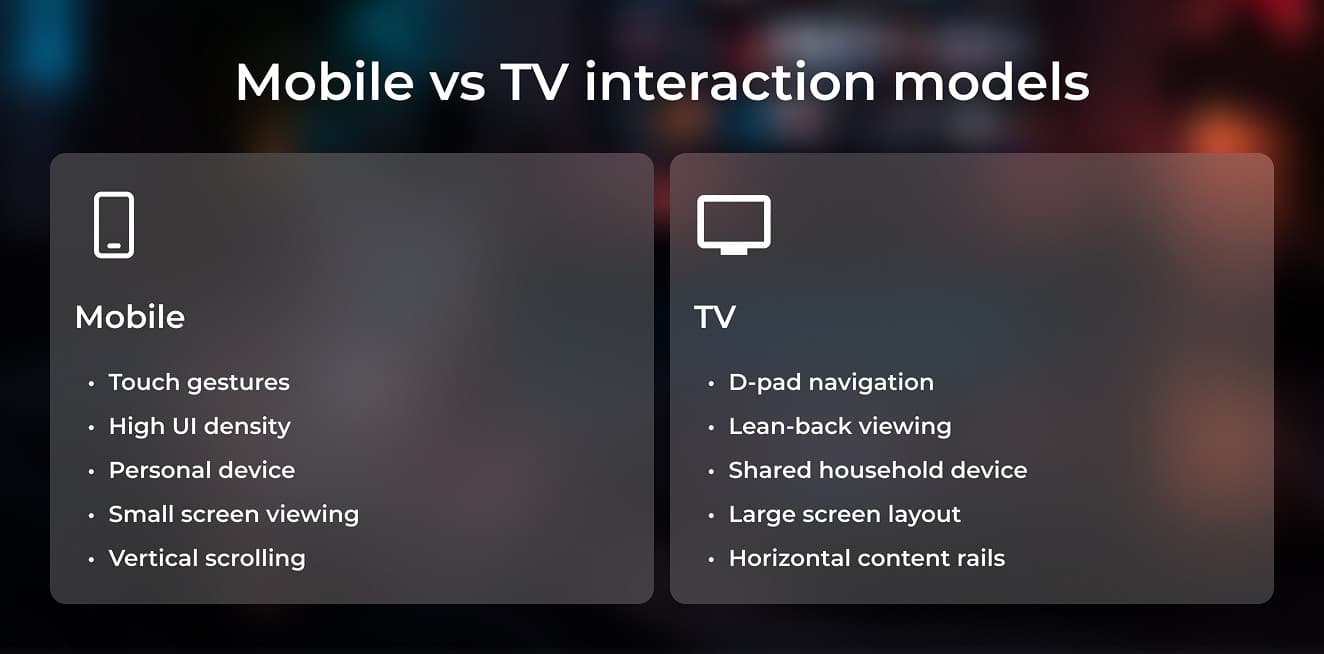
Designing an OTT application for a TV environment changes more than screen size. The entire interaction model shifts. Mobile interfaces rely on touch gestures, fast scrolling, and dense layouts. TV applications operate within a much slower navigation rhythm, where users move through the interface step by step using a remote.
This seemingly small difference has wide architectural implications. Navigation paths must remain predictable, focus behavior has to be carefully defined, and interface density must stay low enough for comfortable viewing from several feet away. Horizontal content rails, large thumbnails, and simplified interaction flows dominate most successful Smart TV interfaces for a reason — they align with how people browse content on a TV.
At the same time, the expectations placed on playback quality grow with screen size. Large displays amplify visual artifacts that might go unnoticed on mobile devices. This pushes streaming platforms toward higher-resolution content and more advanced video codecs, which in turn affects delivery pipelines and decoding requirements on TV hardware. These factors directly influence Sony Smart TV streaming performance, and specifically when applications handle high-resolution video libraries and complex discovery interfaces.
Expert comment:
“One important difference between mobile apps and TV apps is the device context. A mobile device usually belongs to a single user, while a TV is shared by the whole household. That changes how profiles, recommendations, and viewing history should work.
Interaction also works very differently. On mobile devices, users navigate with gestures and touch input. On TV, navigation happens through a D-pad on the remote, which means every interactive element must have a clearly defined focus path. If the focus logic is not predictable, the interface quickly becomes frustrating to use.”
Another subtle difference appears in content discovery. Smart TV platforms increasingly integrate playback continuation directly into the system interface. On Android TV, for example, users may see “Continue Watching” recommendations from different apps directly on the home screen. This means OTT services must consider discovery not only within the application but also at the platform level.
Input constraints further influence interface design. Typing with a remote control remains slow and uncomfortable, which is why many TV services minimize manual text input whenever possible. Voice search, QR-based authentication, and mobile companion flows are frequently used to bypass the limitations of remote keyboards. Design decisions like these can have a measurable effect on overall Sony TV app performance, since they reduce UI complexity and unnecessary interaction overhead.
Taken together, these factors explain why successful TV applications are rarely direct adaptations of mobile products. The architecture, navigation logic, and playback configuration all need to account for the realities of Big Screen environments.

Trying to make a streaming app behave consistently on Sony TVs?
Playback architecture, platform integrations, and device capabilities all influence how streaming applications perform across the Android TV ecosystem.
If you’re working on a Smart TV platform and want to understand how these elements come together in production systems, take a look at our Sony / Google TV app development services.
What developers should know about Sony BRAVIA and Android TV
At first glance, building for Sony TVs may seem straightforward. Most BRAVIA models run on Android TV or Google TV, which means developers work within a familiar Android ecosystem. The same frameworks, media players, and development tools apply across many devices.
Specialists working on Sony Smart TV app development quickly discover that platform nuances still play a significant role in how applications behave on real devices. Even within the Android TV ecosystem, hardware capabilities, firmware layers, and decoding support can influence playback behavior in subtle ways.
Yet in practice, applications running on the same Android TV platform can behave quite differently depending on the manufacturer. Hardware configurations vary, firmware implementations differ, and system-level optimizations are not identical across device vendors. A streaming app that performs smoothly on one Android TV device may reveal unexpected bottlenecks on another.
This variation becomes very relevant when working with high-resolution streaming. Sony BRAVIA TVs are known for premium display technologies, including advanced HDR support and sophisticated image processing pipelines. These capabilities raise expectations for picture quality, which in turn places greater demands on video decoding and content delivery pipelines.
Modern Sony TVs typically support advanced codecs such as HEVC (H.265), which allows higher compression efficiency for 4K content. This makes it possible to deliver high-resolution streams without overwhelming network bandwidth. At the same time, codec support is closely tied to hardware decoding capabilities, meaning that streaming pipelines must align with what the device can decode efficiently in real time.
Alexander notes:
“Large screens change the technical expectations around video delivery. On mobile devices, extremely high resolutions are rarely necessary because the screen size limits what the viewer can actually perceive.
With TVs, the situation is different. The image is displayed on a much larger surface, so compression artifacts become much more noticeable. Streaming platforms therefore tend to prioritize higher-quality streams and more efficient codecs for TV environments. Hardware decoding support is of higher importance here, since software decoding for these formats can significantly affect Sony Smart TV streaming performance.”
Audio systems introduce another layer of complexity. Sony integrates advanced sound technologies into many BRAVIA models, which can subtly change how media playback is perceived. Audio synchronization, decoding paths, and player configuration may therefore require additional validation when optimizing playback on these devices.
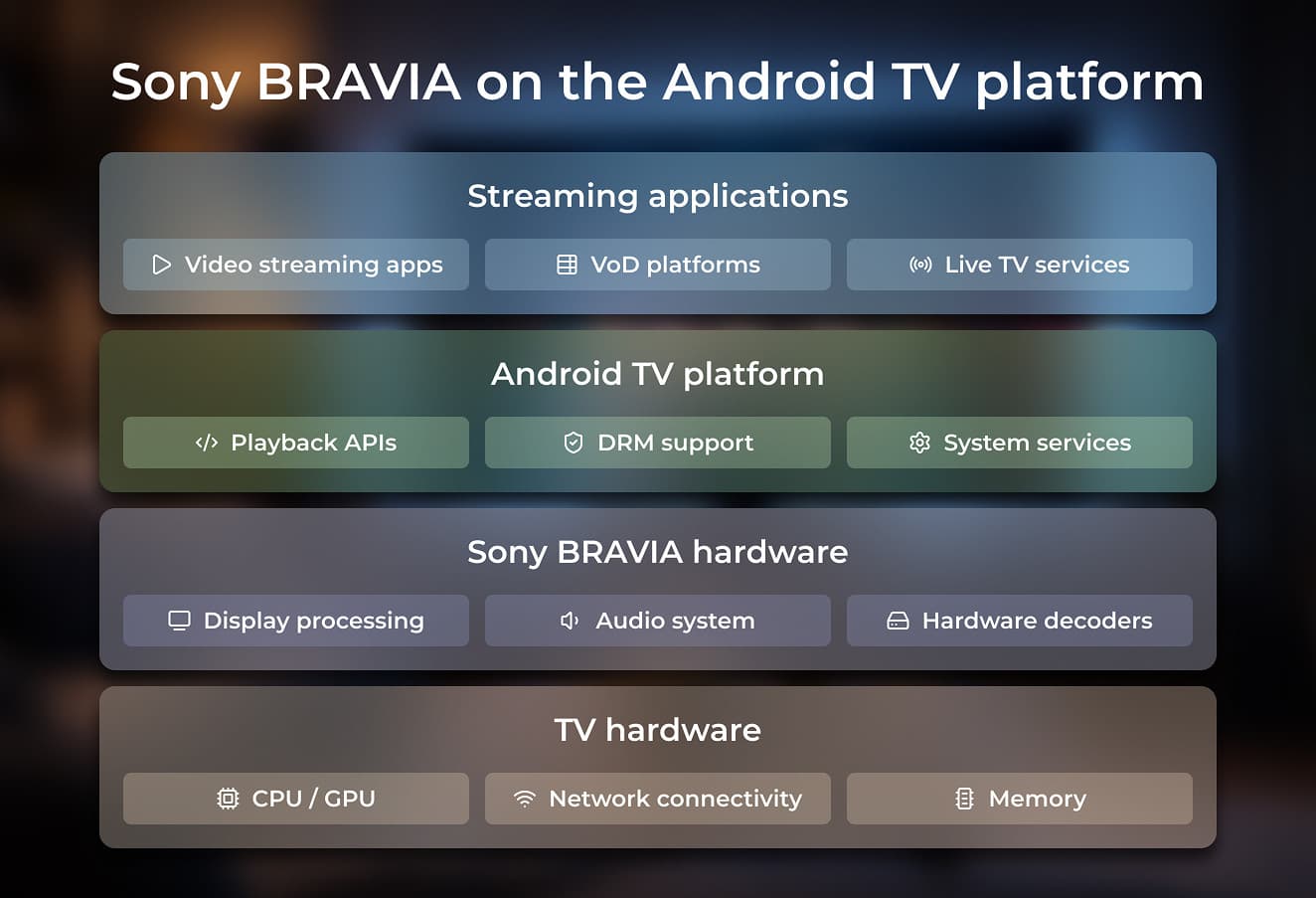
All these details together reinforce a broader point. Even within a unified environment like Android TV, achieving stable playback requires careful validation across real hardware. Small implementation choices, such as codec support and buffering configuration, can significantly influence whether users encounter Sony TV video playback issues during everyday viewing.
How streaming protocols influence TV playback stability
Behind every smooth streaming session sits a delivery protocol that determines how video segments travel from the backend to the player. For OTT platforms running on Android TV devices, the choice typically comes down to two dominant standards: HLS and MPEG-DASH.
Both protocols rely on adaptive bitrate streaming, which allows the player to switch between different video qualities depending on network conditions. This mechanism helps maintain stable playback when bandwidth fluctuates — a common scenario in living room environments where TVs connect over Wi-Fi.
Even though the underlying concept is similar, the protocols behave differently within the Android ecosystem.
Alexander explains:
“DASH is generally better supported within Android playback libraries, which makes it a common choice for Android TV applications. It also works well with a wide range of codecs that streaming platforms use today.
At the same time, protocol selection depends heavily on the type of content being delivered. For example, live events introduce completely different requirements. In those scenarios, delivery latency becomes critical, and the protocol configuration needs to minimize the delay between the live event and what viewers see on screen.”
Delivery protocols influence this delay through segment size, buffering behavior, and how quickly the player can switch between quality levels. These technical parameters shape the overall playback experience and can significantly affect Sony Smart TV streaming performance, including the cases of unstable network conditions.
Another practical consideration is that modern streaming infrastructures rarely rely on a single protocol. Most OTT backends support multiple delivery formats simultaneously, allowing applications to choose the most suitable option depending on platform capabilities and playback requirements.
In the context of Sony Android TV streaming optimization, this flexibility becomes particularly valuable. Selecting the right protocol configuration helps balance latency, playback stability, and compatibility across different Smart TV devices.
Case in point: VoD and live streaming app for Smart TVs
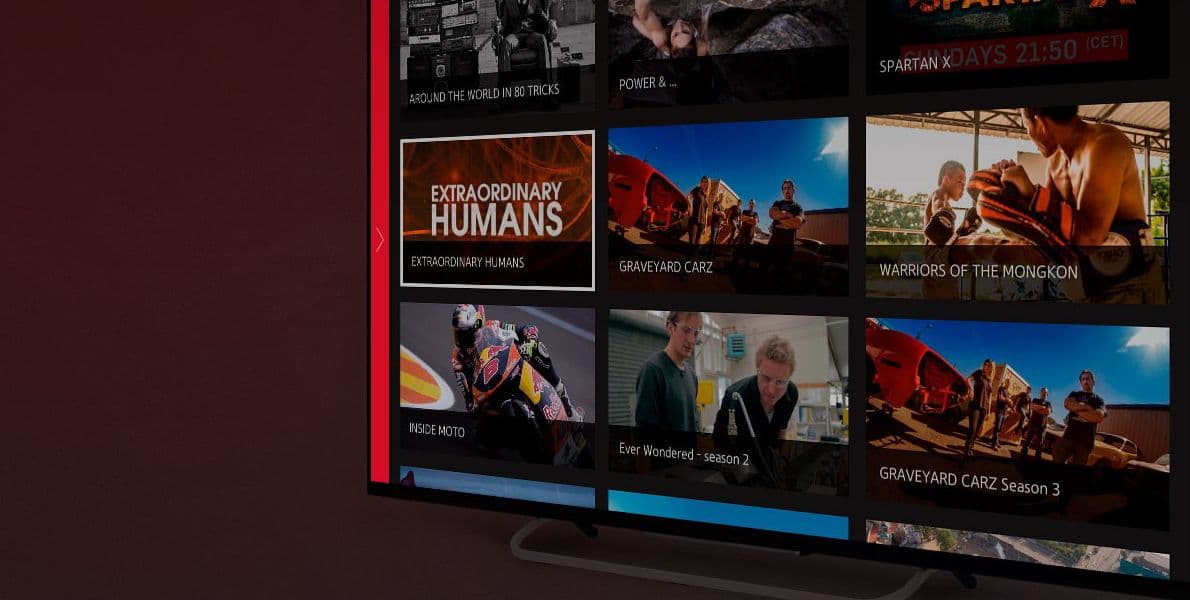
Many of the challenges discussed above become especially visible in real-world streaming platforms, where playback stability and device compatibility must work together across different Smart TV ecosystems.
In one recent project, Oxagile helped build a VoD and live streaming application for Smart TVs, designed to deliver reliable video playback and smooth navigation across content-heavy catalogs.
Key aspects of the solution included:
- Supporting both live streaming and on-demand video delivery
- Optimizing playback behavior across multiple Smart TV devices
- Establishing stable streaming under varying network conditions
- Maintaining responsive navigation across large content libraries
Video playback optimization and startup delay
Once video segments reach the player, another set of factors begins to influence the viewing experience. On Smart TV devices, playback behavior depends on how the player manages buffering, startup thresholds, and adaptive bitrate switching.
One of the first things viewers notice when starting a video on a Smart TV is how quickly playback begins. This interval between pressing “play” and seeing the first frame is known as startup delay, and it strongly shapes how responsive a streaming service feels.
Reducing this delay seems straightforward at first. If the player starts playback immediately, users see content faster. Yet streaming systems operate within a more complex balance. Video players rely on buffering to protect playback from network instability, and the size of that buffer directly affects how smoothly video continues once it starts.
A player that begins playback with almost no buffer may appear fast at first, but even small fluctuations in network conditions can interrupt the stream moments later. Conversely, a larger buffer allows playback to remain stable, though it slightly increases the initial waiting time.
Expert comment:
“Video players usually buffer several seconds of content before starting playback. This initial buffer acts as protection against network fluctuations.
If the buffer is too small, the player may start quickly but will be more sensitive to interruptions in the network. Even small drops in bandwidth can cause playback to pause or stutter.
A slightly larger buffer helps absorb these fluctuations because the next video segments continue downloading in the background while the first seconds of content are already playing.”
Modern streaming players therefore aim to balance two competing goals: fast startup and stable playback. Configuration parameters such as buffer duration, segment length, and adaptive bitrate switching determine how the player behaves under different network conditions.
Some platforms also implement predictive techniques to reduce perceived startup delay. When the user navigates through a catalog, the application may begin preparing playback resources as soon as a video item receives focus. If the viewer presses play, part of the connection setup and buffering process has already begun.
This approach introduces its own trade-offs. Prefetching content increases backend load and may initiate downloads for videos the user never actually watches. Finding the right balance between responsiveness and resource consumption therefore depends on the priorities of each streaming platform.
For services targeting Smart TV environments, these tuning decisions have a direct impact on Sony Smart TV streaming performance, particularly in households where network conditions fluctuate throughout the day.
Ultimately, playback optimization becomes a continuous balancing act. Startup speed, buffering strategy, and adaptive bitrate behavior must work together to deliver video that both starts quickly and remains stable throughout the viewing session.
Technical and UX limitations when building OTT apps for TV
When developers think about streaming performance, attention usually focuses on the video player. Yet many stability issues in Smart TV applications originate elsewhere — in the interface layer that surrounds playback.
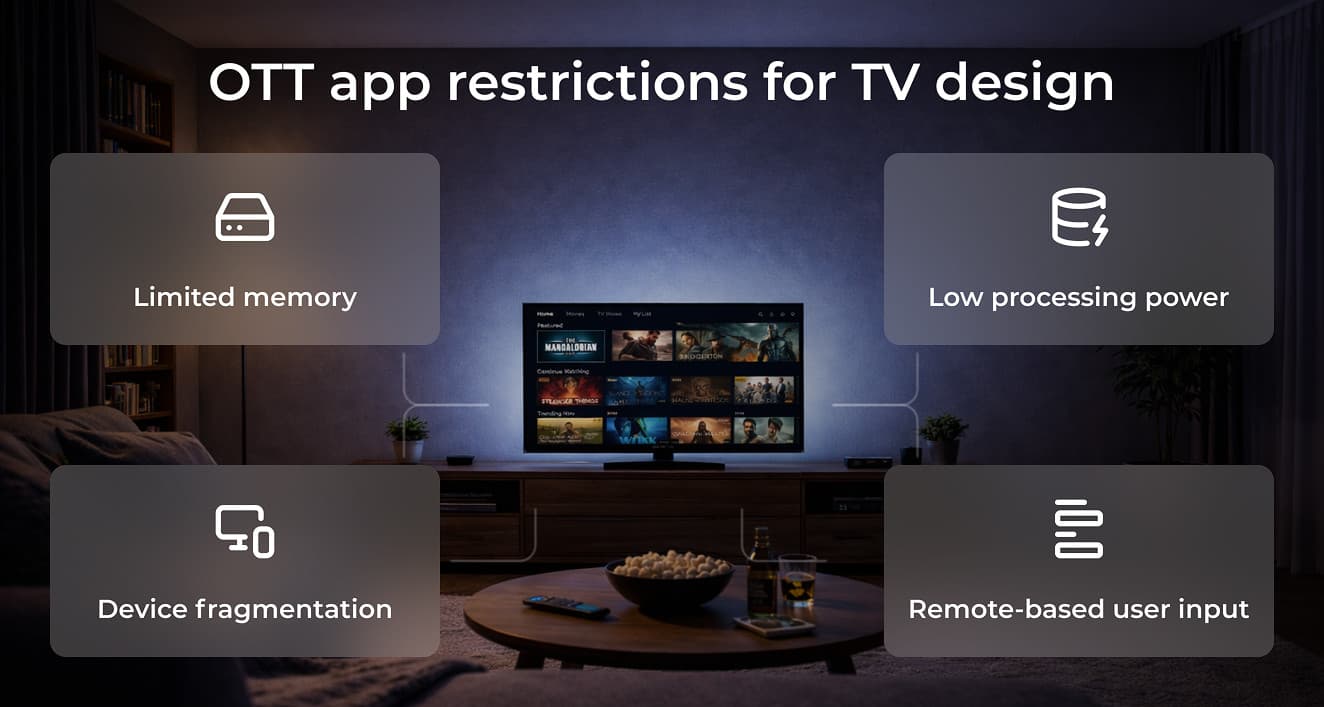
Content-heavy catalogs place significant pressure on TV hardware. Streaming services often display large libraries with dozens of rows, each containing multiple posters, previews, and metadata elements. If these assets are loaded aggressively, memory consumption can grow quickly and affect overall application responsiveness.
The challenge becomes more visible when users browse through long content rails. Every scroll potentially introduces new images and UI elements that need to be rendered. Without careful resource management, the interface can begin to lag, even before video playback starts.
Alexander notes:
“One important principle when working with memory on Android TV is not to load everything at once. The application should keep in memory only the elements that are currently visible to the user.
If the catalog is large, the rest of the data can be loaded dynamically as the user navigates through the interface. This approach helps reduce memory pressure and keeps the UI responsive, especially on devices with limited resources.”
These optimizations may seem subtle, yet they strongly influence Sony TV app performance. When image rendering, memory management, and navigation behavior are tuned correctly, the interface remains fluid even when handling large video libraries.
Storage management introduces another layer of optimization. Smart TV applications often balance between RAM and local storage, temporarily moving unused data out of active memory while keeping it available for quick retrieval if the user navigates back.
Practical steps from real Smart TV projects
Over time, certain engineering practices we use at Oxagile repeatedly prove their value when optimizing streaming applications for TV environments. The checklist below highlights several steps that our development teams commonly implement to improve playback stability and overall Sony TV streaming optimization.
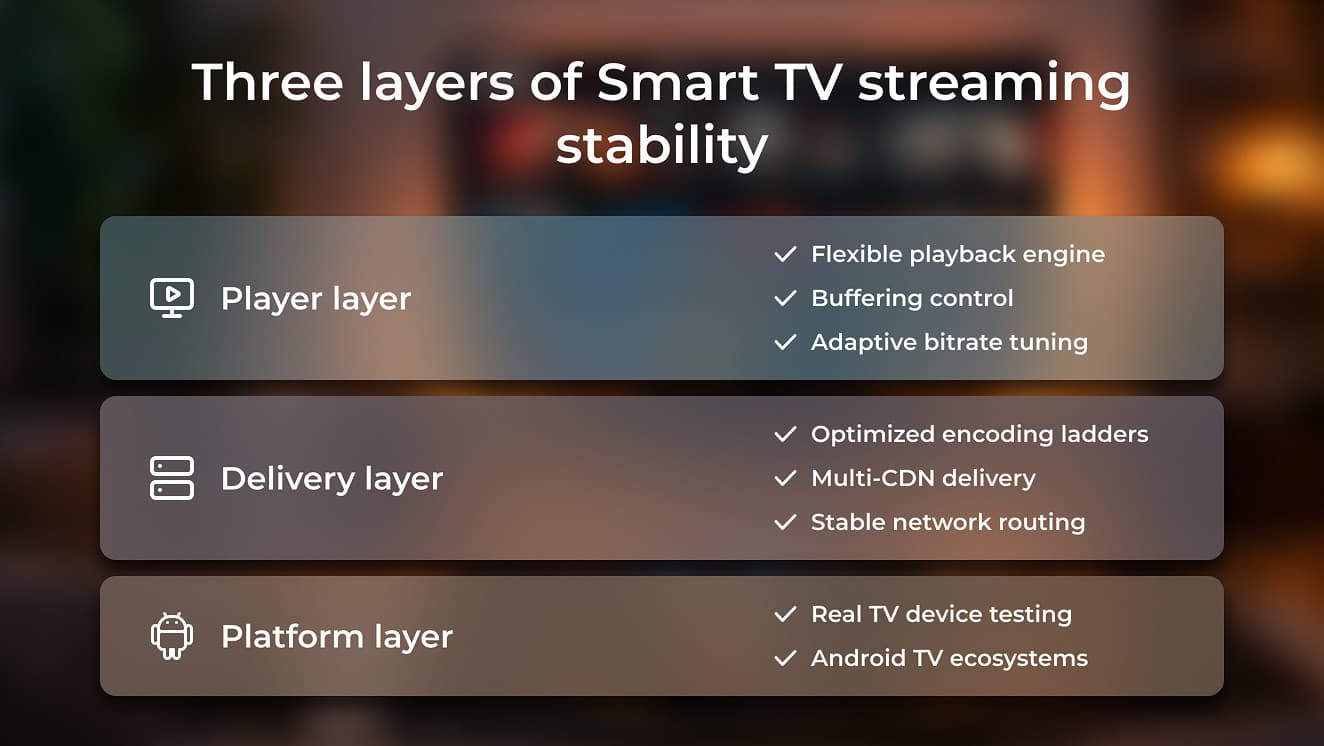
While the checklist highlights specific practices, these decisions usually fall into three broader technical layers that shape streaming stability across the entire application.
Smart TV project checklist
 Choose a playback engine with flexible configuration
Use players such as ExoPlayer (Media3) that allow detailed control over buffering policies, adaptive bitrate behavior, and media sessions. Fine-tuning these parameters creates a space for maintaining consistent playback across different TV devices.
Tune encoding ladders for large screensEncoding profiles designed for mobile streaming do not always translate well to TV viewing. Optimizing bitrate tiers and resolutions for larger displays paves the way for reduced visible compression of artifacts.
Test playback on real TV hardwareDevelopment environments cannot fully reproduce real device behavior. Testing on physical Smart TVs (including Sony BRAVIA models) helps reveal decoding, rendering, and firmware-level issues before users encounter them.
Build redundancy into video deliveryMulti-CDN delivery strategies allow traffic to shift between content delivery networks when regional congestion occurs. This improves playback stability for viewers in different network environments.
Integrate with the Android TV ecosystemSupporting platform features such as media sessions, home screen recommendations, and playback continuation mechanisms makes applications behave more naturally within the Smart TV interface.
Bottom line
The checklist above highlights several practical steps that improve streaming behavior on Smart TV platforms. In real OTT projects, however, these practices are only the starting point.
Applications running on Android TV operate within a complex environment where platform capabilities, hardware decoding support, network conditions, and interface behavior influence playback quality. Small technical decisions made across the streaming pipeline can noticeably affect how video performs once it reaches the living room screen.
Because of this, optimizing streaming for TV platforms has no single universal formula. Each project introduces its own mix of device ecosystems, content formats, delivery requirements, and audience expectations. Achieving stable playback, therefore, depends on understanding how these elements interact within the broader streaming architecture.
Over time, working across different Smart TV platforms reveals patterns that are difficult to anticipate from documentation alone: subtle interactions between players, codecs, delivery protocols, and user behavior in the TV environment. These nuances often determine whether a streaming application simply works or delivers the smooth viewing experience audiences expect from modern OTT services.
Let’s talk about your Smart TV project
If you’re exploring ways to improve streaming stability, optimize playback behavior, or launch a new Smart TV application, our team would be happy to exchange ideas.
Feel free to contact us to discuss your project, technical challenges, or upcoming OTT initiatives involving Smart TV platforms.
FAQ
Why do streaming issues occur on Sony Smart TV?
Streaming issues on Sony Smart TV can arise from several sources, including unstable network conditions, inefficient buffering configuration, or incompatibilities between the video player and device hardware. Differences in firmware versions, decoding capabilities, and system optimizations across Smart TV models can also influence playback behavior. Establishing stable delivery usually requires careful tuning of streaming protocols, adaptive bitrate logic, and playback parameters.
How can Sony Smart TV streaming performance be improved?
Improving Sony Smart TV streaming performance typically involves optimizing several layers of the streaming pipeline. This includes configuring adaptive bitrate streaming, selecting appropriate codecs for large screens, and making sure the player buffers enough content to handle network fluctuations. Testing playback on real Smart TV hardware is also essential, since device-specific behavior can significantly affect streaming stability.
What causes Sony TV video playback issues?
Common Sony TV video playback issues include buffering interruptions, decoding mismatches, or improper player configuration. Problems may also appear when encoding ladders are not optimized for large displays or when the streaming protocol is poorly aligned with the device environment. Addressing these issues usually requires adjustments in both the playback layer and the content delivery architecture.
Which streaming protocols work best on Android TV devices?
Android TV platforms generally work well with both HLS and MPEG-DASH protocols, since both support adaptive bitrate streaming. DASH often integrates naturally with Android-based playback libraries and supports modern codecs used for high-resolution video. However, the final choice of protocol depends on the streaming scenario, including factors such as latency requirements, content type, and delivery infrastructure.