What Is Roku TV, and Why Should Your Business Care?

Table of contents
Roku has a way of hiding in plain sight. It may not dominate tech headlines with cultish product launches or glossy ecosystem, but in U.S. living rooms, it has something more useful for content distributors: habitual use.
It leads the U.S. CTV market with 28% of usage among broadband households, with Samsung’s Tizen, its closest rival, sitting at 23%1 and everyone else fighting over what’s left. So, if you want to efficiently spread media but your expansion strategy doesn’t have it near the top of the list, you’re essentially planning a US road trip and deciding to skip the highway.
This article is for media companies, broadcasters, and content aggregators who already understand the CTV world, but need a deeper look into what Roku is capable of, how it works, and where it beats the competition.
Key takeaways:
- Roku is a separate distribution lane with its own OS, store logic, discovery paths, and viewer habits.
- For US-focused content owners, Roku matters because it can catch viewers during the fuzzy pre-choice moment, before they know which app, channel, or title they want.
- A Roku app should be planned around a specific business job, like paid conversion, free sampling, ad-supported viewing, catalog recirculation, live programming, or subscriber reactivation.
- Roku’s BrightScript plus SceneGraph stack makes it harder to treat the platform as a simple port, so product, engineering, QA, and launch planning need their own Roku-specific track.
- Roku Live TV is valuable because it turns scheduled programming into browseable TV behavior through guides, free live channels, FAST packaging, paid live apps, and event-based viewing.
What is Roku TV and how does it work as a content streaming solution?
Roku TV is a smart television with Roku OS built into the set. But what does Roku TV mean beyond the label? It means the TV runs Roku’s own home screen, channel store, search, and streaming interface without needing a separate HDMI player.
For a viewer, Roku TV starts with a remote-first menu, search, a channel store, and rows of apps built for ten-foot viewing.
What does Roku do for content distributors? It gives them a TV-native storefront for turning a streaming service into something viewers can browse, open, search, and watch with a remote. Roku does not replace the service’s backend, but gives that backend a big-screen front end with Roku’s home-screen logic, channel store, search behavior, and playback environment around it.
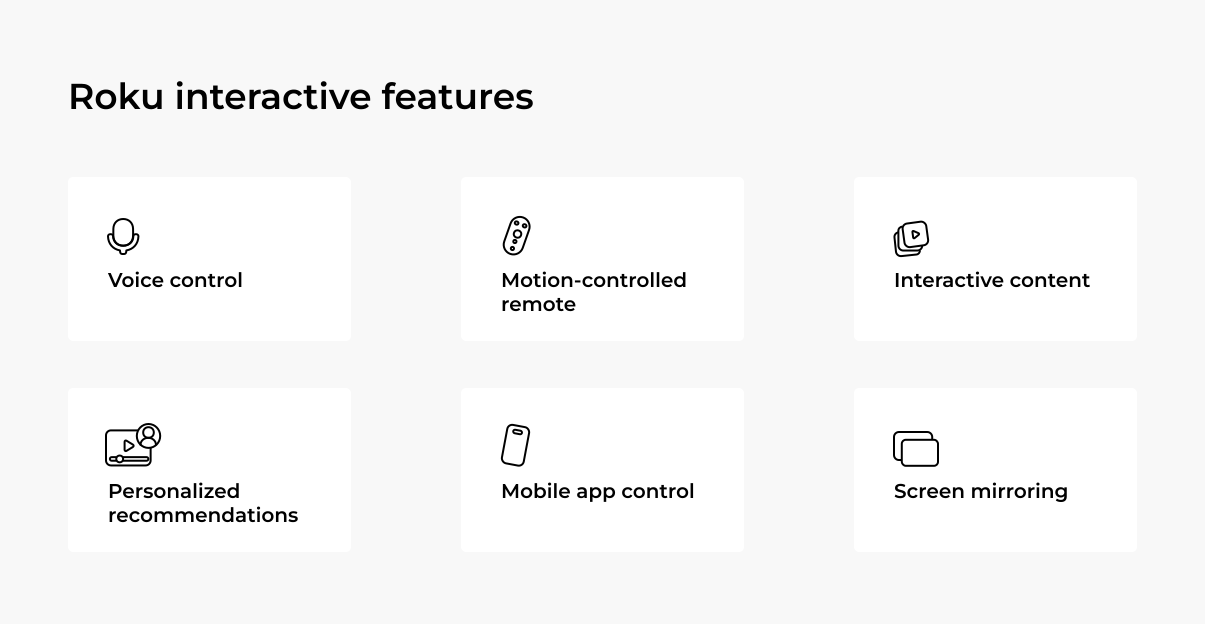
How does Roku TV work?
A Roku player plugs into an HDMI port, while a Roku TV arrives with the streaming layer already inside. The label can be slippery: every Roku TV is a smart TV, and the name points to the OS inside and the storefront around it.
Roku apps use SceneGraph for screens and BrightScript for behavior.
- SceneGraph can be described as the stage crew arranging shelves, posters, buttons, and player states.
- BrightScript tells the app what to do when someone signs in, opens a playlist, taps search, or rage-clicks the Back button because they can’t find what they wany.
With Roku’s new RSG 2.0 SDK, developers will also be able to write that behavior in TypeScript, while SceneGraph keeps handling the screens.
This setup gives distributors a TV-native front end without sanding off the service’s identity. The channel can pull content from your backend, keep the brand’s rhythm, and match the living-room mood: bigger visual choices, fewer fiddly menus, clean handoffs between browsing and playback. Ultimately, Roku TV is the screen-side shell with your service remaining the brains, catalog, and business logic behind the curtain.
Why Roku matters for content distributors in 2026
Roku matters because it occupies a layer that content distributors used to treat as plain TV plumbing: the operating environment where viewers decide what deserves the next hour of their night. Nielsen’s recent Gauge put streaming at 47.5% of U.S. TV use, the largest share in the report’s history, and The Roku Channel reached 3.0% of total U.S. TV2. Roku Advertising’s read of the same period adds the bigger platform signal: 21.2% of all TV viewing time in the USA happened on Roku-powered devices3.
The useful read is this: Roku is close to the moment before intent turns into a play. Viewers rarely move through CTV like neat funnel diagrams. They poke around search, app tiles, free programming, subscription prompts, and half-remembered titles typed with remote-control patience. Roku can meet U.S. viewers before they have picked a service, and that small window is often where a catalog gets noticed or disappears into the upholstery.
For a distributor planning a Roku app, that gives the platform several possible jobs:
- Owned app shelf
- Free-sampling lane
- Subscription path
- Library resurfacing tool
- Reactivation surface
That is why Roku deserves business-level planning before anyone opens a development ticket. A Roku channel can carry a standalone streaming product, give older catalog a second run, put free content in front of casual browsers, or pull existing subscribers back onto the big screen.
The Fox deal makes that point harder to ignore. Fox recently announced plans to acquire Roku4, which says plenty about where media companies now see value: not only in shows, channels, and ad inventory, but in the TV interface that helps people find them.
Roku’s stated plan to remain open to partners also matters for content owners weighing an app. The platform’s value depends on a wide shelf, and distributors need confidence that Roku can still serve their own brands, catalogs, and business models. That is the tension to watch as the deal moves through approvals: Roku is valuable because many services can use it as shared living-room infrastructure.

Want to explore how Roku app development can work for your business?
Find out how custom Roku app development can help you enhance your streaming experience and reach more viewers.
Comparing Roku to Smart TVs
Pull up any CTV comparison chart and you’ll see the usual suspects: Roku, Fire TV, Google TV, Samsung Tizen, LG webOS. They all stream content. They all have app stores. So what actually makes Roku different, beyond market share?
Roku offers distinct advantages for content distributors and broadcasters in the US, making it a powerful tool for reaching and engaging audiences.
Roku is an operating system that works across a variety of devices, including Roku sticks, Roku-enabled TVs, and even soundbars. The Roku operating system is designed to help developers create streaming apps and features, offering a range of tools that enable the building of user-friendly interfaces and easy access to content. It’s built for simplicity and functionality, so users can easily find and enjoy what they’re looking for.
By the way, is Roku a Smart TV? While Roku itself isn’t a TV, many Smart TVs come with Roku’s operating system built in. A Smart TV, on the other hand, refers to any television with internet connectivity and the ability to stream content. The key difference lies in the operating systems: Smart TVs use various systems like Tizen (Samsung), WebOS (LG), and Android TV. While these systems enable streaming, Roku provides a simple and straightforward platform for content distribution.
For businesses looking for an easy way to deliver content, Roku’s platform can help streamline the process. However, for more interactive or advanced features, custom development may be necessary.
Roku vs. other Smart TV platforms
The table below breaks down what those platform differences actually mean for content distributors planning a CTV roadmap.
| Comparison point | Roku OS | Amazon Fire TV | Google TV / Android TV | Samsung Tizen | LG webOS |
|---|---|---|---|---|---|
| Device coverage | Roku players, Roku TVs, Roku Streambar, licensed Roku TV hardware | Fire TV sticks, Fire TV Cube, Fire TV smart TVs, partner TVs | Chromecast, Google TV devices, Android TV devices, partner TVs | Samsung Smart TVs | LG Smart TVs |
| App stack | BrightScript + SceneGraph | Fire OS, Android-based | Android / Kotlin / Java | HTML, CSS, JavaScript, Tizen APIs | HTML, CSS, JavaScript, webOS APIs |
| Distribution path | Roku Channel Store | Amazon Appstore | Google Play | Samsung TV Apps | LG Content Store |
| Discovery surfaces | Roku search, Channel Store, home screen areas, The Roku Channel, live/FAST surfaces | Fire TV search, Amazon Appstore, home screen placements, Prime Video ecosystem touchpoints | Google Play, Google TV recommendations, Google search/account ecosystem | Samsung app store, Samsung TV interface, Samsung TV Plus | LG Content Store, LG TV interface, LG Channels |
Case in point: Custom Roku app for a music streaming service
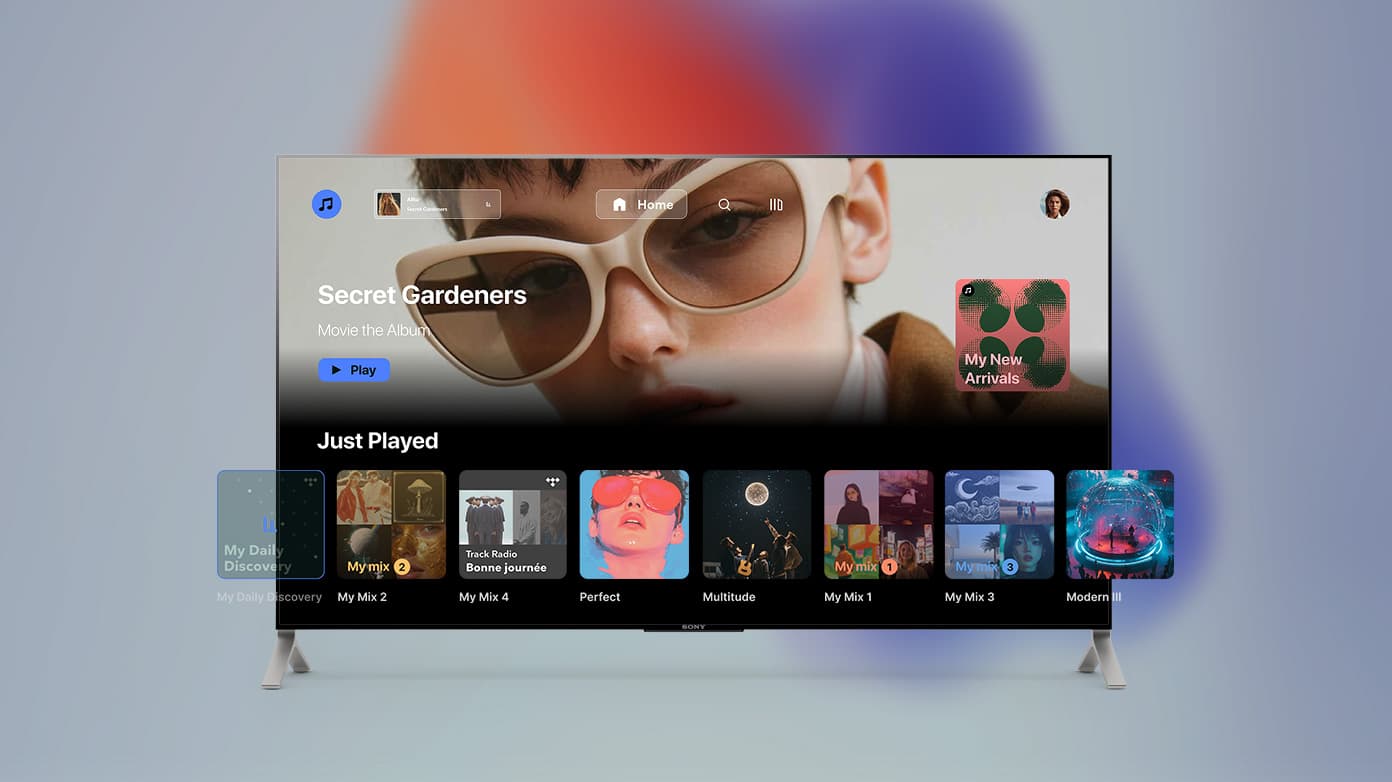
We developed a custom Roku app for a European content aggregator to support their expansion into the US market. The app includes the following key features:
- Dynamic music playback controls
- Two-level library access for premium and non-premium users
- Streamlined onboarding for easy user navigation
- Advanced search capabilities for efficient content discovery
- Seamless web payment flows and secure user authentication
What are the main Roku live streaming features?
Roku’s Live TV setup gives broadcasters and streaming businesses a TV-native way to carry scheduled programming: news, sports, live events, linear channels, and FAST-style streams. For viewers, it feels familiar: open Roku, browse a guide, pick a channel, watch. For distributors, the useful part is the feature set around that viewing habit. So, how does Roku’s live TV work?
Live TV Channel Guide
The Live TV Channel Guide gives viewers a grid-style way to browse live programming on Roku. It shows channels, time slots, program names, descriptions, ratings, captions, and upcoming shows in a format most TV viewers already understand.
For distributors, this feature gives scheduled content a proper place to sit. A live channel does not have to depend only on an app tile or a homepage banner. It can appear inside a browsing habit that already feels natural to the viewer.
Free live TV channels
Roku gives viewers access to free live TV channels through The Roku Channel. These channels cover categories such as news, sports, weather, entertainment, food, kids’ content, and lifestyle programming.
For content owners, free live channels can turn a library into lean-back TV. Instead of asking users to search for one title, a programmed channel gives them something to start watching right away. That matters for older catalogs, niche genres, seasonal programming, and brands that want more casual sampling.
Paid live TV app access
Roku also supports live TV through subscription apps such as Sling TV, Hulu + Live TV, YouTube TV, and Fubo. Viewers can use Roku as the main screen for paid live channels, sports packages, news, and entertainment bundles.
For distributors with paid live products, this makes Roku a natural home for subscription-based viewing. A broadcaster or aggregator can put live channels inside a Roku app and place them next to on-demand shows, replays, highlights, and account-based access.
Electronic Program Guide
An Electronic Program Guide gives live content structure. It tells viewers what is playing now, what comes next, and what they can return for later. For recurring shows, daily news blocks, sports windows, and themed programming, that context matters.
For distributors, guide data shapes how professional the channel feels. Clear titles, accurate timing, useful descriptions, and clean program categories make a live lineup easier to browse. Weak guide data makes even good programming look like filler.
Over-the-air TV integration on Roku TV
Roku TV sets can also show over-the-air broadcast channels when viewers connect an antenna. Those local channels can appear inside the Live TV experience, alongside streaming options.
This is useful for local broadcasters because Roku TV can bring antenna viewing and streaming behavior closer together on the same screen. Local news, weather, regional sports, and community programming can live inside a TV habit viewers already use.
Live event support
Roku can support scheduled live events such as sports games, concerts, conferences, local broadcasts, religious services, premieres, and special programming blocks.
For content distributors, this feature is useful when programming depends on timing. A live event needs a clear entry point, pre-event visibility, a simple way to join after it starts, and a replay path once it ends. Roku gives that event a TV-native home instead of making viewers dig through a browser link or a social post.
FAST channel programming
FAST channels are free, ad-supported, linear-style streams. On Roku, they fit well because many viewers still like “just put something on” TV. A FAST channel can be built around a genre, franchise, topic, mood, talent, season, or audience segment.
For content owners with deep libraries, this is one of the more useful live TV formats. It can give older titles a second life, package niche content into a clearer viewing experience, and create more surface area for ad-supported viewing without asking every user to make a deliberate title-by-title choice.
Live content discovery
Roku gives live programming several discovery surfaces: the guide, The Roku Channel, app tiles, search, category rows, and live TV areas inside supported apps. That matters because viewers do not always arrive with a channel name in mind.
For distributors, discovery is the difference between “available” and actually watched. Live content has a short shelf life, so it needs visible paths before the moment passes. Roku’s live TV experience helps put scheduled programming closer to everyday browsing behavior.
Key benefits of developing for Roku
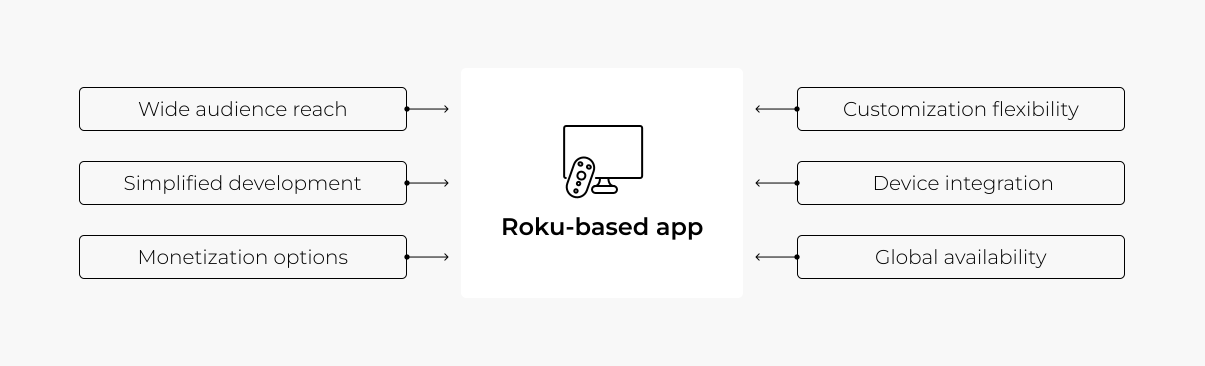
If your business is in the streaming space, Roku offers a lot of compelling reasons to develop apps or channels on their platform. Here’s a look at some key benefits.
Large audience reach
Roku boasts millions of active users, particularly in the U.S., meaning your content can reach a large and engaged audience. Its easy setup allows you to publish your app or channel to the Roku Channel Store and instantly start engaging new customers in one of the most popular streaming markets.
Streamlined development process
Roku apps are built using BrightScript, a language designed specifically for the platform. This can make the development process faster and more straightforward compared to other platforms. Roku also offers a quick certification process, allowing your app to go live in no time. While there are some areas that may require additional customization, our extensive experience with Roku has helped us build a collection of best practices for a smooth development process.
Monetization options
Roku supports a variety of monetization strategies, from ad-based revenue to subscriptions and pay-per-view models. This flexibility means you can choose the best approach for your business and start earning from your content right away.
Customization flexibility
Roku gives you the ability to customize the look and feel of your channel to match your branding and business needs. Whether you’re creating a sports channel, an educational platform, or entertainment content, Roku allows for a high degree of personalization.
Integration with other devices
If you’re curious about how Roku TV works, it integrates smoothly with various devices and apps for a consistent streaming experience across hardware. This allows businesses to deliver a uniform experience to users, regardless of the device they’re using.
International reach
Roku is available in many countries, which is a huge advantage for businesses looking to tap into international markets. With its broad geographical reach, Roku lets you engage viewers from all over the world.
Accessibility support
Roku provides a foundation for accessibility through features such as closed captions, Audio Guide, directional remote navigation, and voice input in supported scenarios. While some custom features may still require additional development, testing, and adjustments to meet CVAA expectations, planning for accessibility from the start helps teams manage these requirements more effectively.
Case in point: Advancing a Roku app amid framework-imposed constraints
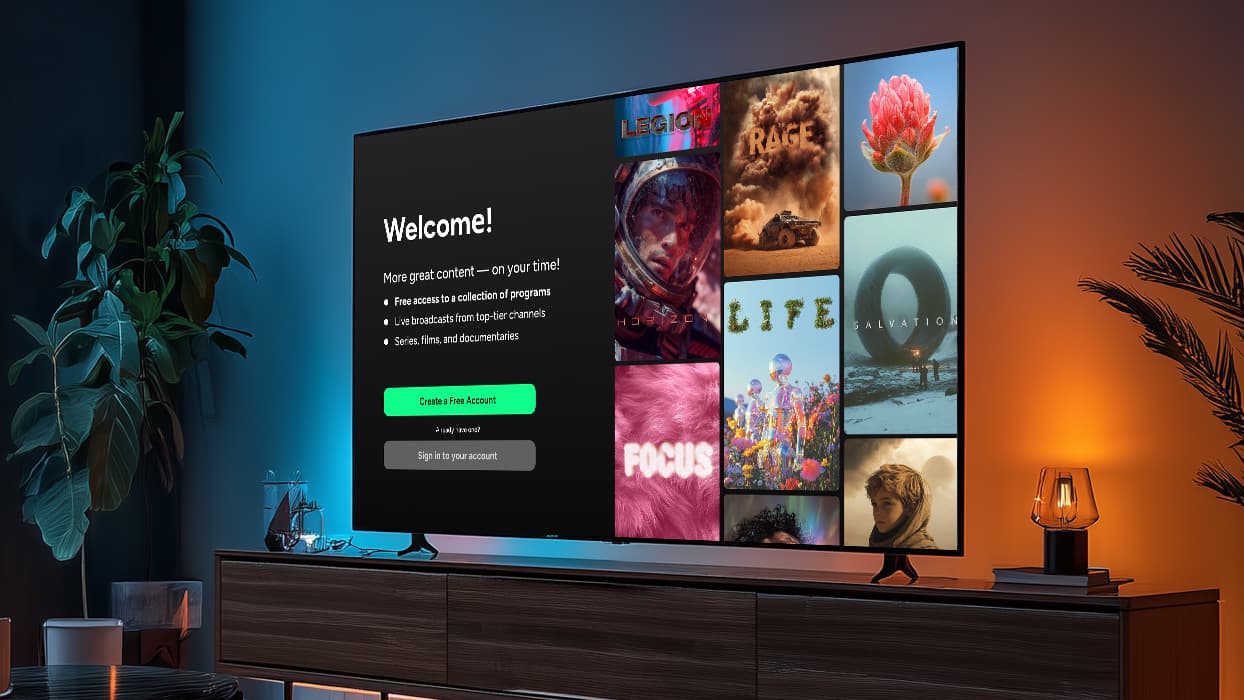
A public media organization needed to evolve its white-label Roku app without a costly full rebuild, despite SGDex framework constraints and Roku performance requirements. Oxagile helped the app scale to content-heavy stations while improving speed, usability, monetization, and accessibility.
- Cut app launch time to ~8 seconds by replacing one heavy API request with five parallel requests
- Refactored the home screen with lazy loading, eliminating flickering and reducing memory usage on devices with 80+ content rails
- Built a Roku-compliant authentication flow with voice input, mobile keyboard support, and automatic account linking
- Implemented smarter pre-roll ad logic to prevent users from seeing the same ad twice for the same content
- Added text-to-speech support and later extended the approach across multiple TV platforms
Why Roku is a smart choice for your business
Building a Roku app is worth it when the goal is serious CTV distribution. Roku sits close to the viewer’s evening ritual: open the TV, browse, search, sample, settle in. For content owners, that screen behavior can be valuable because it catches attention before the viewer has fully chosen a title, app, or channel.
A strong Roku app gives a catalog a cleaner path into that habit. It can carry live channels, FAST streams, paid libraries, free samples, replays, local programming, niche collections, and long-tail content that deserves another run. The work does require Roku-specific planning: BrightScript, SceneGraph, certification, performance, accessibility, guide data, and remote-first UX all need respect. Still, for distributors who care about the US CTV audience, Roku remains a practical, high-leverage screen to build for.
Ready to develop a custom Roku app for your business?
Explore our expertise to find out how we can help you create a high-quality, engaging streaming experience tailored to your audience.
Sources
- — TV Tech
Roku, Samsung Dominate CTV Platform Market in U.S.
- — Nielsen
Streaming Shatters Multiple Records with 47.5% of TV Viewing, according to Nielsen’s The Gauge
- — Roku Advertising
45% Growth Pushes The Roku Channel’s TV Share to 3%
- — Roku
Fox Corporation to Acquire Roku, Inc.
FAQ
What is Roku TV?
Roku TV refers to smart TVs that integrate Roku OS (Roku’s operating system). Roku isn’t a TV brand, but a streaming platform that’s particularly popular in the USA. It functions on various devices like Roku sticks and Roku-enabled TVs and allows for streaming content from Hulu, Netflix, and many other supported services.
What is the difference between a Roku and Smart TV?
Roku is both a streaming platform and operating system used in external streaming devices (like Roku sticks and boxes) and also built into some Smart TVs. Smart TVs overall can run on different operating systems: some come with Roku OS pre-installed, while others use platforms like Samsung’s Tizen or LG’s WebOS.
How does Roku work with TV?
How Roku works with TV depends on the Smart TV. Certain TV manufacturers, like TCL or Sharp, build Roku OS directly into some of their Smart TVs. For other TVs that don’t come with Roku OS, you can still use Roku by plugging in gadgets like the Roku Streaming Stick or Roku Ultra via the HDMI port. This effectively adds Roku to various TVs, regardless of their native OS.
Is Roku TV Android based?
Roku TV runs on Roku OS, Roku’s own TV operating system, so Android TV apps cannot be dropped onto Roku without a Roku-specific build.
What is the difference between a Roku TV and a Roku streaming device?
A Roku TV has Roku OS built into the television, so the TV itself runs the Roku home screen, apps, search, and streaming, and a Roku streaming device is a separate HDMI player or stick that adds Roku to a compatible TV.
What programming language is used to build Roku TV apps?
Roku TV apps, usually called Roku channels, are built with BrightScript for app behavior and SceneGraph, Roku’s XML-based framework, for interface screens.