





This website uses cookies to help improve your user experience


Android TV and Google TV now run on over 270 million devices worldwide1. That’s not just a footnote in the Smart TV apps’ market, but a clear signal: if you’re building video apps, Android TV and big screens matter.
At first glance, developing for Android TV might look like just another Android project. But once you leave the world of touchscreens behind, the differences become obvious, and even critical.

To explore what sets this platform apart, we turned to Alexander Sheyko, Android TV Engineer at Oxagile. Having worked on multiple production-ready apps for Android-based TVs and streaming devices, Alexander shares what really matters when building for the 10-foot experience — from the quirks of focus management to ecosystem integrations and hardware fragmentation.
Key takeaways:
Building apps for Android TV may start with familiar tools like Kotlin, Android Studio, and standard activity lifecycles, but the development experience quickly diverges from mobile.
The root of that divergence is interaction and context. Android TV isn’t built for touch. It’s built for remote-based navigation on large screens, viewed from across the room. This shift brings a series of non-obvious Smart TV app development challenges.
Let’s break down the key differences that catch teams off guard.
In mobile apps, users can tap anything at any time. On Android TV, everything flows through the D-pad. That means each screen must have one element in focus, and movement between elements must follow a logical, testable path.
Expert comment
“Every screen must have one element in focus by default. If the focus jumps somewhere unexpected, users get lost and frustrated.”
This isn’t just a UX detail, but a core part of how the app functions. Without proper focus handling, the interface becomes unusable.
Android TV is deeply fragmented, and not just by screen size, but also by resolution, memory, and system behavior. A layout that works perfectly on a Sony Bravia might break on a low-cost set-top box with outdated firmware.
And you won’t find every quirk in the documentation.
Expert comment
“There are powerful devices — and there are very weak ones. Like with phones, it depends on how much the user is willing to spend.”
Some apps even need to handle custom operator hardware with slower CPUs, minimal RAM, or unusual remote configurations.
Android TV supports a wide range of remotes, and not all follow the same conventions. Some include colored shortcut buttons (red, green, yellow, blue), while others have completely custom layouts defined by the device vendor.
Expert comment
“We had a project where the provider’s remote had four custom-colored buttons. The client wanted each one mapped to a separate app function, like recording.”
This means developers must sometimes build device-aware input layers, especially for enterprise or regional deployments.
Although most Android TV devices run on the same core OS, vendors like Sony, TCL, and Amazon often add their own UI layers, services, or behavioral overrides.
Fire TV is one of the clearest examples.
Expert comment
“It runs on Android TV as a base, but uses its own analogs for Play Services. You can’t rely on Google APIs being there.”
This affects everything from push notifications to media playback and store submission, and must be considered upfront.
In short, the biggest risk in developing an Android TV app is assuming it behaves like a mobile app. It doesn’t. And until your team accounts for remote input, screen distance, OS variations, and hardware quirks, your app might look okay, but it won’t feel native.
Designing for Android TV means embracing a completely unique environment — not just in terms of hardware, but also in how users perceive and interact with the screen. You’re building for distance, directional input, and a context where distractions are everywhere.
In Android TV app development, clarity always beats cleverness. Let’s break down what that really means in practice.
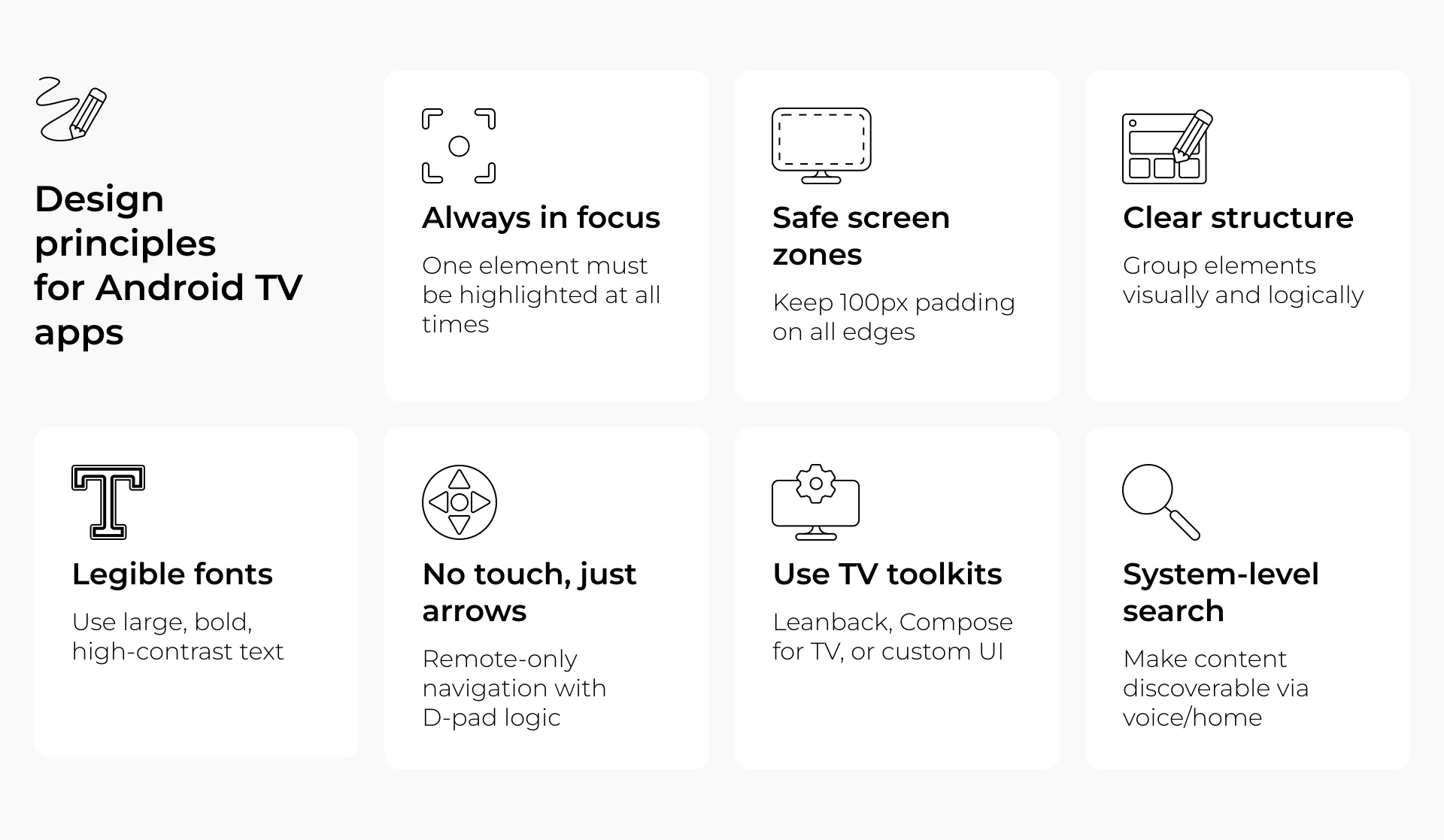
Every screen should have a clearly defined starting point — the element that gets focus by default. Then comes directional logic: where does focus move when the user presses left, right, up, or down?
It may sound basic, but failing to define this leads to broken navigation.
Not all TVs show 100% of the rendered image. Some models still crop the outer edges of the screen, up to 5%. That means any essential UI (menus, buttons, text) that touches the edge might get partially cut off.
Expert comment
“You need to leave around 100 pixels of safe space around the edges. Some TVs have overscan zones that crop the UI. Don’t put anything important there.”
This is why padding and layout margins aren’t just a design choice in Android app development — they’re a survival tactic.
Users sit far from the screen. There’s no hover, scroll, or pinch-to-zoom, which makes your layout’s visual hierarchy critical. How?
A TV interface has to speak in blocks, not pixels. If it feels like a blown-up mobile app, you’re doing it wrong.
It’s better to avoid ultra-light fonts and tight spacing and instead focus on:
Remember: during Android TV development, legibility matters more than brand aesthetics, especially for key navigation and content areas.
Your options aren’t limited, but they are specialized. Most Android TV apps use one or a mix of these:
In Android TV, users don’t always open apps directly. Many rely on voice search, home screen recommendations, and system-level suggestions. If your content isn’t indexed properly, it simply won’t show up.
That’s why smart teams use:
This is part of Android TV application development that’s often overlooked, but it makes a huge difference in user engagement.
The tip to remember is that when you design for Android TV, you’re designing for simplicity with purpose. No tricks. No endless menus. Just intuitive navigation, clear visuals, and content that feels native to the living room. The more constraints you embrace, the better your app will feel.
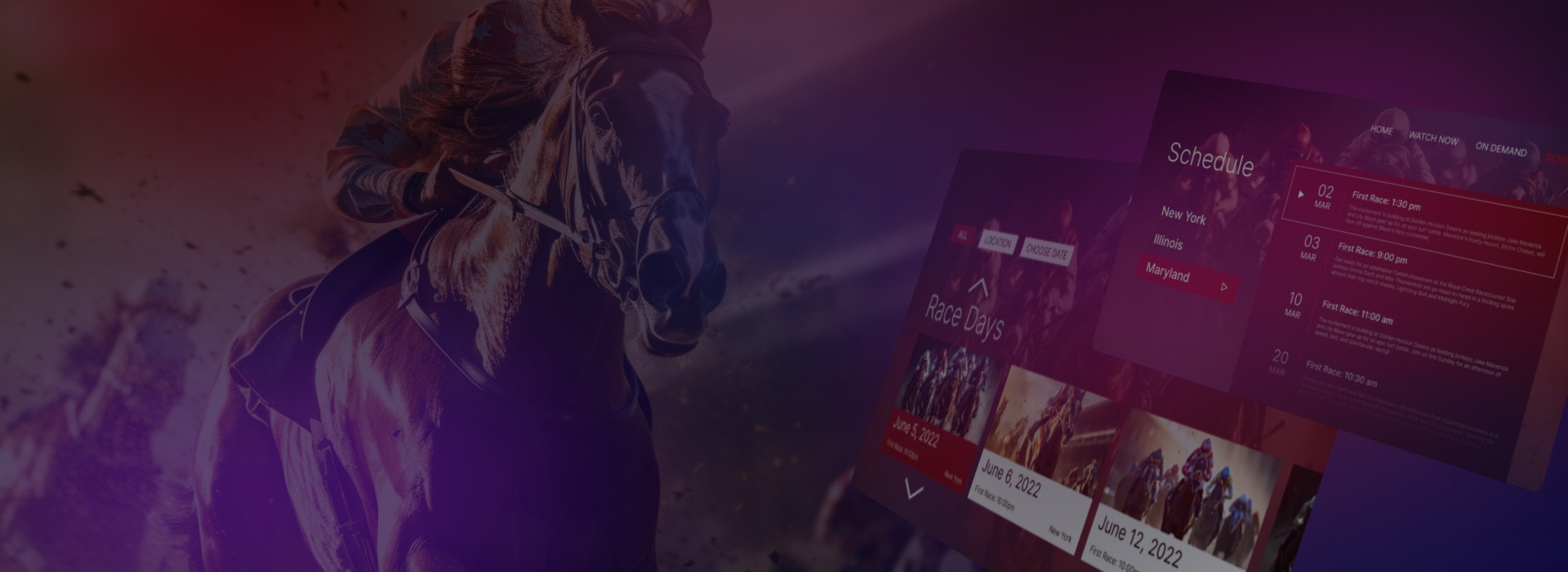
A racing venue turned to Oxagile for a cross-platform OTT app, including native development for Amazon Fire TV. With only 2.5 months to go live, we built a high-performing simulcasting solution that now streams live races and VoD to fans on Roku, Apple TV, and Fire TV.
Features we delivered:
Explore how we met a tight deadline and brought the platform to life.
Testing a mobile app on two or three phones is often enough to catch layout bugs or performance hiccups. But in Android TV app development, that kind of thinking is dangerously optimistic.
Why? Because the Android TV ecosystem is wildly fragmented, more so than mobile ever was.
You’re not just dealing with different screen sizes. You’re dealing with:
Expert comment
“We had one case where the TV would trigger ambient mode after just a few minutes of idle time, even during long video playback. You can’t simulate that in an emulator.”
Android Studio offers TV emulators, but they can’t replicate:
And since TV apps often run continuously (vs mobile apps that open and close quickly), memory leaks, frame drops, or sluggish UI transitions are a lot more noticeable.
With years of experience in Android application development and testing for Smart TVs, we have built a dedicated lab of physical devices — not just flagship TVs, but a representative range: from budget-friendly operator boxes to premium 4K displays.
Each app goes through:
This approach means bugs don’t get discovered post-release — they’re caught in staging.
And the key thing to remember is that when creating applications for Android TV, you can’t afford to test like it’s mobile. Real TVs, real remotes, and real environments are the only way to know your app will actually work, not just compile.
So, your Android TV app is working smoothly, the UI is polished, and the navigation flows like a dream. Time to ship?
Not so fast.
Publishing an app for Android TV isn’t just about pressing “submit” in the Play Console. It’s a process with hidden gotchas — from strict UI rules to store-specific assets and unexpected rejections. And if you’re targeting more than just Google TV, but, say, Fire TV too, the rules start to diverge even more.
Android TV apps are reviewed under a different set of eyes. Google’s review process expects your app to behave like a native TV experience from the very first click or rather, from the first D-pad press.
Remote navigation isn’t just recommended. It’s mandatory. And if your app:
…it likely won’t make it past automated review.
Expert comment
“If your TV app doesn’t define a clear focus chain or tries to use swipe gestures, it won’t even pass Google’s automated review.”
Visual polish matters too. Google asks for splash screens, transitions, and general visual consistency that matches Android TV’s platform aesthetics, especially for media apps. A beautiful UI with broken focus logic will still fail.
Publishing on Android TV also means delivering the right visual assets, tailored for the TV interface. That includes banner images (typically 320×180), landscape-mode screenshots, and high-contrast app icons that still look crisp at 10 feet away.
And then there’s metadata. Voice search is huge on Android TV, so your app description, title, and content tags should be optimized for that channel too. Otherwise, your app risks being invisible to users even after it’s published.
Things get trickier when your app is also going live on Amazon Fire TV, which, as we already pointed out before, runs Android under the hood, but without Google Play Services or the Play Store itself. Instead, you’re dealing with:
Many teams learn this the hard way, right after their login screen or push notifications break in production.
Expert comment
“On Fire TV, you can’t just port the app. Even core services like push notifications need different SDKs.”
If you’re relying heavily on Google’s services, it may be worth building conditional logic, or even maintaining separate builds for Fire TV versus Google TV.
Experienced teams know that successful submission isn’t a checkbox — it’s a process that starts early. At Oxagile, for example, Android TV app submission thinking is baked into the pipeline: designers know to provide banner assets during UI handoff, developers align layouts with Leanback standards, and product owners track guideline changes across platforms.
Because once the app is feature-complete, it’s often too late to fix oversights without rework.
In short, Android TV app development doesn’t end when the last bug is fixed. It ends when the app is approved, live, and discoverable by users, with every screen, icon, and line of metadata working in harmony.
And if you want that to happen smoothly? Start thinking about submission the moment you open Android Studio.

Oxagile’s expertise in online video spans more than 20 years. We’ll be glad to help craft your app.
Explore our Android TV app development services to see how we turn living room ideas into reality.
No two Android TV apps are ever quite the same. Some begin as lean prototypes to test market traction. Others are full-fledged media products with live-streaming, recommendations, and monetization built in from day one.
Still, after working across multiple domains, we’ve identified a flexible, reliable process that adapts to most product needs. If you’re embarking on an Android TV application development journey, here’s what your roadmap might look like.
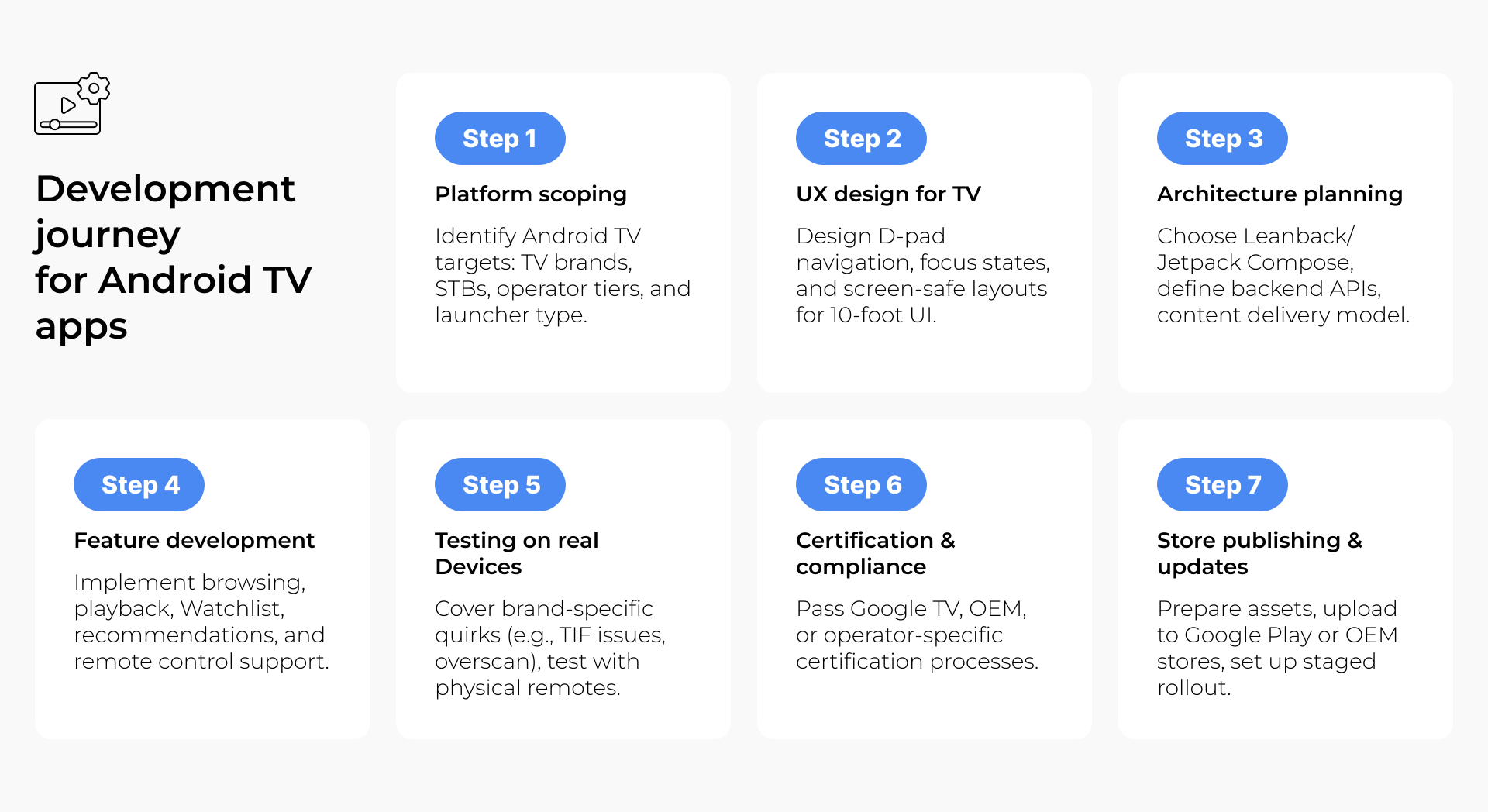
Before you even sketch a wireframe, you’ll need clarity on one key point: what are you building, and why on Android TV?
Are you extending an existing OTT platform to the big screen? Reaching a new audience with long-form video content? Building a branded content hub? Each of these requires a different UX approach, feature set, and level of integration with existing infrastructure.
This is also the time to decide:
Choosing the right path here defines your architecture, timelines, and budget from the very beginning.
Custom Android TV development isn’t a one-size-fits-all effort. Some projects prioritize time-to-market. Others aim for performance on low-end devices. Some require advanced analytics and recommendation engines.
That’s why this stage isn’t just about the total number — it’s about budget shaping. We usually walk clients through:
Knowing what not to build at MVP stage is as important as defining what must be there.
Designing for the couch is nothing like designing for the phone.
With Android TV, you have to:
Expert comment
“The biggest design mistake we see? Teams start with screens, not with navigation focus. TV apps live and die by their D-pad logic.”
Here, we create detailed focus maps, D-pad flowcharts, and scalable layout components tested across multiple screen sizes. Your layout should be predictable, responsive, and free of surprises, regardless of TV size or vendor.
No matter how sleek your Android TV app is, without a solid media pipeline, it won’t scale.
This is the point to:
If your content comes from third parties (aggregators, partners), this step becomes even more critical. API contracts, caching, and fallback behavior need to be rock solid.
Android TV is part of the Android OS family, but it has its own development rules, frameworks, and libraries. Depending on your needs, your stack might include:
And don’t forget: if you’re also targeting Fire TV or STBs, some tools (like Google Play Services) will need to be swapped or removed altogether.
Testing for Android TV isn’t just about “does it crash.” It’s about:
Our QA engineers maintain a test lab of physical devices, because emulators and assumptions just don’t cut it in the TV world.
Android TV apps go through Play Store submission, just like mobile apps, but the expectations are different. You’ll need:
Even after approval, the job isn’t done. Track analytics, optimize performance, and roll out A/B-tested features. Android app development is a living process, not a one-off event.
If all this sounds complex, it is. But with a trusted tech partner like Oxagile, the journey gets a lot more manageable. And at the end of it? A seamless, on-brand Android TV app that feels right at home on the big screen.
Whether you’re targeting Android TV, Fire TV, Apple TV, or webOS, we’ve got you covered. Our team delivers native Smart TV apps that scale across ecosystems and feel right at home on every screen.
Cost discussions never go out of style. And when it comes to Android TV apps, they’re often the dealbreaker.
Custom vs white-label — it’s not just about price, it’s about control, speed, and how far you plan to go.
There’s no universal answer — just the solution that fits your roadmap. The best choice? The one that scales with your ambition, not against it.
Want a clear breakdown of costs and trade-offs? Let’s talk! And not just about numbers, but about timelines, scalability, technical trade-offs, and anything else you want to get clear on before jumping in. We’re here to help.
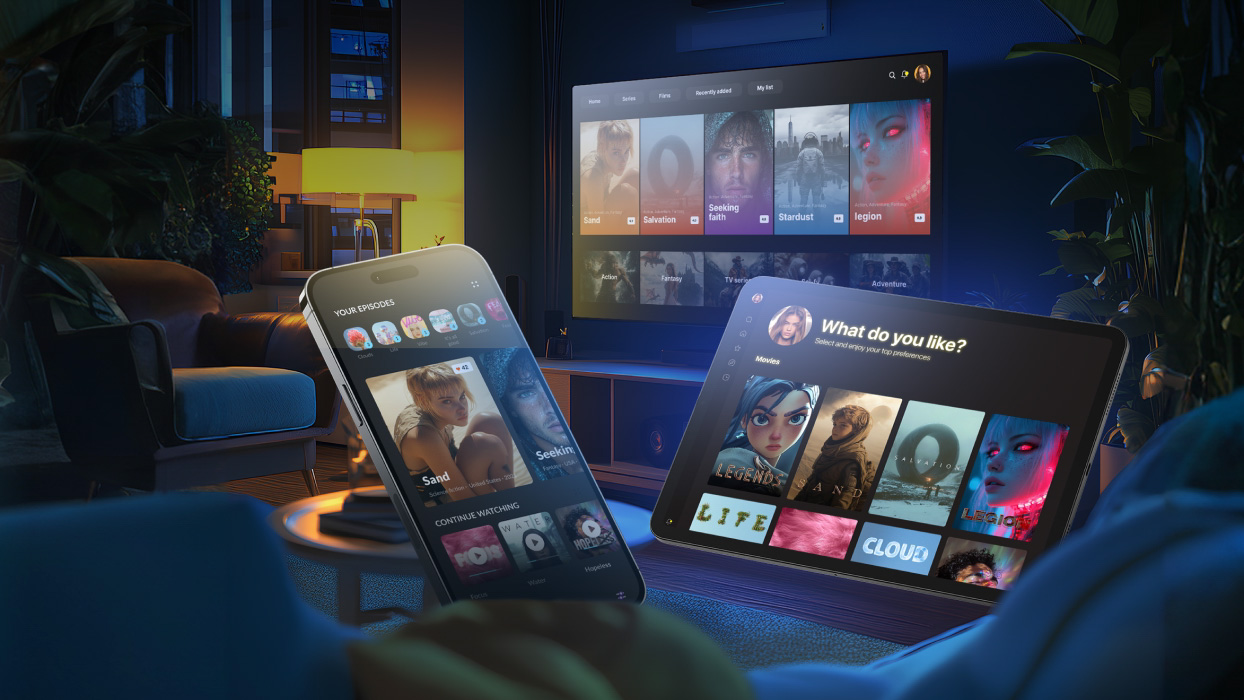
A global telco needed a fast, flexible Android TV app they could roll out across multiple countries. We built a modular white-label solution with a single codebase, covering TVs, STBs, and mobile, and ready to launch on 25+ devices.
What made it work:
How did we achieve blistering speed and seamless scalability? The answer lies in smart architecture.
1. Official guidelines, tools, and best practices from Google for developing apps for Android TV — Android TV Developer Documentation
Developers typically use Kotlin and Android Studio along with TV-specific frameworks when creating Android TV apps. The Leanback library is popular for standard TV layouts, while Jetpack Compose for TV offers more design flexibility. ExoPlayer is the main choice for video playback with adaptive streaming, and DRM tools like Widevine help protect licensed content. They also integrate analytics, voice search APIs, and reliable media pipelines to ensure smooth performance across many devices.
Content discovery is a vital point to note when developing Android applications for Smart TVs because many viewers rely on voice search and home screen recommendations instead of opening apps directly. By using TV Provider APIs, adding rich metadata, and creating content channels, developers make sure videos appear in system suggestions. This helps increase both app visibility and user engagement.
Multiple companies specialize in Android TV app development, focusing on building apps for platforms like Android TV, Fire TV, Apple TV, and webOS. Typical services include navigation optimized for the 10-foot viewing experience, adaptive video playback, DRM integration, multi-device testing, and modular architectures for scalable and maintainable apps. Oxagile is one example of a company operating in this space.
Android TV app development best practices focus on optimizing the user experience for a 10-foot interface. This means navigation without touch, so every screen has a clearly defined focus element and users can move predictably with the D-pad.
It also involves supporting a variety of remote types, testing thoroughly across real devices, accounting for vendor-specific quirks, and making sure content is discoverable. Following these principles forms the foundation of a robust Android TV app development solution that feels native and reliable on every device.
Android TV design guidelines emphasize clarity, simplicity, and usability, especially for users interacting from a distance. This includes focus-based navigation, when each screen has a clear starting focus, and its logical flow. It also means giving preference to large, legible typography for visibility at a distance and clear visual hierarchy and content grouping. Screen safety zones matter too, so avoid placing critical UI elements at the edges of the screen to prevent cropping from overscan.
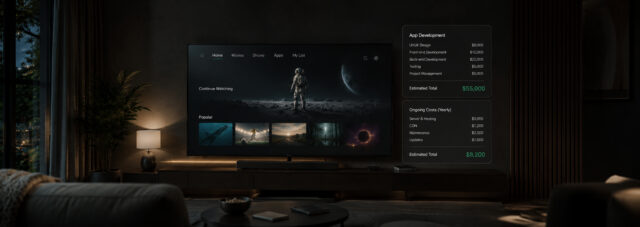
Price and duration depend on how much the app must handle and how polished it needs to feel. A minimal Android TV app with basic navigation and content display can land in the low five figures and take a couple of months. A media-heavy app with adaptive playback, metadata, recommendations, and support for Fire TV and operator boxes can stretch to half a year or more and require a substantially larger budget.
Factors like focus logic, overscan-safe layouts, voice search indexing, and real-device testing shape both cost and schedule when you develop Android TV app solutions.

