Android TV App Optimization: Expert Insights for Building Fast, Stable, and TV-Native Experiences

Table of contents
- The engineering realities behind building for TV platforms
- The platform reality: What makes Android TV optimization its own discipline
- Navigation, focus, and remote logic: The core UX constraints
- Designing for the big screen: Clarity, spacing, and visual stability
- Multimedia under load: The stress points that shape real performance
- Testing and debugging in the real world
- Final thoughts on Android TV app optimization
The engineering realities behind building for TV platforms
Android TV has a particular way of exposing everything an app does well and everything it doesn’t. The distance, the hardware limitations, the fragmentation, the remote-driven input model: all of it creates an environment where assumptions die fast and only deliberate engineering survives. If a layout is fragile, if navigation logic is sloppy, if media handling is inefficient, the TV will show it immediately, without subtlety.
Optimizing for Android TV means working with a platform that refuses to hide flaws. It forces developers to treat focus management, remote behavior, multimedia performance, and rendering constraints as first-class citizens, not afterthoughts. What feels smooth on a phone may fall apart on a low-endset-top box; what looks crisp on a monitor may blur into unusability from across the room; what passes QA on an emulator may fail within minutes on a real Sony or TCL. Android TV doesn’t give gentle hints; it gives binary outcomes.
Many engineering teams run into these challenges when they expand their Android TV app development efforts beyond mobile thinking and into the realities of the 10-foot interface. And this is where optimization stops being a late-stage polish and becomes a structural part of how the product is designed: from the way focus behaves on the very first screen to how your media pipeline tolerates weak hardware or long playback sessions.
In the following sections, we’ll look at Android TV the way engineers who ship production apps see it: through the lens of constraints that actually matter. You’ll see why focus logic becomes the backbone of UX, how typography and spacing behave at a ten-foot distance, what makes multimedia pipelines succeed or stall, and why testing on emulators is a fast track to self-deception.
Key takeaways:
- Android TV is not just a larger Android screen. It is a different operating environment with weaker hardware, remote-only control, and vendor-specific behavior that changes how the whole app feels in practice. Mastering Android TV app performance optimization techniques starts with understanding these baseline constraints.
- Distance reshapes the interface. Typography, spacing, contrast, and layout hierarchy have to read clearly from across a room, or the screen starts to feel cluttered and hard to parse.
- Remote navigation is the main interaction model, so focus behavior matters as much as visual design. A broken focus chain, a dead end, or a jump to the wrong tile can derail the entire experience.
- Different TV brands and boxes do not behave the same way, even under the same Android version. OEM layers, key mappings, overscan, firmware quirks, and background process handling all shift how the app runs.
- Playback performance carries most of the load. Codec support, bitrate ladders, buffering strategy, caching, DRM overhead, and subtitle rendering shape whether video feels smooth or fragile and should be thought through when deciding how to optimize Android TV performance.
- Testing on emulators is not enough. Real devices reveal delays, memory drift, remote latency, decoder quirks, and network sensitivity that never show up in a controlled desktop setup.
- Long sessions expose the real cracks. Stability on Android TV comes from the combined behavior of navigation, rendering, decoding, and device-specific limits under hours of continuous use, not from one clever fix.
The platform reality: What makes Android TV optimization its own discipline
Android TV doesn’t behave like “Android, but bigger”. It behaves like a separate ecosystem with its own constraints, failure modes, and rules of engagement. The hardware is weaker, the UI is viewed from meters away, the remote is the only input device, and different vendors reinterpret the platform in ways that can’t be predicted from documentation alone. Optimizing an app for this environment means understanding these conditions not as obstacles, but as the baseline the product has to live with.
Hardware that exposes every inefficiency
Even modern TVs ship with CPUs weaker than mid-range phones from several years ago.
Memory profiles are inconsistent, GPU performance varies widely, and cheaper operator boxes often introduce custom firmware behaviors on top of already limited specs. In this environment, “inefficient but acceptable” mobile patterns — oversized bitmaps, unnecessary background tasks, fragmented layouts — turn into jitter, input lag, and visible rendering issues.
Android TV is unforgiving in that sense: if something is borderline slow on mobile, it will be visibly slow here. This means that it’ll take a lot of effort to try to reduce Android TV app load time.
Distance changes everything
A ten-foot viewing distance transforms UX. Typography, spacing, contrast, and layout decisions that feel carefully balanced on a handheld screen lose clarity from across the room. Users rely on clear grouping, stable layouts, and strong visual hierarchy rather than fine-grained visual detail. Any ambiguity in structure or emphasis quickly turns into friction.
Remote-driven navigation as the core input model
With Android TV, the D-pad is the UI. Optimization begins with the assumption that every screen must behave consistently under directional navigation, because a single broken focus transition breaks the entire flow. And because each vendor interprets remote events differently, engineers often discover edge cases only when the app hits real hardware. This is one of the few platforms where input latency, not gesture design, determines user satisfaction.
Vendor layers and unpredictable deviations
Two TVs running the “same” Android version can behave differently. Philips might handle overscan one way, TCL another; Xiaomi boxes may impose aggressive battery-like restrictions on background processes; some Sony models override media behavior through vendor services. These device-specific quirks and Smart TV app development challenges should be considered as performance factors and shape how engineers think about focus management, safe areas, and consistent input handling.

Looking to strengthen your Android TV app performance even further?
Optimizing a TV app means working within a platform that exposes every weakness — from navigation logic to media stability — and rewards teams who design with these constraints in mind. If you’re scaling a video product or bringing it to big screens, our Smart TV engineers can help you refine the experience across devices and viewing conditions.
Navigation, focus, and remote logic: The core UX constraints
Navigation on Android TV has its own physics. The entire interaction model is built around fixed directional movement, rather than touch or gestures. Any inconsistency becomes immediately visible, especially from a distance. What feels like a minor UX detail on mobile turns into a structural issue on TV because users rely on spatial predictability rather than precision.
Take a second to see the real TV UX reality
Remote input
Navigation is limited to directional presses.
- Fixed action set: up / down / left / right / select / back
- No fine targeting or gestures
- Input delay varies by device
Focus logic
Every screen needs a stable focus path.
- Clear initial focus on load
- Predictable movement between items
- No “dead zones” or jumps
OEM differences
Devices interpret core behaviors differently.
- Key codes differ across remotes
- Long-press handling inconsistent
- Some vendors override system services
Overscan
Not all TVs display the full screen.
- Edges may be cropped
- Critical UI must stay inside the safe area
- Hints and labels near borders become invisible
Latency sensitivity
Any delay quickly breaks the experience.
- Slow focus highlight feels “heavy”
- Layout thrashing increases input lag
- Remote hardware itself adds variability
Distance visibility
UI must stay readable from several meters away.
- Larger typography and spacing
- Strong contrast hierarchy
- Minimal visual noise
Remote-first interaction: The logic that shapes the entire flow
A D-pad creates a very narrow vocabulary of actions: left, right, up, down, select, and back. The app must respect that rhythm. Users expect each press to take them somewhere meaningful, not somewhere random, and not nowhere at all. If a highlight jumps unpredictably between cards or slips to a non-interactive element, the experience breaks even if the screen design looks polished on paper. From across the room, hints and subtle markers often go unnoticed — what matters is whether movement feels intentional and consistent.
Focus chains: Simple in theory, fragile in production
Focus management becomes complex the moment the interface includes carousels, grids, modals, drawers, or overlays. Each of these layers adds permutations: where focus starts, what happens at row boundaries, how the app behaves when an item disappears while focused, how deeply nested screens return focus to the correct place. Teams that repeatedly optimize Android TV performance tend to build mental “focus maps” before building the UI. It reduces surprises and prevents the most common navigation regressions.
Remotes that behave differently across original equipment manufacturers (OEMs)
Physical remotes differ more than most teams expect. Some include only the basics; others come with color buttons wired to specific functions; some operator remotes map their keys to unexpected Android key codes; certain devices handle long-press differently. In practice, this means that a stable navigation model must work across multiple input patterns, not just the emulator’s version of a generic remote.
Overscan and safe areas
Some TVs still crop the outer edges of the frame. If labels, menu items, or focusable elements sit too close to the border, a portion of users may never see them. It’s a quiet but very real source of navigation failures, and it doesn’t appear in Android Studio. Safe areas on TV screens aren’t good design practice, but a guardrail that prevents invisible UI.
Input latency as a tangible UX factor
Remote input has a delay. On some devices it’s barely noticeable; on others, it’s part of the personality. If scrolling or focus transitions introduce additional latency on top of that, the experience starts to feel heavy. This is why layout stability, lightweight UI structure, and avoiding unnecessary redraws directly contribute to how smooth the app feels. Users don’t measure frame times; they sense whether the interface listens to them or hesitates.
Designing for the big screen: Clarity, spacing, and visual stability
Optimizing Android TV performance is not only about code paths or decoding efficiency. A large part of perceived speed on TV comes from how well the interface communicates at a distance. Users don’t scan TV screens like mobile displays — they orient themselves by large shapes, strong contrast, and predictable spatial structure. Any ambiguity here immediately turns into friction.
Typography that survives distance
From two or three meters away, fine detail disappears. Ultra-light fonts, compact spacing, or subtle contrast stop working.
- Primary text must be large enough to register instantly
- Line spacing should support quick scanning, not density
- Thin weights and soft contrast reduce readability on many panels
Designers who care about how to optimize apps for Android TV often adjust typography early, not as a cosmetic step.
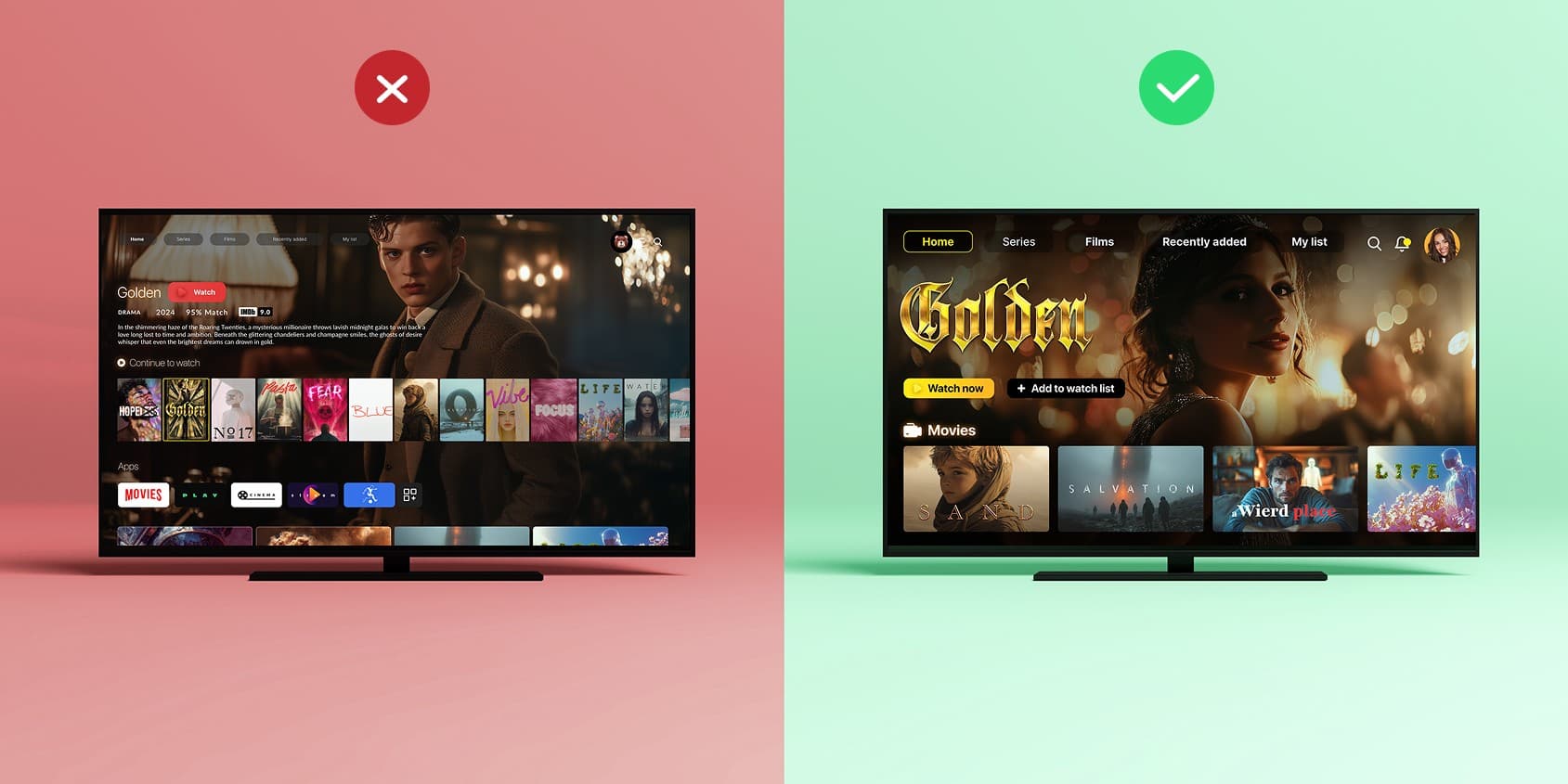
A hierarchy users can interpret without effort
A TV interface demands a more architectural sense of structure than mobile.
- Prominent grouping helps users form a visual map of the screen
- Overly dense grids feel chaotic from a distance
- Visual rhythm (consistent tile sizes, equal gaps) matters more than decoration
When users can decode the layout at a glance, everything feels faster, even before any real optimization happens.
Safe areas as a practical constraint, not a design flourish
Some TVs still crop the outer edges of the frame.
- Interactive elements must stay comfortably away from the borders
- Labels and hints near the edges risk being partially invisible
- Decorative elements can live in the outer zone, but not core controls
Overscan doesn’t affect every device, but when it does, it breaks UX instantly.
Choosing the right UI toolkit
TV UI isn’t a “scaled-up mobile UI”, and the tools reflect that.
- Leanback provides predictable, TV-native patterns for rows, cards, and browsing
- Jetpack Compose for TV allows more expressive layouts, though still evolving
- Custom views work when navigation logic or visuals go beyond standard frameworks
Teams often mix approaches, depending on how demanding the layout is.
Multimedia under load: The stress points that shape real performance
On Android TV, most user complaints stem not from the UI, but from how the app handles video, audio, digital rights management (DRM), and switching between formats. These are the areas where weak hardware, vendor quirks, and decoding limitations reveal themselves instantly and where Android TV app optimization has the biggest impact.
Stress point 1: Codecs and adaptive streaming
Different devices support different decoding capabilities, and “recommended” codecs don’t behave consistently in the real world.
Why it matters
A mismatched codec or an aggressive bitrate ladder can break playback on lower-end or older OEM models.
Watch for:
- H.264 / H.265 as the safest baseline
- VP9 or AV1 support that varies by vendor and firmware
- Hardware vs software decoding inconsistencies
- Adaptive streaming (DASH/HLS) that needs a realistic lowest bitrate
Engineering reality:
Teams that try to optimize Android TV performance often start with the bitrate ladder — because it controls startup latency more than any UI operation.
Stress point 2: Buffering, preload, and memory caching
No TV user tolerates long waits. A startup delay that feels “fine” on mobile turns into “this app is slow” on a 55-inch screen.
Critical factors:
- Preloading the first segments to reduce time-to–first-frame
- Memory caching for thumbnails, previews, and scrubbing
- Buffer sizing tuned per device class (not a single global setting)
- Fallback rules for unstable networks
Common pitfall:
Developers tune for flagship devices and low-end set-top boxes stall instantly.
Stress point 3: DRM as part of the performance budget
Widevine and PlayReady protect content, but also add work: CPU load, network calls, and decryption steps.
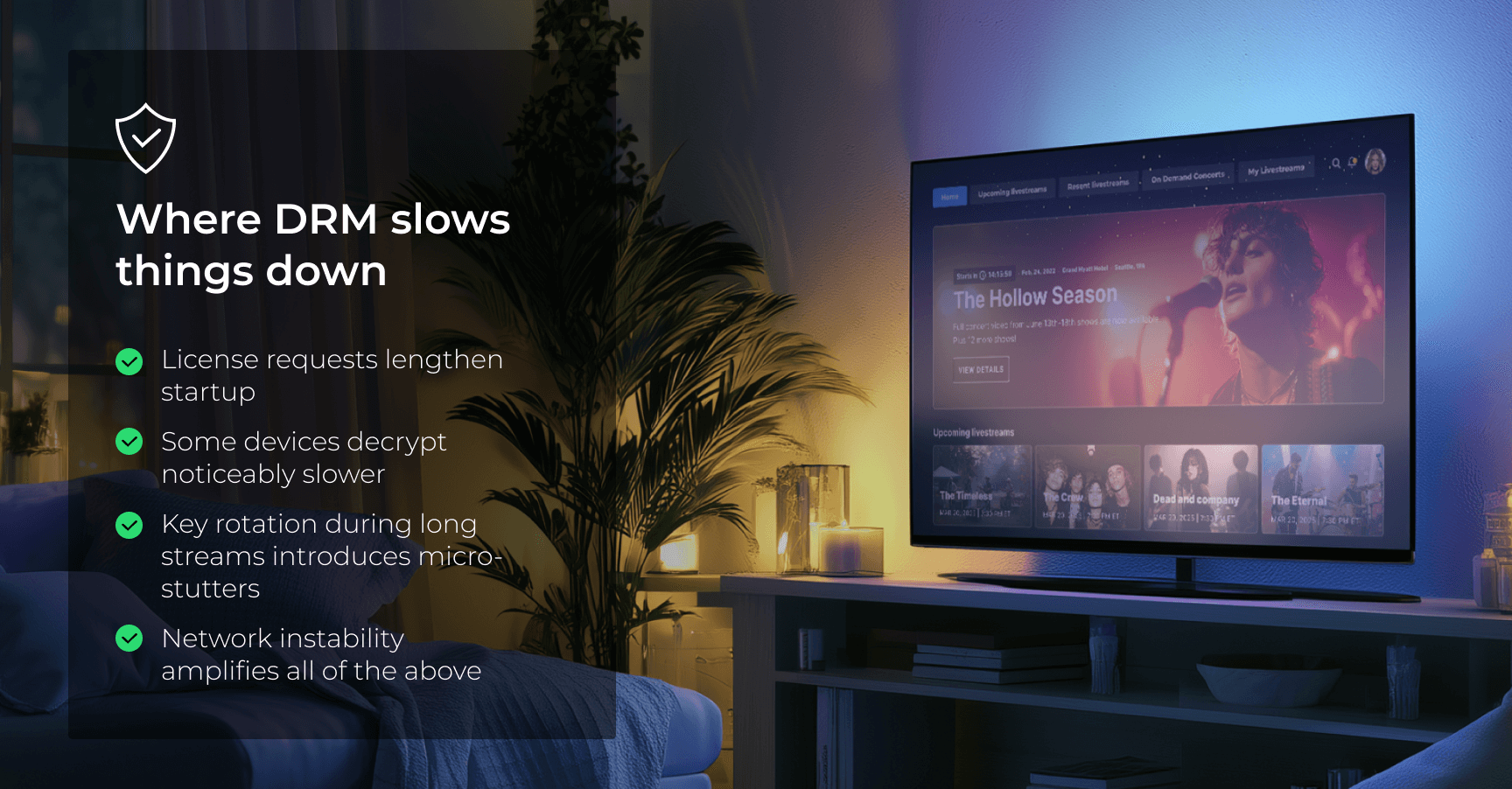
What matters for optimization:
Treat DRM as part of the playback pipeline, not as an isolated module.
Stress point 4: Subtitles and audio tracks
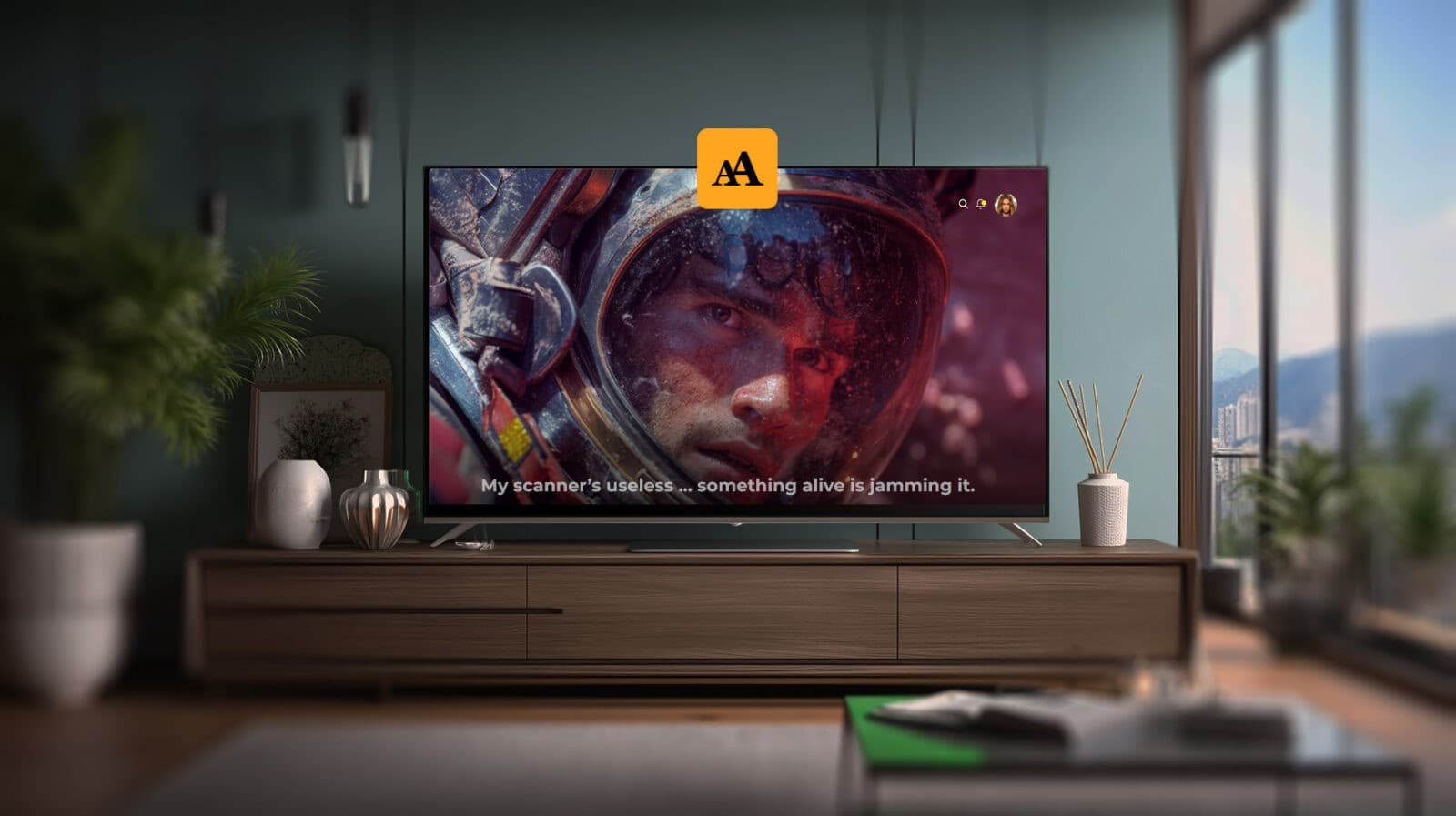
On TV, subtitles and audio aren’t optional — they’re part of the core UX, especially for global content.
Pay attention to:
- Font size that remains readable from 2-3 meters
- Contrast and shadowing to prevent blending with video
- Seamless audio track switching
- Localized fonts that don’t break layout on 4K screens
Hidden gotcha:
Subtitle rendering can introduce extra CPU/GPU load on weaker devices, and most teams don’t profile it until too late.
Case in point: A project defined by big-screen streaming demands
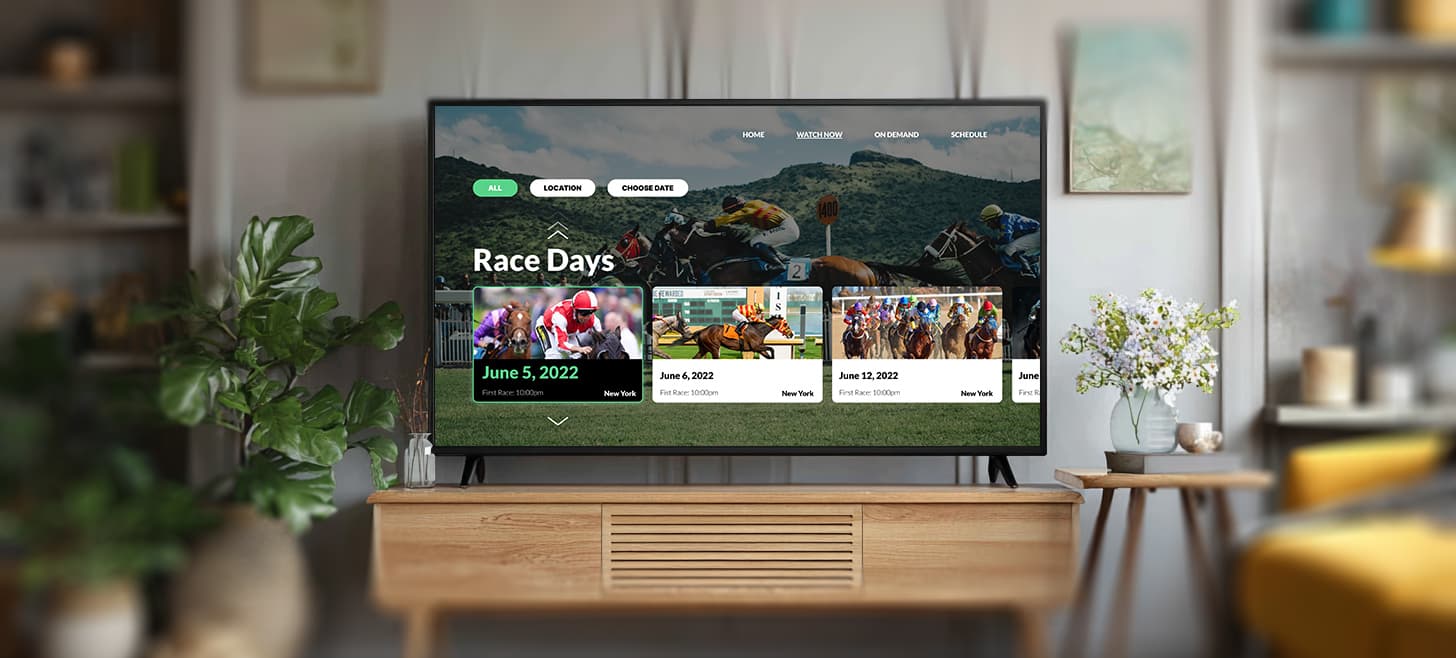
Oxagile’s work on a Fire TV application for a racing broadcaster showed how big-screen platforms tend to surface similar constraints, regardless of whether the target device is Android TV or Fire TV.
The product had to support long-running live streams, rapid camera switches, and uninterrupted playback, and the device quickly revealed where bitrate logic, decoder behavior, and UI timing needed refinement.
These findings mirror what teams routinely encounter on Android TV as well: extended viewing sessions, hardware variability, and sensitivity to subtle performance decisions shape the experience more than any individual feature.
Testing and debugging in the real world
Testing Android TV applications means confronting how differently real devices behave compared to the tools developers use every day. Teams working on Android TV app optimization quickly notice that emulators create a controlled, predictable environment, and real hardware does the opposite. Remote latency varies from model to model, overscan can quietly hide parts of the UI, and hardware decoders respond inconsistently to the same stream. None of this appears in Android Studio, yet all of it defines how users perceive the app.
On a modern Sony panel, navigation may feel sharp and responsive, while the same build running on a mid-range TCL introduces tiny delays that make the interface seem heavier. Memory constraints also differ widely: some devices maintain stable performance throughout long playback sessions, others gradually slow down as background processes get terminated or as buffers accumulate. When a team aims to genuinely optimize Android TV performance, these device-level nuances matter more than any synthetic benchmark.
Emulators don’t reveal issues triggered by real-world conditions. They won’t show aggressive vendor processes that pause playback, or subtitle rendering overhead that appears only on weaker hardware. They don’t simulate network instability, inconsistent key codes, firmware quirks, or long-session memory drift. An app may appear perfectly stable in a controlled environment and behave unpredictably the moment it reaches a consumer’s living room.
A reliable testing pipeline covers multiple OEMs, not one or two. A premium Sony or Philips model gives only a partial picture; Xiaomi boxes, operator devices, and older panels expose very different constraints, from decoder limits to unexpected lifecycle interruptions. When a specific device class exhibits stalls, jitter, or navigation gaps, the root cause can sit anywhere — bitrate ladders, DRM configuration, UI redraw patterns, or even a fragment transition that forces more work than intended.
Debugging on Android TV is less a checklist exercise and more an extended observation of how the app behaves over time. Stability emerges only when the product survives hours of continuous playback, fluctuating networks, repeated navigation patterns, forced interruptions, and diverse hardware conditions. This is why experienced teams, including Oxagile’s Smart TV engineers, treat real-device testing as a foundational layer of development rather than a finishing step.
Final thoughts on Android TV app optimization
Android TV has a way of revealing how well a product is engineered long before anyone looks at metrics. The platform is shaped by distance, limited input, uneven hardware, vendor specifics, and long, uninterrupted viewing sessions that quietly expose weak spots. When teams focus on Android TV app optimization, they’re aligning navigation, visual structure, and multimedia performance so the application behaves consistently across devices that were never designed to behave consistently with one another.
The challenges discussed throughout this article form a practical picture of what developers encounter once an app moves from controlled testing to real living rooms: small delays amplified by remote input, layout decisions that behave differently at scale, codec limitations that change from model to model, and playback logic that needs to remain stable for hours.
A more step-by-step, structured view of the same territory — from platform planning to store submission — is offered in the long-formAndroid TV app development guide, which approaches the subject from a procedural angle rather than through field observations.
In the end, a reliable TV experience doesn’t hinge on one subsystem. It emerges from how well navigation, rendering, decoding, timing, and device behavior reinforce one another under everyday conditions. Applications that hold together in those circumstances are the ones users describe as smooth, clear, and predictable — the qualities that define strong Android TV performance, regardless of how the ecosystem changes over time.
Building beyond Android TV?
Many platforms share the same underlying challenges, including input constraints, media stability, and fragmented hardware. If you’re scaling a video product across multiple ecosystems, a multiscreen approach helps maintain consistent behavior where device differences are most pronounced.
FAQ
What is Android TV app optimization in the context of long viewing sessions?
Android TV app optimization in this context focuses on maintaining stability during extended playback rather than short operational bursts. It includes observing how the app behaves after an hour or more of continuous use, how memory patterns evolve over time, and how reliably the player recovers from subtle network fluctuations or device-specific interruptions that only appear deep into a session.
How to optimize apps for Android TV when device capabilities vary widely?
Optimizing apps for Android TV under uneven hardware conditions often comes down to designing logic that adapts gracefully to weaker devices. That may involve conditional decoding paths, conservative fallback profiles for low-end models, UI transitions that minimize layout recalculation, and a playback strategy that avoids assuming uniform processing speed across the ecosystem.
How can teams optimize Android TV performance when multiple input models must be supported?
Optimizing Android TV performance when different remotes and input configurations are in play requires ensuring that navigation logic remains coherent regardless of any additional buttons, key-code differences, or variations in repeat rate. This usually means validating interaction flows across several physical devices instead of relying on a single “representative” remote.
What are the Android TV performance optimization best practices for creating a stable app experience across devices?
Android TV performance optimization best practices are about addressing the unique constraints of TV platforms, which typically include limited hardware, remote-driven navigation, and device fragmentation. Some major recommendations include working on stability in focus transitions and focus paths, as well as optimizing UI rendering by reducing unnecessary redraws and minimizing layout thrashing. Apart from emulators, real-world testing on multiple TV models is a must, since you should account for and accommodate vendor-specific variations.
What strategies can developers use for improving Android TV app performance metrics?
To successfully tackle improving Android TV app performance metrics, developers must speed up the app’s launch time by preloading essential resources and buffering content. Additionally, proper memory management is critical, especially during extended playback sessions, as well as optimized video pipelines for various devices. Minimizing input latency and handling navigation responsiveness, altered media playback, and smooth focus transitions can all contribute to improving the metrics too.