









This website uses cookies to help improve your user experience


“No student will leave unhappy, no profit will slip” — the motto that is likely to fuel your decisions if you’re on the way to build a red-hot educational app. But how do you turn it into more than just a bald claim?
Oxagile’s team of EdTech software developers and business analysts decoded the steps of meaningful eLearning app creation that is bound to gain a reputation of an exciting and trustworthy educational source.
Based on extensive experience, they cover all nuances that should be given attention to during the mobile learning app development workflow. They’ll take you through the process of conscious creation, in contrast to “developing an app for the sake of developing”, and end with tips, advice, and rethought common practices that can be implemented differently and more effectively.
The educational technology sector is no longer an emerging niche — it has become a massive, fast-scaling industry attracting both consumer and enterprise investment. For many businesses, the first big question is how to create an educational app that stands out in this crowded market. The figures clearly show that now is a strong moment to take this step.
Prioritize mobile-first learning flows and offline-ready content (to meet usage patterns), plan enterprise integrations and analytics early if you target B2B/B2E, and differentiate on measurable outcomes and UX, not just feature lists.
Besides, companies prefer to improve the skills of existing employees rather than hire new ones, which makes corporate training apps a major growth driver.

Expert perspective
“Though it might seem like the pandemic period formed intense competition with a variety of eLearning apps, it’s apparent that many new ones are taking over the ecosystem with fresh ideas, niche solutions, or by offering multifunctional apps that compile the best practices of existing apps on the market.”
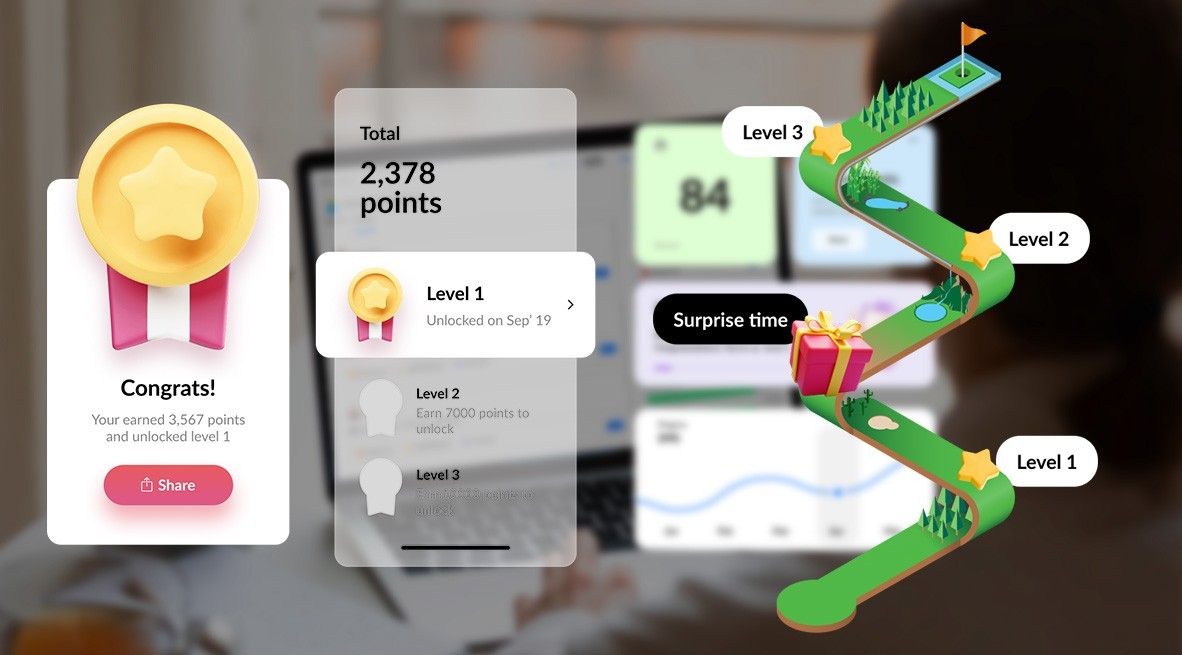
Drawing from our experience and a comprehensive analysis of the market, the current top-ranking applications are those that tap into the following hottest EdTech trends:
Expert perspective
“Unlocking the power of audience segmentation, real-time monitoring of ad performance, analysis of user behavior and their satisfaction with the content goes beyond highlighting the areas that require optimization right now. It gives the chance to forecast future trends, user preferences, and even campaign results.”

There are two main categories of educational applications, divided by the type of interaction: “Human-Machine” and “Human-Teacher.”
In the case of “Human-Machine” apps, interaction takes place directly between a student and a computer program. The platform serves more as an interactive tutorial used by a learner independently.
“Human-Teacher” apps, on the other hand, imply interaction between the teacher and the student. This model increasingly extends to peer-to-peer setups, where learners can also act as teachers, sharing knowledge and practical insights within a digital community.
Expert perspective
“It is also important to highlight the category of B2B or corporate training apps. These platforms (often implemented as LMSs) introduce distinctive technical peculiarities, such as hierarchical structures that allow managers to track employee progress and outcomes. An essential feature is integration with corporate services, ensuring that training processes align with specific business needs and workflows.”
If we delve deeper into the content of educational apps, we’ll come across an array of options, approaches, and formats that can be used to deliver educational content, such as:
Together, these categories and subtypes illustrate the diversity of eLearning solutions — from child-focused experiences to large-scale corporate academies — each with distinct technical and business requirements.
Starting a project from scratch might sound overwhelming, but fortunately when it comes to educational app development, there’s a science and an art to it with very defined elements and stages. If you’re wondering how to build an education app step by step, the most practical way is to combine structured design models with agile testing, ensuring the product finds its market fit early and scales effectively.
To ensure smooth and effective mobile learning app development, carefully study potential users, conduct research on their needs, wishes, and pain points. For client-facing projects, it is equally important to clarify the “why” — what business problem or learning gap the app is solving.
Competitor research also enables refining the original idea and tailoring solutions to the market.
At this step educational app developers describe tasks, elaborate milestones, define deadlines and metrics that we want to achieve/what we will measure, choose between preliminary A/B testing or launch into production without A/B tests.
Ensuring the viability of an idea and its alignment with market demands is crucial. This involves verifying if there is a demand for the concept and if it satisfies the “market fit” criteria. For companies planning to create eLearning app solutions quickly and cost-effectively, the MVP approach is the most practical option, delivering a working product in 1–3 months while testing assumptions with real users6.
The MVP implies that once you create a concept, the next step is to develop the initial working version of the product, which can be shared with a select group of users. Maintaining continuous communication with these users and gathering feedback enables testing the existing hypotheses, as well as formulating new ones.
Expert perspective
“When it comes to startups, business intelligence and serious work with requirements slow down the process of developing an educational app. But at the end of the day, most hypotheses are not confirmed, making all the time and effort spent to build an educational app useless. So, the best option is to always implement and verify ideas as quickly as possible with the MVP.”
After testing, and in case of successful release of the product, the idea can continue its development and you can safely create an educational app with additional features and enhancements. When the product is launched, the data is tested for a certain period (a week, a month, six months) and then conclusions are made as to whether the idea is worth pursuing further or it’s better to pause, go back, and reconsider the actions taken.
Expert perspective
“To get the process of educational app development off to a perfect start, it is important to have:
Unlike just fulfilling individual client requests or fixing bugs, we can create an educational app from its very start to full completion, including all stages of development. This approach is formalized in the ProCD framework, which structures the process into three continuous cycles: Learn, Build, Measure.
There are 3 fundamental questions at the core of all processes when we develop an educational app, which are essential for a successful workflow.
Answering these questions is vital to understand the competitive landscape and then come up with specific actions that will best serve the audience.
This is the stage of direct implementation of the plan drawn up in the Learn phase. This is where the focus is on creating the overall structure of the application, defining components, designing the user interface, and coding the application according to the defined architecture. Tool selection is tailored per project, with openness to methodologies like Jobs-to-be-Done if clients request them.
Expert perspective
“When we create an educational app, we pay particular attention to the tools we use to make sure they meet the needs of each client. But while it’s crucial to offer our recommendations on the selection of tools that are best suited to a particular project, it’s also great to be open to new ideas. So, if a client shows, for example, an interest in the “Jobs-to-be-Done” methodology, we will be happy to apply it and experiment together.”
This step implies that as soon as we complete some new functionality, we need to understand if it turned out as expected. This stage emphasizes continuous feedback loops — feature usage data, learner satisfaction, and market response all feed into the next sprint.
Expert perspective
“All these steps involve cyclicality, meaning that we don’t gather market information, target audience data, and settle for the results just once — this process happens continuously.
For instance, if we want to implement a new feature, we check if anything has changed in the market. Then we gather information about how we developed that feature, realize that we are on the right track, achieving great results, and can start improving it.
We take all this into account when planning the next scope, adding new elements, conducting further research, reaching out to our customers, asking new questions, and exploring new competitors, then we set off to build again.
In other words, planning, executing, and evaluating the results is an endless iterative process.”
If a client comes to us with a desire to approach the matter thoroughly and make an educational app by all canons, the recommended way is to start with a structured discovery phase that typically lasts 1–2 months (or can be compressed to 1–2 weeks in urgent cases).
If there is no opportunity for a full discovery, the process can begin with a shortened Learn step: collecting only essential insights before moving into design and development. This “fast track” reduces upfront depth but enables quicker time-to-market.
In both scenarios, discovery activities run in parallel with data gathering on the client and target audience. This dual approach ensures that even accelerated projects remain grounded in real user needs.
Thanks to accumulated expertise, Oxagile provides ready-made templates for both tracks — comprehensive discovery or hypothesis-driven fast launch. These templates shorten ramp-up time, clarify responsibilities, and reduce risks during early development.

Take advantage of a detailed template breaking down each step of the workflow and uncover the ways to reduce your time-to-market.
Since the selection of features greatly depends on how the product is positioned, it is crucial to treat each educational app on an individual level. Still, there are baseline capabilities most successful apps share — especially in language learning and skills-building scenarios. For teams exploring how to create an app for education, these features form the foundation of a scalable and engaging product.
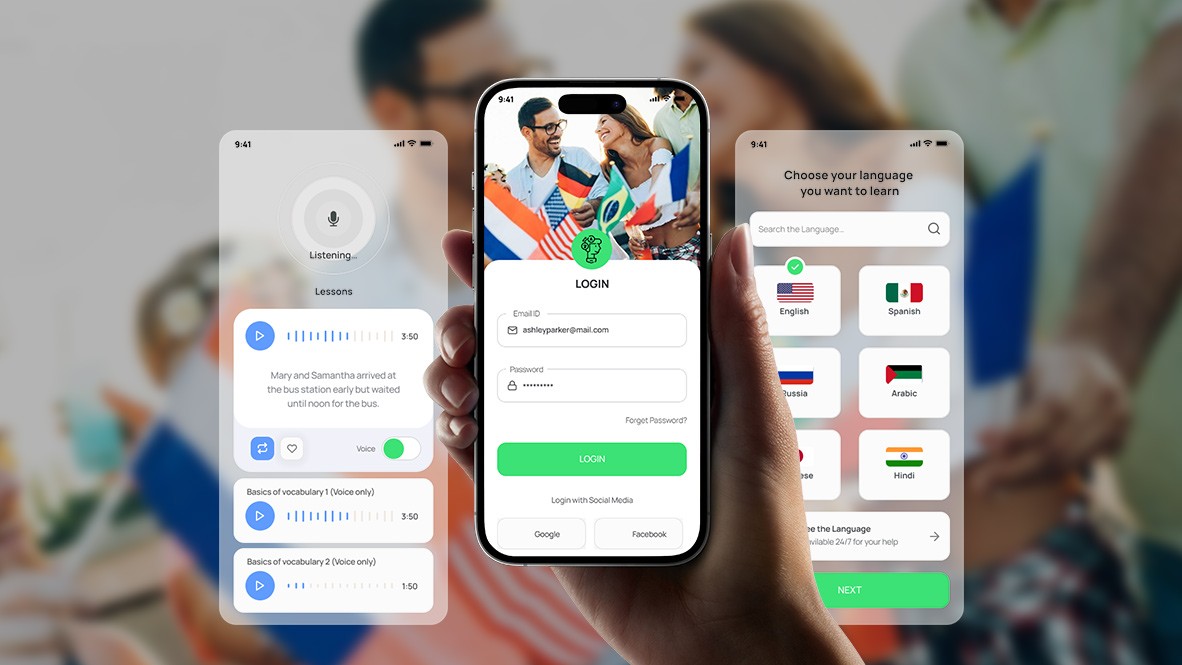
Core features include:
Advanced features:
Expert perspective
“The creation of certain features in language learning apps is also often driven by the needs of a client, which can generally be subdivided into business and technical.
Business features may include:
Whereas technical feature may comprise:
In every project, the team’s composition depends on:
An example of a team that will excel in developing an educational app includes:
Expert perspective
“The team must be self-sufficient, cover all current needs, and grow or shrink to fit the needs and plans of the business.”
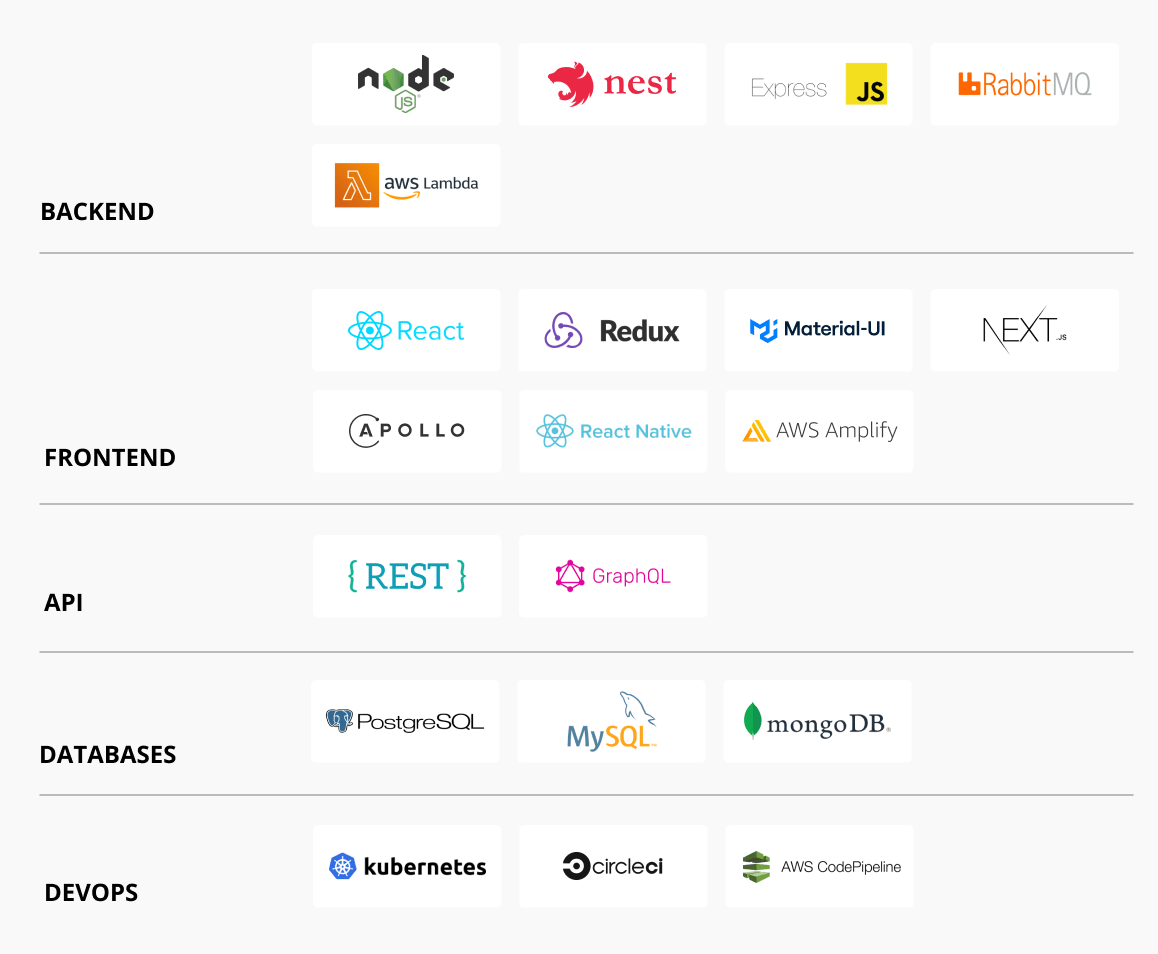
Since there are many factors, there isn’t an instant and precise answer to the question of cost estimations. Besides, it depends on the number of professionals who are handling various areas of the development process, raising the associated costs.
On average, the first stage of education app development — creating an MVP with core functionality — takes 1–3 months and requires an investment of about $50K–$100K. After successful MVP validation, companies usually proceed to a full production version, which may take 9–12 months and cost around $1M6.
Other cost drivers include the number of integrations (e.g., third-party systems, payment gateways), the scale of AI personalization features, and whether both iOS and Android native apps are developed in parallel.
Careful planning at the MVP stage reduces long-term costs: by validating features early, teams avoid unnecessary spending on untested ideas.
If you’d like to cater to different user preferences and business models, eLearning apps offer various payment options.
Expert perspective
“The freemium model, which is a combination of free and paid content, is quite successful today in the world of mobile learning apps as it provides an opportunity to attract a large number of users by giving them a chance to try out basic functionality for free and see if the product meets their expectations.
On the other hand, the subscription model can cause certain issues: users, especially in a saturated app market, may face a dilemma in deciding whether to pay to use your eLearning app, or turn to the many free alternatives that are currently on the market.”
“Usually, advertising goes hand in hand with free subscriptions. And while using ads through Google AdWords is not particularly good in educational apps, developers often bundle ads with their product partners.”
And while these are the core elements worth considering before starting the development of an educational app, there are still many factors, pitfalls and intricacies businesses need to be aware of.
From translating business ideas into clear development requirements to choosing the right monetization model, and from calibrating processes to scaling with modern technologies — every step matters.
The difference between a basic app and a sustainable EdTech product lies in structured planning, iterative validation, and strong technology choices.
If you want to know how to create your own educational app and bring it to market faster and more cost-effectively, contact us. We’ll share hands-on product development experience as well as deep EdTech domain knowledge to support your project success.
1. Grand View Research — E-learning services market size, share & trends
2. Grand View Research — Mobile learning market size & forecast
3. Grand View Research — Corporate e-learning market size & forecast
4. 42matters — App Store & Google Play statistics
5. Analysis Group for Apple — The Global App Store and Its Growth
6. Grand View Research — Education app development market: MVP cost analysis

