eCommerce Replatforming: How to Move Platforms Without Stopping Trade
Table of contents
- What is eCommerce replatforming, and how is it different from a migration?
- When does replatforming pay off?
- What separates a routine replatform from a high-risk one?
- What are the real risks, and where do most projects actually fail?
- How do you sequence a replatform without stopping trade?
- How do you keep the customer experience intact during the move?
- Which platform should you move to?
- How long does replatforming take, and what does it cost?
A new eCommerce platform can be live, taking payments, and serving customers perfectly well while the migration behind it is already going wrong.
The first signs often appear somewhere less visible. For example, finance finds orders it cannot reconcile, inventory starts drifting between systems, a customer account loses part of its history, or Google keeps sending traffic to URLs that no longer resolve correctly. By then, the cutover everyone was worried about is weeks in the past.
eCommerce replatforming carries so much risk because years of business logic have accumulated around the storefront. Catalog data, pricing rules, promotions, payments, fulfillment, returns, customer records, analytics, and third-party integrations all have dependencies that need somewhere to go.
So an aging platform alone is a weak reason to replace it. Replatforming in eCommerce and retail starts to make economic sense when the current stack blocks changes the business needs. That might mean entering a new market takes months, integrations keep getting harder, peak traffic requires expensive workarounds, or basic commerce changes have turned into engineering projects.
This guide looks at that decision and the engineering work that follows, including migration sequencing, data reconciliation, and cutover. These are also problems we work on as part of our eCommerce development services.
Key takeaways:
- Replatform when the current stack has a measurable business cost, such as lost orders, delayed launches, rising maintenance spend, or manual reconciliation.
- Integration and data complexity tell you more about migration risk than catalog size or the platforms involved.
- Move capabilities in phases and leave checkout until late in the sequence, after lower-risk parts of the new stack have already run in production.
- Treat data reconciliation and customer state as cutover work. Orders, refunds, loyalty balances, saved payment methods, and account history need clear ownership while both systems are live.
What is eCommerce replatforming, and how is it different from a migration?
Replatforming changes the commerce engine underneath your store. Catalog, checkout, pricing rules, and integrations move onto a different platform, and the old one gets switched off.
A version upgrade is a smaller thing entirely, since it keeps the same vendor and the same data model. It also differs from a straight data migration. Moving product and customer records into a new database is one workstream inside a replatform, unlike the whole project. A full custom rebuild sits at the other end altogether, implying a new engine, new data model, and business logic written from scratch.
In practice, replatforming, eCommerce migration, and eCommerce platform migration are often used to mean the same thing. What matters is how much of the existing system is coming with you. Some migrations keep the business logic and move it to a new commerce engine, while others involve reworking pricing, checkout, integrations, or the data model at the same time. The scope can reach further into legacy system modernization when the storefront is tightly connected to an aging ERP, inventory system, or order stack.
When does replatforming pay off?
Platform fatigue is not a business case. The useful calculation is how much the current platform costs the business to keep.
| Signal | What it’s actually costing you |
|---|---|
| Storefront degrades on peak traffic days | Lost orders on your highest-revenue days |
| ERP, CRM, or POS records need manual reconciliation | Operations hours spent correcting stock and orders |
| License, hosting, and patch costs rise each renewal | Budget committed to keeping the current stack alive |
| Roadmap features blocked by platform limits | Delayed launches while competitors ship |
| Security or compliance gaps stay unresolved | Audit exposure and remediation under time pressure |
| Every change needs vendor or specialist support | Slow releases and dependence on scarce skills |
Two of these signals rarely justify the spend on their own, yet four of them, with numbers attached, usually do. Put a figure against each row in lost orders, operations hours, or delayed revenue. The case then holds up in front of a board, or it falls apart quietly.
Budget conversations get easier once the platform problem has a number attached to it. An admin interface that feels dated is hard to build a case around. A measured order-failure rate on Black Friday puts a real cost on staying where you are. That same figure helps set the ceiling for what the replatforming project is worth spending.
What separates a routine replatform from a high-risk one?
Two projects moving between the same platforms can still differ sharply in cost. Catalog size and SKU complexity matter, but risk rises faster with integrations, shared backends, fixed trading windows, and limited engineering capacity around cutover.
Integration count is often the hardest part to estimate. A 40,000-SKU catalog is predictable work, yet twelve integrations holding different versions of customer, stock, or order data are much less so particularly when POS integration has to keep store and online inventory in sync.
Projects with several of these complications are better suited to phased migration, an approach we have also used when building eCommerce architecture for continuous product change.
What are the real risks, and where do most projects actually fail?
Cutover downtime gets the attention because it is visible. Some of the more expensive problems take longer to surface, and for a retailer mid-campaign, the number lands higher than the average.
- Data integrity failures in legacy data migration surface weeks later, when order history or price rules turn out to be incomplete.
- Organic traffic drops after launch, when redirects, URL structures, and structured data don’t carry across.
- Budget overruns start with feature parity work that nobody scoped until user acceptance testing.
- Downtime during cutover stays the most visible failure, and the one your board hears about first.
- Adoption friction hits operations, when merchandising staff see the new admin a week before launch.
Feature parity is the quiet one that’s particularly easy to underestimate, mainly because years of custom logic may live in code, plugins, spreadsheets, or simply in someone’s head. A written inventory before estimation catches much of it early and keeps month four from turning into a queue of change requests.
Replatforming when stores stay open
An audit up front, a phased sequence, and a tested rollback per step are what keep revenue flowing while the platform changes underneath. Build your timeline and cost estimate from your own catalog, integration count, and trading calendar, not from an industry average that describes nobody.
How do you sequence a replatform without stopping trade?
With a strangler-pattern migration, the old platform continues taking orders as individual capabilities move to the new stack. A routing layer directs traffic between the two until the old system has nothing left to serve. Moving in smaller increments also makes rollback manageable if something fails during a release.
You can use the following sequence as your eCommerce replatforming checklist:

Audit what you actually run, including integrations, custom modules, and the data each one owns. Freeze new feature work while the audit runs.
Stand up the new platform’s read paths first, so product and category pages can serve from the new stack while checkout stays put.
Move one bounded capability at a time behind the routing layer, starting with content and catalog browsing.
Migrate data in dependency order: catalog first, including any product data owned by the PIM system, then customers and orders, with a validation pass after every batch.
Run both systems in parallel through a reconciliation window, keeping the old platform authoritative for anything financial.
Cut over checkout last, well outside any peak trading window, with the rollback path tested and not just documented.
Order matters because risk is not evenly distributed. Catalog browsing can fail for 10 minutes and cost very little, while a broken checkout costs the day. Sequencing the cheap failures first buys real production evidence before the expensive step arrives.
Every cutover step needs a rollback that someone has executed in staging, with a named owner and a decision deadline. A rollback plan nobody has run is a document, not a plan, so we set a go or no-go checkpoint before each step. The metrics that trigger a reversal are agreed in advance: error rates, checkout completion, and ERP order flow.
Parallel running is where eCommerce integration work concentrates, since both platforms need to write to the same downstream systems without duplicating orders.
How do you keep data accurate while two systems run at once?
Before data moves, every field in the old schema needs to be accounted for. Some map directly to the new model, some need transformation, and others can be dropped deliberately. Problems start when that last category happens by accident and missing tax rules, product attributes, or discount logic only surface after launch.
Validation needs to catch more than missing records due to the fact that record counts and checksums help confirm that a batch arrived intact, but edge cases such as configurable products and old discount codes still need to be tested separately. During parallel operation, order counts and revenue totals should reconcile between both systems. Matching counts with different totals can point to a pricing or tax problem.
Orders placed around cutover need special attention, particularly when the storefront still owns order state that will eventually move into a separate retail order management system. The team must know which system owns them, where refunds for earlier orders are processed, and who is watching the queue during the switch. Rehearsing that flow with production-scale data is much cheaper than figuring it out with live orders.
How do you keep the customer experience intact during the move?
Customers should not have to learn that a replatforming happened. They come back expecting the same account to open, the same loyalty balance to be there, and an order placed before the move to still appear in their history.
Customer state is one of the areas worth testing hardest before cutover. Password resets, saved addresses and payment methods, loyalty balances, active carts, subscriptions, returns, and refunds all cross-system boundaries differently. It makes sense to test these flows with representative customer records in staging, including accounts with years of history and orders already in progress.
Checkout needs the same treatment, so run the combinations customers actually use, including guest and logged-in purchases, promotions, different payment methods, shipping options, and failed-payment recovery. A storefront that loads correctly after cutover is a very small part of proving that customers can still use it.
Which platform should you move to?
Platform choice consumes most of the evaluation time and explains less of the outcome than teams expect. Catalog complexity, integration needs, total cost of ownership, and release independence narrow the field faster than any vendor feature matrix.
| Platform type | Best fit |
|---|---|
| Hosted SaaS | Small catalogs, standard checkout, few integrations, thin in-house engineering |
| Enterprise suite | Large catalogs, multiple regions, heavy ERP and POS integration |
| Composable or MACH | In-house engineers who need independent release cycles per capability |
| Custom build on a framework | Business models packaged platforms don’t support, such as vendor bidding |
Teams outgrowing a single packaged platform often land on a composable commerce architecture, which trades vendor convenience for control over each capability. That trade only pays off with engineers available to own the pieces. Without them, a hosted platform with fewer moving parts is the better operational bet, even when the feature list looks thinner.
Case in point: Removing checkout barriers to eCommerce expansion
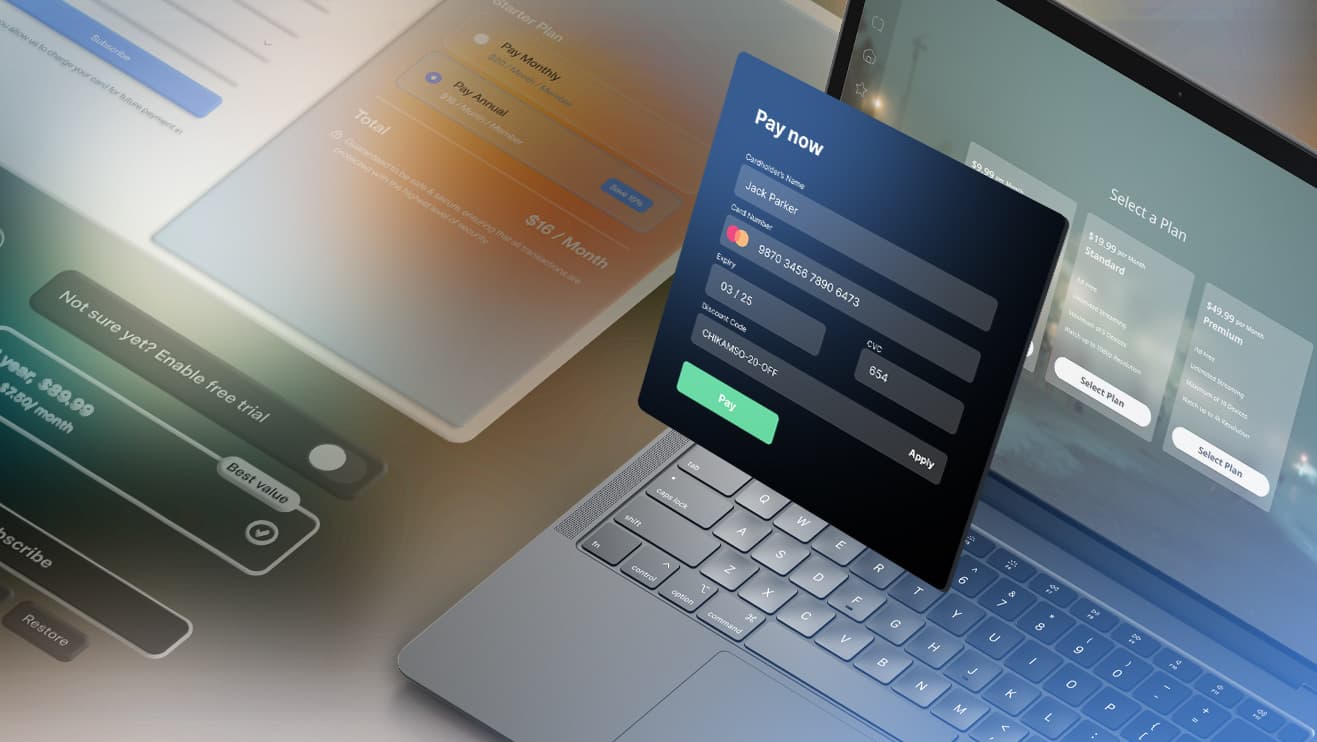
For one of our clients, expansion into MENA, LATAM, and Southeast Asia exposed a problem in the existing commerce setup: PSP lock-in was driving payment declines and lost sales in new markets.
Project results:
- 20–30% more approved payments
- 80% faster payment integrations
- 10K+ transactions per second
- 99.9% uptime
- Full visibility into payment channels
How long does replatforming take, and what does it cost?
Any vendor quoting a fixed duration before seeing your integration list is guessing. Timeline tracks integration count and data complexity more closely than catalog size or page count.
A single storefront with a few thousand SKUs and 3-5 integrations is usually a 4-6 month project. Add several regions on a shared stock figure, 10 or more integrations, and a hard peak-season deadline, and 9-12 months is the honest answer. Custom feature parity, load testing ahead of peak, and the parallel reconciliation window are the three cost drivers that move estimates most. The clean data foundation you end up with is a side benefit, since it shortens later work such as AI development for retail.
A phased migration also changes the shape of the spend. Instead of one capital outlay tied to a single launch date, cost spreads across quarters as each capability moves. That structure gives you exit points, and it avoids hiring permanent headcount for a temporary delivery peak. A slipped phase then costs one quarter of scope, not the whole program.

Plan your replatforming
A replatforming estimate is only useful once the integration map, data dependencies, and cutover constraints are known. Bring us the current stack and the reasons you are considering a move, and we’ll help you work out what the migration would actually involve.
FAQ
How long does eCommerce replatforming take?
Most mid-market projects run 4-12 months. A single storefront with a modest catalog and 3-5 integrations sits at the low end. Multiple regions, a shared stock figure, and 10 or more integrations push you toward a year. Integration count and data complexity drive the schedule more than catalog size, so ask any vendor to estimate against your actual system inventory.
Will replatforming cause me to lose customer or order data?
Not if mapping and validation are treated as engineering work instead of a final checklist item. Every field in the old schema needs a destination, a transformation rule, or a documented decision to drop it. Validate record counts and financial totals before and after each batch move. Data loss in an eCommerce migration almost always traces back to fields nobody mapped.
What's the difference between eCommerce replatforming and eCommerce migration?
In practice the terms describe the same project, and vendors use them interchangeably. eCommerce replatforming emphasizes the change of commerce engine, while eCommerce platform migration emphasizes moving catalog, customer, and order data across. What matters is scope: whether business logic gets rewritten or carried over, and which integrations move in which phase. Ask for that scope in writing.
Can I replatform without pausing my online store?
Yes, with a phased migration. Read paths move first, one bounded capability at a time behind a routing layer, while the old platform keeps taking orders. Both systems run in parallel through a reconciliation window, and checkout cuts over last, outside peak trading. Each step carries a rollback that has been executed in staging, so a bad result costs minutes instead of a trading day.