How a Retail Order Management System Actually Works
Table of contents
- What is a retail order management system, and what does it actually own?
- How does an order actually move through a retail OMS?
- What does distributed order management actually solve?
- Where does a retail OMS fit next to ERP, WMS, and the storefront?
- What determines whether a retail OMS actually holds up at scale?
- What should drive your OMS decision?
Architecture problems often don’t surface until refunds start piling up. A retail order management system (OMS) is the layer that holds the state of every order and decides where each one gets fulfilled from. In our retail software development work, that ownership boundary is often where we start looking for the problem.
The design of an order management system eCommerce teams can rely on gets complicated once an order stops following the happy path. Common examples include an inventory changing after checkout, a store rejecting fulfillment, one item shipping and another not, or a cancellation arriving after allocation. At that point, someone has to define which system has authority over the order and what every other system is allowed to change.
We’ve seen weak ownership rules turn into very practical problems: phantom stock, avoidable split shipments, duplicate updates, and orders that show different statuses in the storefront and the OMS. Adding another eCommerce integration usually won’t fix that, as the ownership rules need fixing first. Below, we’ll share some insights and practical advice.
Key takeaways:
- Give one system authority over order state. Conflicting versions in the storefront, OMS, and warehouse systems turn support teams into manual reconciliation layers.
- Design every order-state transition for failure and replay, as duplicate, delayed, and out-of-sequence events are normal conditions in a live retail system.
- Distributed order management is only as reliable as its inventory feed. Bad store counts make routing decisions cancellations.
- Test an OMS against peak-hour concurrency and exception recovery. Average daily throughput says very little about what happens during a product drop or seasonal spike.
- Audit historical order and inventory data before setting a migration timeline. Data inconsistency usually drives the effort more than order volume.
What is a retail order management system, and what does it actually own?
A retail order management system (OMS) is software that tracks an order from the moment it is placed through fulfillment, delivery, returns, or cancellation. It keeps the current order status, coordinates inventory and fulfillment across stores and warehouses, and passes order updates between the storefront, POS, ERP, WMS, and other retail systems.
An OMS owns two things: the current state of every order, and the logic that decides which location fulfills it. Everything else it appears to do is a consequence of those two responsibilities.
State ownership
It sounds abstract until you watch it fail. When the warehouse system says “shipped” and the storefront database says “awaiting payment”, your support team becomes the reconciliation layer. That’s a payroll cost, and it grows with order volume.
Routing ownership
This is the second half of the equation. The OMS decides whether a two-item order ships as one parcel from a regional warehouse or as two parcels. It weighs stock, shipping cost, and the promised delivery date. That decision needs inventory data from every selling and stocking location, which is why the OMS ends up connected to almost everything.
In many retail environments, the problem starts with ownership. Over time, systems pick up responsibilities they were never meant to have, and the boundaries between the OMS, ERP, warehouse management system (WMS), and point of sale (POS) start to blur. Here’s how we typically divide those responsibilities on retail projects.
| System | Primary job | Typical failure when overloaded |
|---|---|---|
| OMS | Holds order state and decides fulfillment location | Becomes a passive log if routing sits elsewhere |
| ERP | Records financials, procurement, and cost of goods | Batch cycles make real-time routing unreliable |
| WMS | Executes picking, packing, and warehouse stock moves | Only sees its own site, so it can’t route across the network |
| POS | Captures in-store sales and payments | Store stock counts drift when treated as the master figure |
A PIM system owns product and catalog data; the OMS owns the operational state of the order. The order management system for retail differs from a generic order management system in one respect: it has to reason about physical locations that sell and ship at the same time, which purchase-order tools never do.
How does an order actually move through a retail OMS?
An eCommerce order management system follows the same basic sequence, although the number of channels, fulfillment locations, and exception paths can vary considerably.
An order enters the OMS at checkout and moves through validation, inventory allocation, fulfillment, shipment, and completion. The OMS updates the order state at each step and handles changes such as cancellations, returns, and failed fulfillment.
Treat the order as a state machine. A workflow diagram alone won’t capture what happens when transitions fail, repeat, or arrive out of sequence. Each transition has to be idempotent, logged, and safe to replay, because sooner or later you will replay it. Here’s how it typically works:

Capture
Orders arrive from the web storefront, the mobile app, a marketplace, a store associate’s device, and sometimes a call center. Each channel sends a slightly different payload, so the OMS normalizes them into one order model before any logic runs.
Inventory check
The system reserves stock against an available-to-promise figure (not against raw on-hand counts). Skipping the reservation step is the single most common cause of oversells we see during flash sales.
Payment validation
This step is often underestimated by teams. Authorization, capture, and refund each fail in their own way, and each failure has to map to a defined order state. If you sell across channels and geographies, an omnichannel payment gateway keeps that mapping consistent instead of per-channel.
Routing
It then picks the fulfillment location. The OMS hands the allocation to a warehouse system, a store app, or a third-party logistics provider. From that moment the OMS tracks execution without controlling it, which is exactly the right boundary.
Exception handling
This is where the design earns or loses its money. Stock is missing at the picked location, a carrier misses collection, or a payment capture fails after allocation. Each case needs a defined path back into a valid state, ideally without a human deciding anything.
Returns
Close the loop and reopen the inventory question. A returned item has to reappear as sellable stock at the right location, with the refund reconciled against the original payment. Retailers who bolt returns on afterwards usually end up with stock that exists in the finance system and nowhere else.
What does distributed order management actually solve?
Distributed order management (DOM) solves one problem: choosing the cheapest acceptable way to fulfill an order across many stocking locations. That could mean fulfilling from a warehouse, a nearby store, or several locations based on stock, cost, and delivery time.
An omnichannel order management system needs that live inventory view before it can make a useful routing decision. The mechanics are a rules engine over a live inventory view. Rules score candidate locations on stock availability, shipping cost, delivery promise, and sometimes markdown risk on slow-moving store stock. In practice, three fulfillment patterns account for most of the value:
- Ship-from-store that turns idle store inventory into sellable, shippable stock
- Split shipments, which fulfill part of an order now instead of holding the whole order
- Backorder handling reserves incoming supply against a promised date
Here’s the constraint nobody puts on the slide:
DOM is only as accurate as the inventory feed behind it, and store stock figures are usually the weakest feed in the estate.
If store counts drift, the routing engine confidently sends orders to locations that can’t fill them. Your cancellation rate goes up.
We’d recommend fixing reconciliation before turning on sophisticated routing rules. Start with a daily reconciled figure and simple rules, then add cost-based scoring once the data holds.
Forecasting and supply-side modeling, including AI logistics for supply chains, work on the same principle. They sit on top of reconciled data or they produce confident nonsense.
Case in point: eCommerce built for constant change
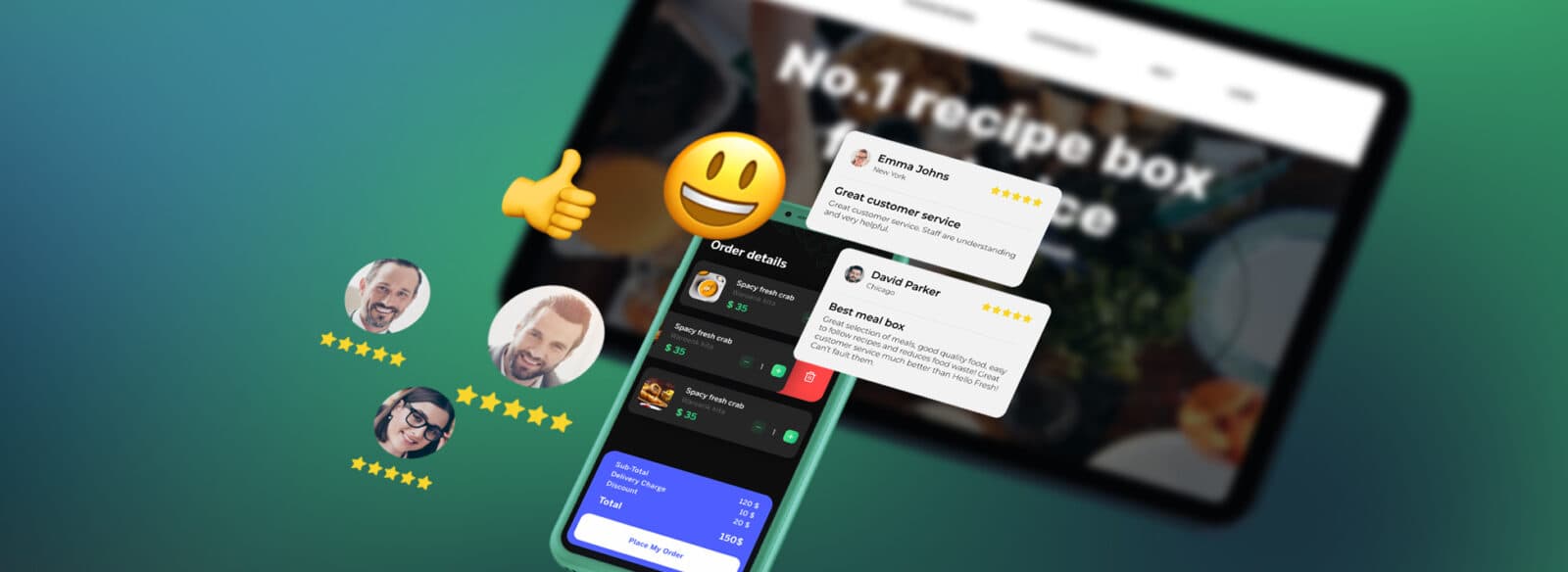
Oxagile helped develop a food delivery platform where frequent product changes were part of normal operations. The work included architecture updates, PSD2-related payment changes, and integrations with Apple Pay, PayPal, and Checkout.com.
The takeaway for OMS architecture is simple: order flows will change. The system needs to accommodate new payment, checkout, and fulfillment logic without extensive rework.
Where does a retail OMS fit next to ERP, WMS, and the storefront?
The integration boundaries matter more than the feature set, because boundaries are what you pay to change later. Two anti-patterns cause most of the rebuild work we’re asked to do.
Putting routing logic inside the ERP
It looks efficient, since the ERP already holds product and cost data. Then the business asks for ship-from-store, and the routing decision needs a sub-second answer from a system built around nightly batch cycles.
Putting order state in the storefront platform
That works until a second sales channel appears, at which point the storefront becomes the master for orders it never captured. Retail platform migrations often start exactly here, and moving order history out of a storefront database is slow, delicate work. Our eCommerce development services teams usually run that separation while trade continues, in phases, with both paths live during cutover.
The same ownership question comes up with POS integration. Store orders and stock updates need a clear path into the OMS without making the POS another source of order truth.
Standalone OMS vs embedded
Cloud-hosted versus on-premise is a smaller decision than it looks. The real architectural choice is standalone versus embedded.
A standalone OMS with clean APIs costs more upfront and gives you the option to replace the storefront, the WMS, or the ERP independently. Composable commerce takes the same approach at a broader architecture level, keeping major components independently replaceable. An embedded one is cheaper now and couples three replacement decisions together.
For a business case, frame it as optionality.
You’re buying the ability to change one system at a time, which is what keeps future retail programs sized in months instead of years.
What determines whether a retail OMS actually holds up at scale?
Peak-day behavior, load behavior, integration depth, how recovery works, and historical data consistency have the most impact.
Peak-day behavior determines if retail order management software can hold up at scale or not, and almost nothing in a standard vendor demo will show you that. A system that handles average weekday volume smoothly can still collapse in the first 10 minutes of a product drop.
Load behavior matters most, because order capture and inventory reservation contend for the same records. Integration depth comes next, since a connector that syncs on a 15-minute schedule isn’t real-time. After that, look at how recovery works when something breaks mid-order.
Historical data consistency deserves the most attention in the business case. Migration effort scales with how inconsistent your historical order and product data is, not with how many orders you have. We usually run a short data audit before committing to a delivery schedule, because a two-week audit prevents a three-month overrun.
| Evaluation criterion | What it reveals | Warning sign |
|---|---|---|
| Spike load test | Whether reservations hold under concurrency | Vendor only shows average daily throughput |
| Integration depth | Real-time capability versus scheduled sync | Connectors described by system name only |
| Exception paths | Support headcount you’ll need | Manual queues as the default recovery |
| Data audit result | Realistic migration timeline | Timeline quoted before data is examined |
Forecasting and anomaly detection can reduce exception volume once the basics are stable. Work like AI development for retail is worth scoping after the OMS is reliable, not during the same program.
What should drive your OMS decision?
Your order lifecycle, your integration surface, and your peak-day load profile should drive the decision. A feature comparison won’t tell you whether a system survives your busiest hour, and it won’t tell you how long your data migration takes.
Map where order state lives today, and count the systems that disagree about inventory. Then price the fix against the cancellations and support hours you’re already absorbing. That gives you a number a board can approve.

Want a second opinion on your order infrastructure before committing budget?
Bring us the current architecture, pain points, and constraints, and we’ll give you our take.
FAQ
What is an order management system in retail?
An order management system in retail is the software that holds the state of every order and decides which location fulfills it. It takes orders from web, mobile, marketplace, and store channels, reserves inventory, validates payment, and hands allocations to warehouses or stores. Based on Oxagile’s experience, it doesn’t replace your finance or warehouse systems. It sits between them and gives the business one reliable answer about what each customer is owed.
What is the difference between an OMS and an ERP?
An ERP records the financial and procurement side of the business: costs, purchase orders, ledgers, and supplier terms. A retail order management system manages the operational life of a customer order, from capture through fulfillment and returns. The practical difference is timing: ERP systems typically run on batch cycles, while order routing needs decisions in under a second. Putting routing logic in the ERP creates problems later.
What is distributed order management, and how is it different from standard order management?
Standard order management tracks orders and sends them to a fixed fulfillment location, usually a central warehouse. Distributed order management adds a rules engine that chooses between many locations, including stores, based on stock, cost, and delivery promise. That enables ship-from-store, split shipments, and smarter backorder handling. It also raises the accuracy bar on inventory data, since bad store counts turn directly into cancelled orders.
How long does it take to implement a retail OMS?
It depends far more on data quality than on the software. A clean single-channel implementation with a small number of integrations can go live in three to four months. Multi-channel programs with legacy order history, store stock reconciliation, and ERP and carrier integrations usually run longer. Oxagile’s experts recommend a short data audit first, because the state of historical order and inventory records sets the realistic timeline.